Video Summary Prompts: 12 Copy-Paste Prompts for Any Transcript (2026)

The difference between a useless video summary and a usable one is not the model you paste into — it is whether your prompt names the output structure, caps the length, and tells the model to write “not stated” instead of inventing. Below are 12 prompts, one per job, each in a copy block you can take as-is.
Every prompt below stays in English on purpose: English instructions run more predictably across chat tools, and you can always add one line telling the model to answer you in your own language.
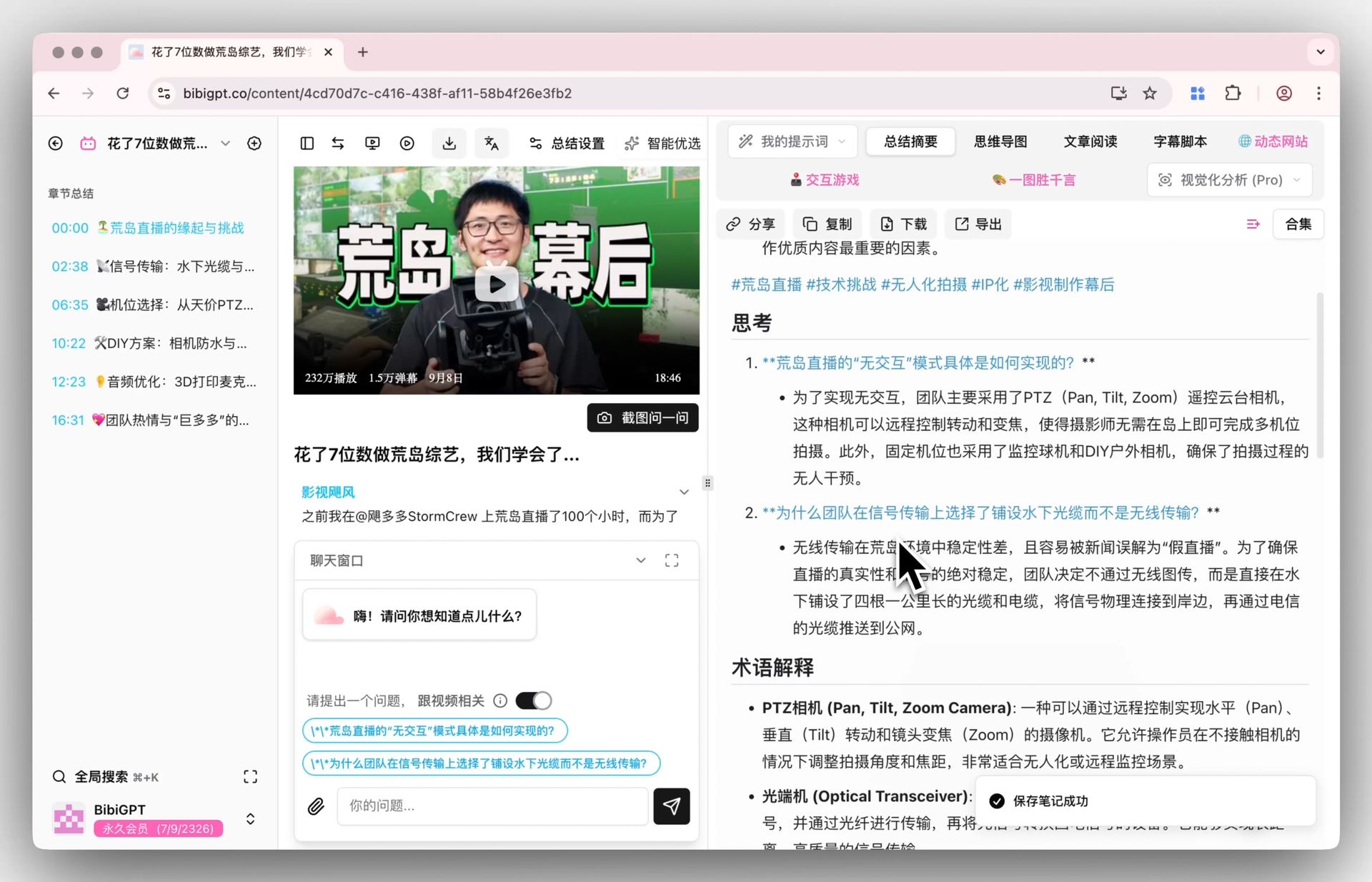
Three steps: get the transcript, copy one prompt, then replace <paste the transcript here> at the bottom with it. If you need the transcript, drop the video link into BibiGPT to get a timestamped text version, then paste that into whichever chat tool you already use.
A prompt earns its keep by defining the shape of the output, not by sounding clever.
Use a timestamped transcript wherever you can. Half of these prompts ask the model to cite timestamps, and without them the best you get is “n/a” — which costs you the ability to jump back and check. They still run on plain text, just with less verifiability.

Timestamped video transcript shown next to a chaptered reading view
How do I find my way around a long video?
Two prompts cover this: one turns the transcript into a jump menu, the other flattens a how-to into numbered steps. Reach for them when the video is long and watching it end to end is not a good use of the next hour. Both stand or fall on the same rule — real timestamps only, never invented ones.
How do you get a timestamped outline of a video?
Run this one first, then decide whether and where to watch. It returns 6-12 timestamped sections with a one-line description each, which is effectively a jump menu for the video. The load-bearing rule is “use only timestamps that appear in the transcript” — without it, models happily produce a plausible-looking 00:14:32 that points nowhere.
You are given a video transcript with timestamps. Build a navigable outline of it.

Rules:
- Produce 6-12 sections. A section is one topic shift, not one paragraph.
- Format every line as: [HH:MM:SS] Section title - one sentence on what is covered.
- Use ONLY timestamps that appear in the transcript. Never estimate, interpolate or invent one. If a section starts where no timestamp is marked, write [time not marked] instead of guessing.
- Titles must be specific ("Why the 2019 pricing change backfired"), never generic ("Introduction", "Key points").
- End with one line: "Longest section: <title> (~<minutes> min)".
- Under 300 words. No preamble, no closing remarks.

TRANSCRIPT:
<paste the transcript here>
How do you turn a tutorial into a step-by-step checklist?
Scrubbing back and forth through a tutorial is the slowest way to follow one. This flattens it into numbered steps, one action each, with every spoken value, command and menu path copied verbatim in brackets. Anything only shown on screen is marked as such rather than guessed, and you also get prerequisites, checkpoints and a note on version-dependent steps.
Convert this tutorial transcript into a checklist someone can follow without watching.

Output numbered steps. Each step is one imperative action, followed in brackets by any exact value, setting, command or menu path that was spoken.

Rules:
- One action per step. Split any step that contains "and then".
- Copy values, names, paths and commands character for character. If something was only shown on screen and never spoken, write [shown on screen, not stated] - never guess it.
- After the steps add PREREQUISITES (what you need before step 1) and CHECKPOINTS (how you know each phase worked, quoting what the tutorial says you should see).
- Finish with one line: "Steps that may depend on the version you are using: ...".

TRANSCRIPT:
<paste the transcript here>
Turning a video transcript into an article outline
How do I brief someone who will not watch it?
Briefing is two different jobs depending on who receives it. Someone who will act on the video needs a short structured verdict; someone new to the subject needs the jargon stripped out and the order rearranged. The prompts below do one each, so pick by the reader’s knowledge rather than by length.
How do you summarize a video for someone who will never watch it?
This is the summary you send to someone who will act on the video without opening it. It fixes four blocks: the bottom line, what the video covers, who should watch, and what it does not answer. That last block is what most summaries omit, and it is the one that stops a reader from believing they now know everything.
Summarize this transcript for a busy reader who will never watch the video.

Output exactly these four blocks:
1. BOTTOM LINE - 2 sentences. The single most useful thing in the video.
2. WHAT IT COVERS - 4-6 bullets, each under 20 words.
3. WHO SHOULD WATCH - 1 sentence on who benefits, 1 sentence on who can safely skip it.
4. WHAT IT DOES NOT ANSWER - 2-3 questions a reader may arrive with that the transcript leaves open.

Rules:
- Under 250 words in total.
- Every statement must be traceable to the transcript. If something is only suggested, write "implied, not stated".
- Add no background knowledge of your own.

TRANSCRIPT:
<paste the transcript here>
How do you get a beginner-level explanation of a video outside your field?
Outside your field, the blocker is usually four or five terms. This prompt rewrites the content with no specialist vocabulary, adds a plain-language glossary, reorders the material into 5-8 short passages in the order a beginner needs, and closes with one clearly labelled analogy. Where the speaker assumed background, it says so instead of inventing the missing piece.
Rewrite this transcript for someone completely new to the subject.

Output:
- WHAT THIS IS ABOUT - 3 sentences, no specialist vocabulary at all.
- GLOSSARY - every specialist term the speaker uses, each explained in under 15 plain words.
- THE IDEA, STEP BY STEP - 5-8 short paragraphs, ordered the way a beginner needs them, which may differ from the order in the video.
- ONE ANALOGY - a single comparison to something ordinary, clearly labelled as an analogy.

Rules:
- Aim at a motivated 15-year-old reader.
- Where the speaker assumed background the transcript never supplies, write "the video assumes you already know X" rather than filling the gap yourself.
- No sentence longer than 25 words.

TRANSCRIPT:
<paste the transcript here>
Self-test questions generated from a video
How do I get decisions and next steps out of a meeting?
After a call there are two separate questions: what has to be done, and what was actually settled. The first prompt returns tasks with owners; the second draws the line between decided and merely discussed, which is exactly the line a recording blurs. Run both on the same transcript and the follow-up is complete.
How do you pull action items and owners out of a recorded call?
Run this straight after a call and you get a table of action, owner, due date, timestamp and confidence. It refuses to infer owners from context — unnamed work comes back as “unassigned” — and it keeps a separate list of things that sounded like tasks but were actually rejected or deferred. That second list is where post-meeting arguments come from.
Extract the action items from this transcript.

Return a table with the columns: Action | Owner | Due or trigger | Timestamp | Confidence

Rules:
- Owner: use the name actually spoken. If nobody was named, write "unassigned" - do not infer an owner from context.
- Due or trigger: the exact wording used, otherwise "not stated".
- Timestamp: where the action was raised. If the transcript carries no timestamps, write "n/a".
- Confidence: high (explicitly agreed) / medium (proposed, not confirmed) / low (mentioned in passing).
- Under the table add a NOT ACTIONS list: anything that sounds like a task but was rejected or postponed.
- If there are no action items, reply "No action items found" and stop. Do not manufacture any.

TRANSCRIPT:
<paste the transcript here>
How do you separate what a meeting decided from what it only discussed?
The problem with long meetings is not memory, it is that discussion looks like decision in the recording. This prompt splits everything into decided, open loops and live disagreements, and is explicitly strict: if nobody stated a conclusion, it is an open loop. It also names topics that were dropped and never revisited.
Read this meeting transcript and separate what was settled from what was not.

Output three sections:
DECIDED - one line each: the decision, who stated it, the timestamp. Only include items where someone actually concluded something.
OPEN LOOPS - the question left hanging, who raised it, and what would close it.
DISAGREEMENTS - positions still in conflict when the topic changed. One sentence per side.

Rules:
- A topic that was merely discussed is an open loop, not a decision. Be strict about that line.
- If a topic was dropped and never revisited, say so explicitly.
- Maximum 8 items per section; if more exist, keep the most consequential and note how many you left out.
- Never assign a decision to a speaker who did not state it.

TRANSCRIPT:
<paste the transcript here>
Any prompt that does not say “write not stated” will eventually invent a timestamp for you.
How do I study from a recorded lecture?
Studying from a recording splits into testing yourself and keeping what struck you. One prompt manufactures recall questions out of the material, the other pulls the lines worth writing down word for word. Neither is allowed to fill gaps with outside knowledge, so both stay honest to the lecture.
How do you turn a lecture into exam questions?
Active recall beats rewatching, and this prompt manufactures the recall. You get 8 short-answer questions spread across the whole lecture, 4 application questions that force two ideas together, and an answer key with timestamps. Any question needing outside knowledge is discarded, so it tests the lecture rather than the model.
Turn this lecture transcript into a self-test.

Produce:
A. 8 recall questions (short answer) spread across the whole lecture, not only the opening third.
B. 4 application questions that require combining two ideas from the lecture.
C. An answer key. Each answer paraphrases the transcript and cites the timestamp it came from.

Rules:
- Every question must be answerable from the transcript alone. Delete any question that needs outside knowledge.
- Mark anything the speaker called important or exam-relevant with [flagged by speaker].
- Keep each answer under 40 words.
- If the transcript is too thin for 12 questions, produce fewer and say how many the material actually supports.

TRANSCRIPT:
<paste the transcript here>
How do you find the quotable lines in a video?
If you repackage video into posts or newsletters, misquoting is the real risk. This returns 8-12 self-contained lines with timestamps and one line on why each lands, under a strict verbatim rule: you may cut filler and mark it with an ellipsis, but not improve the phrasing. Lines that change meaning out of context get quarantined in their own list.
Pull the most quotable lines out of this transcript.

Return 8-12 quotes. For each: the quote verbatim, its timestamp, and one line on why it lands (surprising, contrarian, unusually concrete, memorable phrasing).

Rules:
- Verbatim means verbatim. You may cut filler words and mark the cut with "...", but never rewrite, smooth or improve the wording.
- Each quote must stand on its own without the surrounding context.
- Skip anything shorter than 6 words or longer than 40.
- If a line changes meaning once removed from its context, do not list it as a quote - put it under CONTEXT-DEPENDENT instead.

TRANSCRIPT:
<paste the transcript here>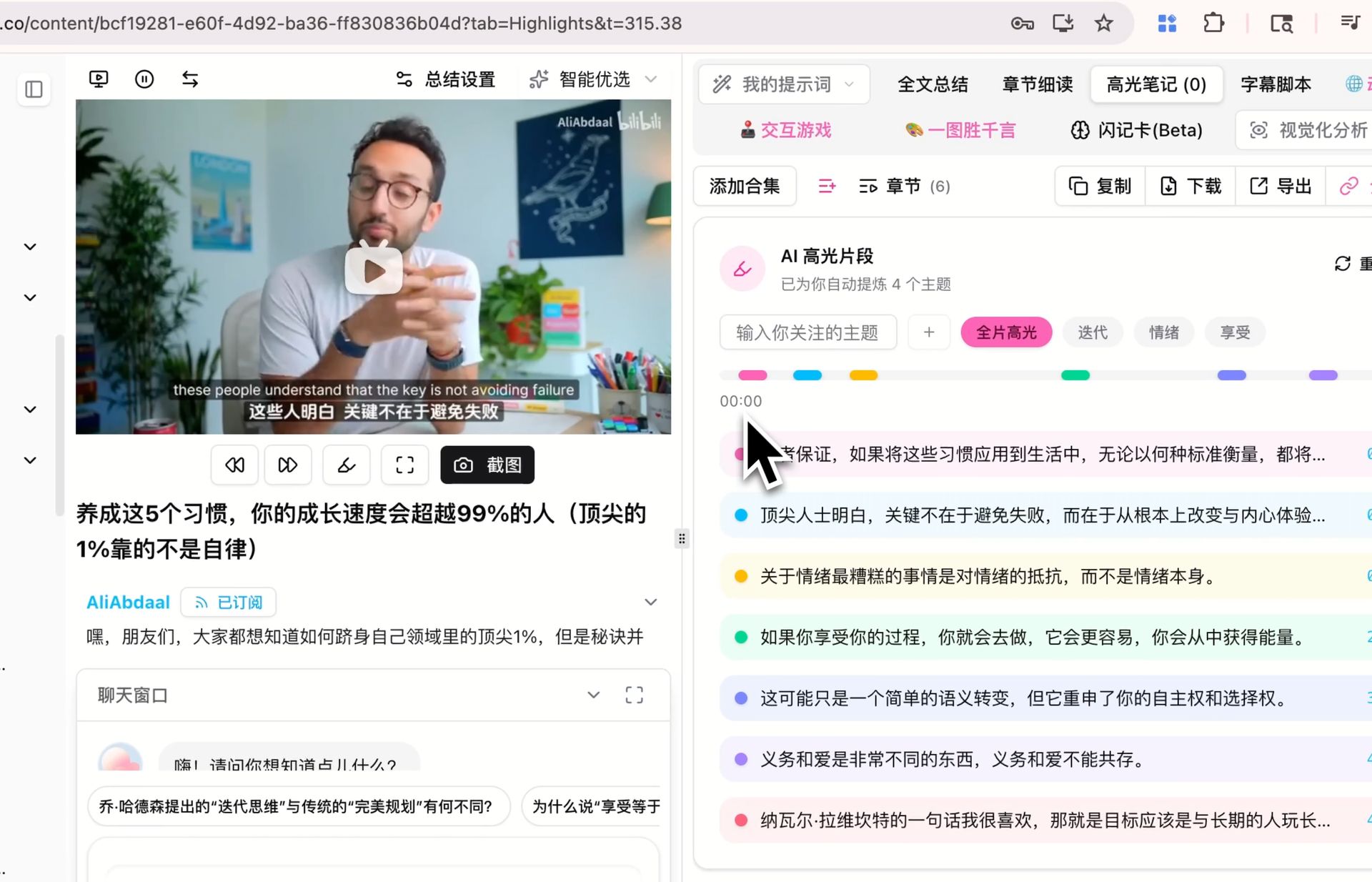
Highlighting and extracting quotable lines from a video
How do I check what was actually claimed?
Before you cite or repost anything from a video, two passes are worth running: pull out the figures, then list what needs verifying. Neither prompt may judge truth or produce a number that was not spoken — the goal is a checkable list, not a second opinion layered on the first.
How do you extract only the numbers and claims, with timestamps?
For earnings calls, research talks and market analysis, the figures are usually all you want. This puts each one on its own row with the exact quote, what it measures, the timestamp and whether a source was named. It copies figures verbatim — no rounding, no unit conversion, no quietly dropping the speaker’s “roughly”.
Extract every quantitative claim from this transcript.

One row each: Figure | Exact quote | What it measures | Timestamp | Source named? (yes: <source> / no)

Rules:
- Include numbers, percentages, dates, durations, amounts of money, counts and rankings.
- Quote the figure exactly as spoken. Do not round, convert units or normalize currencies.
- Keep any hedge the speaker used ("roughly", "about", "up to").
- Add no figure that is not spoken in the transcript, and do no arithmetic of your own.
- After the table, list under CHECK THESE any figure with no named source or that looks implausible, with one line saying why.

TRANSCRIPT:
<paste the transcript here>
How do you list the claims in a video that need verifying?
Note what this prompt does not do: it does not judge anything. It surfaces every falsifiable claim with its quote, timestamp, type, a one-line verification route and a risk rating, sorted by risk. Forbidding the model from ruling on truth is the point — you get a to-do list you can check, not a second layer of assertions that would themselves need checking.
Do not fact-check this transcript. Instead, build the list of things that WOULD need checking.

One row per checkable claim: Claim (one sentence) | Exact quote | Timestamp | Type (statistic / causal / attribution / prediction / definition) | How to verify it, in one line | Risk if wrong (high / medium / low)

Rules:
- Only falsifiable claims qualify. Tastes and preferences do not; predictions about measurable outcomes do.
- Do not say whether a claim is true or false, and do not use your own knowledge to judge it.
- If a claim is attributed to a study, person or report, put that attribution in the quote column exactly as spoken.
- Sort by risk, highest first. Maximum 15 rows.

TRANSCRIPT:
<paste the transcript here>
How do I turn a video into something else?
Repurposing means either rewriting one video into another format or setting two videos against each other. The first prompt produces an article outline with the evidence attached; the second maps agreement and conflict across two transcripts. Both refuse to add support that is not in the source.
How do you turn a conference talk into an article outline?
Turning a talk into a post is a structure problem, not a writing problem. This returns three candidate titles, a lead paragraph, and 5-7 headings phrased as claims rather than topics, each backed by timestamped material. The most useful part is the GAPS list: the data and counterarguments the talk never supplied but the article will need.
Turn this talk transcript into an outline for a written article.

Output:
- 3 candidate titles, each under 12 words.
- A lead paragraph of 60-80 words stating the article's argument.
- 5-7 section headings, each phrased as a claim rather than a topic label.
- Under each heading, 2-3 bullets of supporting material taken from the transcript, with timestamps.
- A GAPS list: what the article still needs that the talk does not supply (data, counterargument, example).

Rules:
- Invent no supporting evidence. Every bullet must exist in the transcript.
- Keep the speaker's argument, not your own opinion.

TRANSCRIPT:
<paste the transcript here>
How do you compare two videos on the same topic?
When two people cover the same subject differently, this prompt makes the difference legible. It splits into agreement, disagreement, unique-to-each, and a three-sentence “which one should you watch”. Attribution is mandatory, and the model is allowed to say “wording differs, substance unclear” — which kills most manufactured conflicts.
You are given two transcripts on the same topic, labelled A and B.

Output:
1. AGREE - points both make, one line each, with a timestamp from each side.
2. DISAGREE - A's position, B's position, and the evidence each one offers.
3. ONLY IN A / ONLY IN B - what one covers that the other never raises.
4. WHICH TO WATCH - 3 sentences: for which reader, which video, and why.

Rules:
- Never merge the two into a single voice. Always attribute.
- A point that appears in only one transcript does not belong in AGREE.
- Where you cannot tell whether they truly disagree or merely word things differently, write "wording differs, substance unclear".

TRANSCRIPT A:
<paste transcript A here>

TRANSCRIPT B:
<paste transcript B here>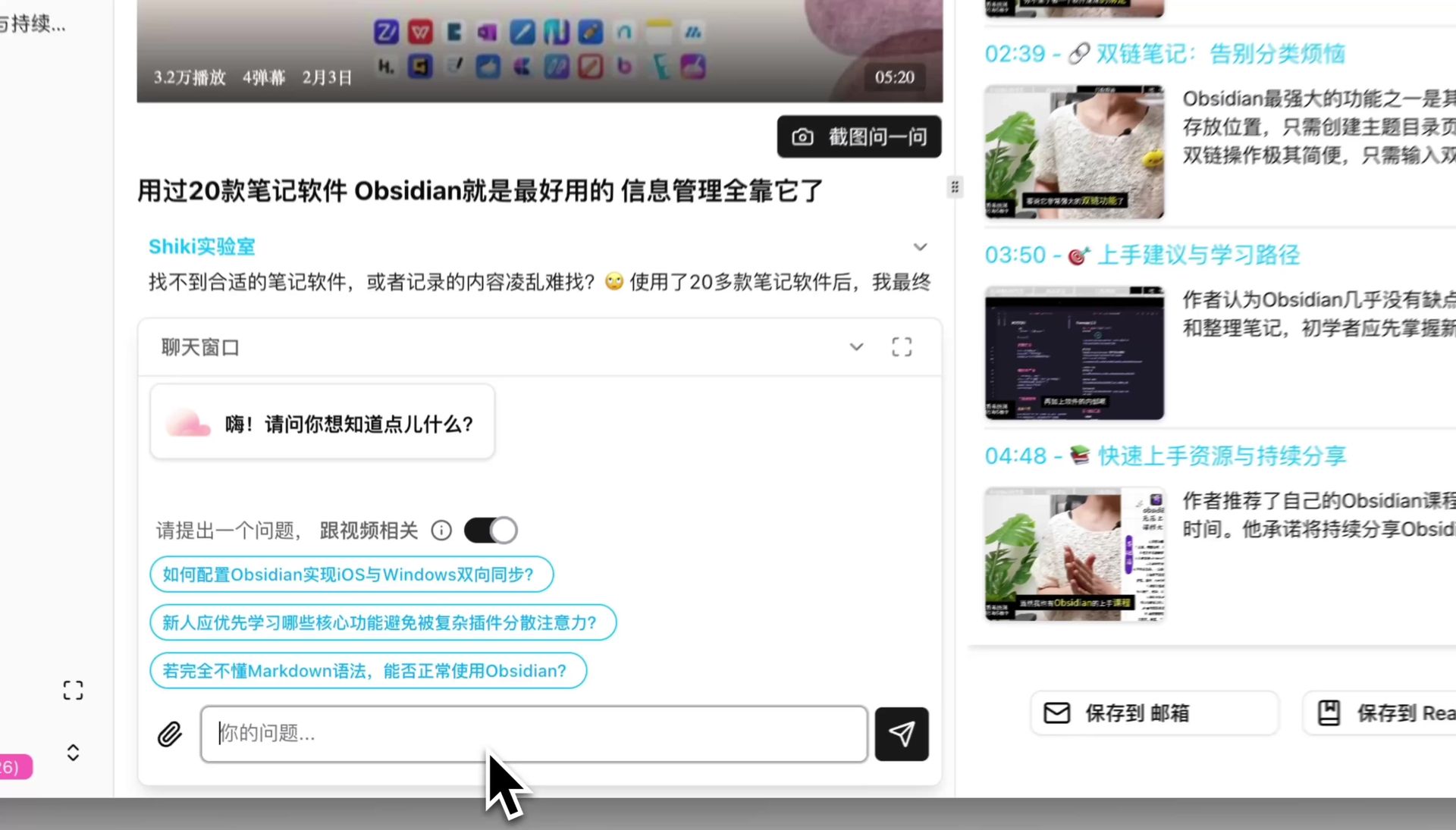
Pasting a transcript into a chat window to ask follow-up questions
How should you adapt these to your own work?
Change three things: the word limits, the block names (use whatever your team already calls them), and the table columns (add “related project” or a ticket ID). What you should not touch are the closing constraints — only real timestamps, “not stated” over guessing, no outside knowledge. Those lines are the reason the output is usable without a second pass.
Of these twelve, you will use maybe three every week. Lock those three in first.
Save your regular ones as text snippets with two-letter shortcuts rather than bookmarking this page — that is what determines whether you actually use them. Add a fourth once the first three are habit; adopting all twelve at once rarely survives the second week.
Popular tools
More in this series
- AI Competitive Intelligence Workflow: Build Industry Monitoring with BibiGPT Video Summaries
- Lessons From Shipping BiliGPT: Two Cold-Start Growth Tactics Behind a GPT-3 Side Project
- [BibiGPT Growth Series] Episode 1 | How AI Summaries for Bilibili Were Born
- BibiGPT Advanced Guide 2026: Download + AI-Summarize Videos from WeChat Channels, RedNote, TikTok, and Enterprise Intranet Sites
- Chat with Any Video: How to Ask AI Questions About Videos Instead of Watching the Whole Thing (2026)