BibiGPT v4.583.0: GLM-5.3 and Qwen3.8 27B for audio/video summaries, dedicated translation models, and unread badges

Hey there, BibiGPT friends 👋
Over the past few days, BibiGPT shipped another round of updates. When you run audio/video summaries or follow-up chat, you can switch straight to Zhipu’s newly opened GLM-5.3 and the lighter Qwen3.8 27B, so you read a bit faster; for channels you follow, the Feed sidebar now shows an unread count; subtitle translation has its own model group, and transcription engines make it obvious which ones are free and which need your own API key. Read faster, find it, put it to work — all of that is live this week.
⚡ Read faster
GLM-5.3 opens for summaries and chat, plus a new Qwen3.8 27B
When you summarize or ask follow-ups, you often want the newest model the moment it opens: on Zhipu’s side GLM-5.3 used to be unselectable in the picker, and on Alibaba’s side you do not always need the Qwen3.8 Max flagship tier.
Open any summary or AI chat, click the model name, and the audio/video summary & chat model picker appears. This week text summaries and chat gain 2 selectable models:
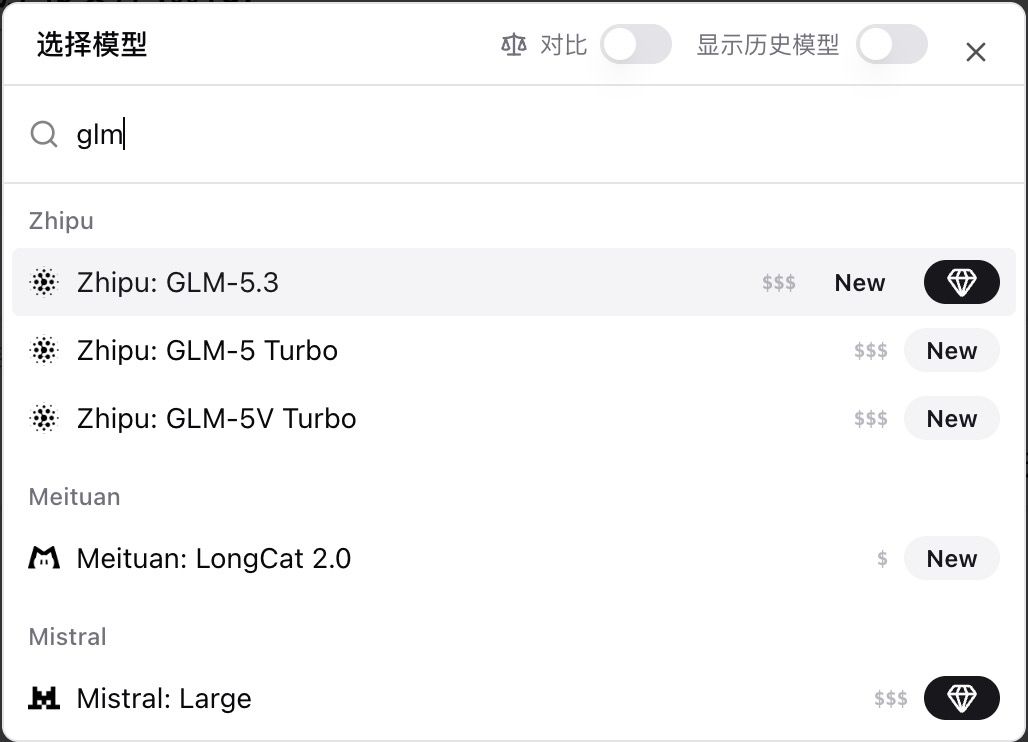
- Zhipu: GLM-5.3: search “glm” — first item in the Zhipu group, with a New badge and a membership mark. Zhipu launched it officially on August 14; they say the coding feel is about 50% better than GLM-5.2, and you can already pick it for summaries and follow-ups. Details: Zhipu GLM-5.3 official docs.
- Qwen3.8 27B: search “qwen3.8” — the lighter tier of the same series in the Alibaba group, with New. Same-series Qwen3.8 Max was already selectable; what is new is the 27B — for when you want the 3.8 generation without the flagship price. Alibaba open-sourced the 27B mid-August; it fits long videos and long podcasts well. Details: Qwen3.8-27B official model card.
Re-summarize the same content with a different model to compare side by side. The diamond icon marks the membership tier.
Screenshot: BibiGPT · Zhipu GLM-5.3 in “Select model”, with a New badge
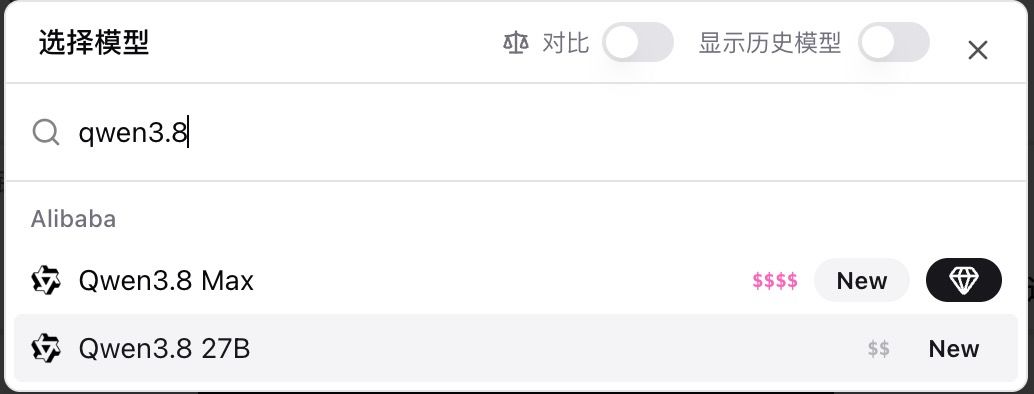
Screenshot: BibiGPT · Qwen3.8 27B in “Select model”, with a New badge
🔎 Find it
Feed in the sidebar drops Beta and shows unread counts
After you follow many channels, Feed in the sidebar used to either say Beta or give no hint that anything new had arrived — you had to open it and dig every time.
The web Feed stream itself is not new. What you can actually see in the sidebar this week: the entry no longer says Beta, and under the Explore section a pink numeric badge shows the unread count — side by side with Subscriptions and Trending, so you know there are updates without opening the page.
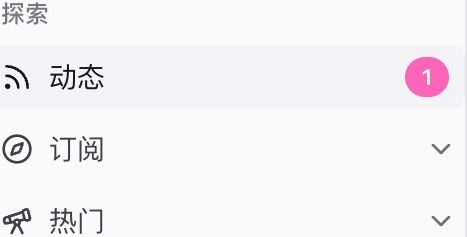
Screenshot: BibiGPT · Feed in the sidebar, pink badge for unread count
Inside, you can still filter by Unread / All / Read. In the same period we also added email and App push for channel updates — turn them on in personal settings; free plans get up to 2 per day, or you can limit to channels you already follow. The unread badge on the App Feed tab waits for the next store release; for now stay on your current iOS / Android build.
🛠️ Put it to work
Translation gets a dedicated model group, plus Hy-MT2
When translating subtitles, models used to share one big list with summaries — you could not find translation-focused models, and it was unclear which Subtitle Studio control switched the translation model or edited the translation prompt.
Translation was already there; this is not a brand-new “add translation” feature. What is new is the separate group, plus two Tencent Hy-MT2 tiers. Entry is on the subtitle script page: open settings next to “Select subtitles”, expand “Default model” and “Translation prompt”; the prompt defaults to colloquial, professional, and fluent — translate the source only, no embellishment.
Click “Default model” to open the translation model picker; the list splits into two groups:
- Dedicated translation models (pinned at the top)
- Tencent: Hy-MT2-1.8B (New)
- Tencent: Hy-MT2-30B-A3B (New)
- Qwen-MT Plus (moved over from the summary model list — not new; the old entry name was Qwen-MT)
- General-purpose models: the previous summary / chat models remain available for translation, including “Smart pick” in the list
Hy-MT2 accepts an optional translation style (colloquial, subtitle, formal, and so on); leave it blank to output the translation only. Subtitle Studio and the summary page share the same translation models. Tencent Hunyuan’s write-up for this dedicated translation line: Hy-MT2 official model collection.
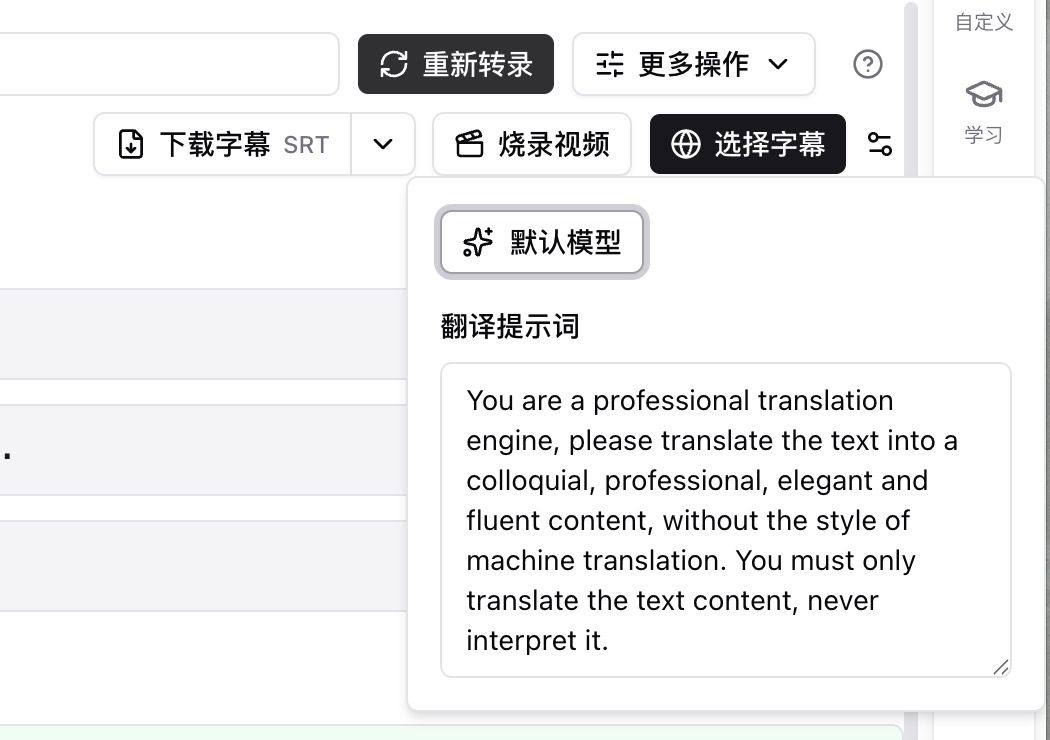
Screenshot: BibiGPT · subtitle script page, “Default model” and “Translation prompt” entry points
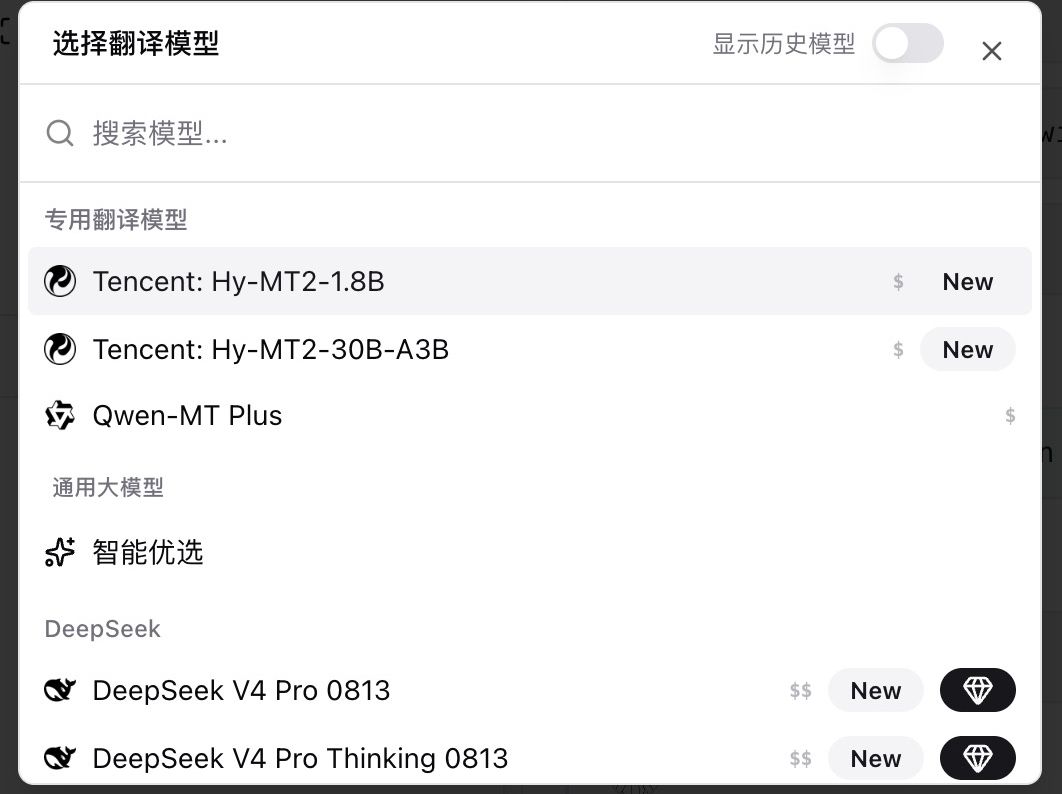
Screenshot: BibiGPT · “Select translation model”, Hy-MT2 and Qwen-MT Plus pinned at the top
Transcription engines show free vs self-provided key
After you click “Re-transcribe” in Subtitle Studio, engines used to sit in one flat dropdown — hard to tell which members can use out of the box and which need a self-provided key.
In the Transcription settings dialog, under the Transcription service dropdown, platform engines now carry a green Free label (the platform covers cost for members), and self-provided-key engines carry a key icon plus a price tier:
- Free: Auto select, Qwen ASR, Qwen Audio 3.0 ASR, StepFun ASR
- Self-provided key: Doubao Speech ASR (selecting one shows a key field and links to the matching developer console)
Those names sit in the dropdown you can open yourself. Existing platform engines are still there; what this release adds is the free / self-provided-key labeling.
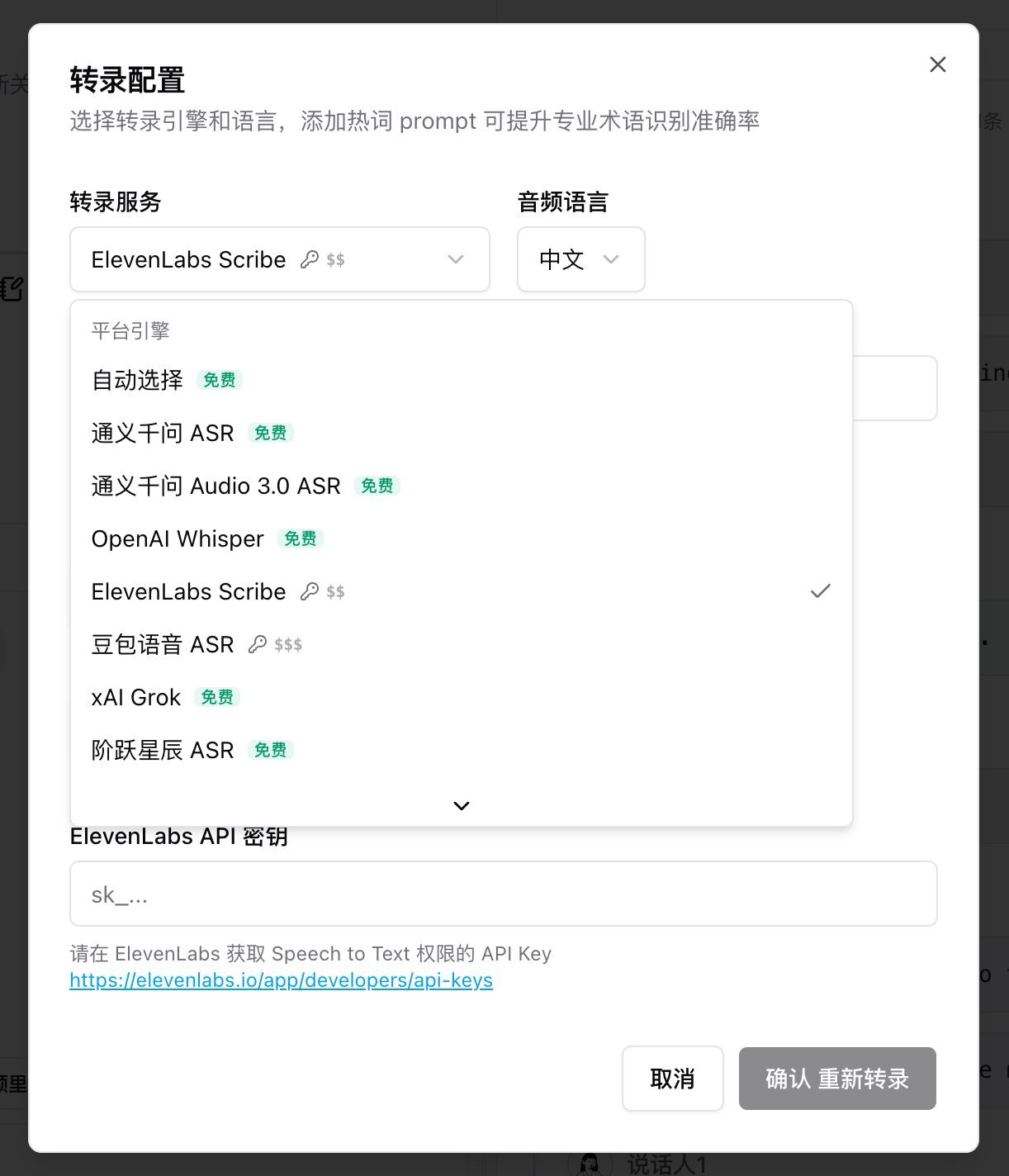
Screenshot: BibiGPT · Transcription settings platform-engine group, Free labels and key icons
Wrap-up
The first things worth opening this issue are GLM-5.3 and Qwen3.8 27B in the audio/video summary model picker, plus that dedicated translation model group in Subtitle Studio — pick them and they apply to the video in front of you right away. The unread count on Feed in the sidebar is the change friends who follow many channels will notice every day they open the app.
We also polished these spots you can use directly:
- Channel updates can go to email and the App — turn them on in personal settings
- When B 站 only returns a preview clip, you still get a usable summary first, with a prompt to authorize for the full video
- If a summary is already running, selecting a collection afterward still catches up
- Batch-exported Markdown includes chapter screenshots
- The WeChat Official Account article tab brings back the last result on open, so you do not have to generate again
Ideas or issues? Leave us a note on the WeChat Official Account “魔法司”.
- 🌐 Website: bibigpt.co
- ✨ Explore features: bibigpt.co/features
- 💻 Desktop app: bibigpt.co/download/desktop
- 📱 Mobile app: bibigpt.co/app
The BibiGPT Team
Popular tools
More in this series
- AI Competitive Intelligence Workflow: Build Industry Monitoring with BibiGPT Video Summaries
- Lessons From Shipping BiliGPT: Two Cold-Start Growth Tactics Behind a GPT-3 Side Project
- [BibiGPT Growth Series] Episode 1 | How AI Summaries for Bilibili Were Born
- BibiGPT Advanced Guide 2026: Download + AI-Summarize Videos from WeChat Channels, RedNote, TikTok, and Enterprise Intranet Sites
- Chat with Any Video: How to Ask AI Questions About Videos Instead of Watching the Whole Thing (2026)