Video Summarizer Prompts: 10 Copy-Paste Templates (2026)

You drop a two-hour lecture into a chat box and type four words: summarize this video. What comes back looks like a table of contents — correct, empty, useless. You do not need a smarter model. You need a video summarizer prompt you can paste: role, length, timestamps, output shape, and a list of segments to ignore.
That is what people searching video summarizer prompt actually want. An Overseeros study of 1,257 long-form videos found a median runtime of 21.7 minutes, with the middle 50% between 13.8 and 35.9 minutes. Nobody is “watching that and then taking notes.” The prompt’s job is to crush a linear video into text you can scan, quote, and act on.
This is not a methodology lesson. Every tip has a full copy-paste block. The anti-example is the same intent written as empty adjectives. Paste the block into a custom prompt, or pick a ready-made one in Prompt Market.
Table of Contents
- Why “summarize this video” almost always fails
- The slots a video summarizer prompt actually uses
- 10 copy-paste tips
- 6 full scene templates
- Empty prompt vs copy-paste prompt
- After you copy: custom prompts and Prompt Market
- FAQ
Why “summarize this video” almost always fails
Empty prompts fail for a concrete reason: the model does not know who you are, who will read the notes, how long “done” is, or which minutes are ads. It defaults to intro / body / conclusion, folds the sponsor read into the thesis, and either skips timestamps or points them at the wrong sentence.
Prompting fundamentals split a useful input into task, context, and ideal output. A video summarizer prompt writes those as fields, not as principles: put instructions first, then separate them from the content. For chaptered long videos, reuse YouTube’s official chapters.
When you paste the same link into BibiGPT’s video summarizer, the default deep summary already gives you an abstract, highlights, and Q&A. A custom prompt is how you turn the slots below into a formula you never retype.
Summarize any video in seconds
Pick a sample below to see the AI summary — TL;DR, key points, and jump-to timestamps.
TL;DR: Karpathy builds a GPT-style language model from scratch in code, explaining every piece — from a tiny character-level model up to the full Transformer.
Key points
- Start with a bigram model, then add self-attention so tokens can "talk" to each other
- A Transformer block = multi-head attention + feed-forward + residual connections + layer norm
- Training is just predicting the next token; scale and data do the rest
- The same architecture behind nanoGPT is what scales up to ChatGPT
Jump to
- 00:07 Why build GPT from scratch
- 08:23 Self-attention, intuitively
- 1:00:00 Assembling the Transformer block
- 1:35:00 From nanoGPT to ChatGPT
Practical rule: If your prompt does not name the reader, a length budget, an output shape, and an ignore list, you will get an empty summary.
The slots a video summarizer prompt actually uses
“Write well” is the wrong goal. Video summarizers eat fields. Take the vendor advice — clear task, context, output — and fill this table. Then paste.
| Slot | Fill this | Anti-example |
|---|---|---|
| Role | The job the model is doing, with a domain | “You are a helpful assistant” |
| Audience | Who reads this, and what decision they face | “Make it useful for everyone” |
| Length | Word count, bullet cap, or “one screen” | “Be as detailed as possible” |
| Structure | Named headings: TL;DR, takeaways, actions, risks | “Use a structured format” |
| Timestamps | Required, format, which moment they mark | “Add times if you can” |
| Ignore list | Intros, sponsors, recaps, outros | (blank) |
| No invention | Mark unclear audio; do not fill gaps | “Add helpful background” |
| Language | Output language, separate from the video | “Translate naturally” |
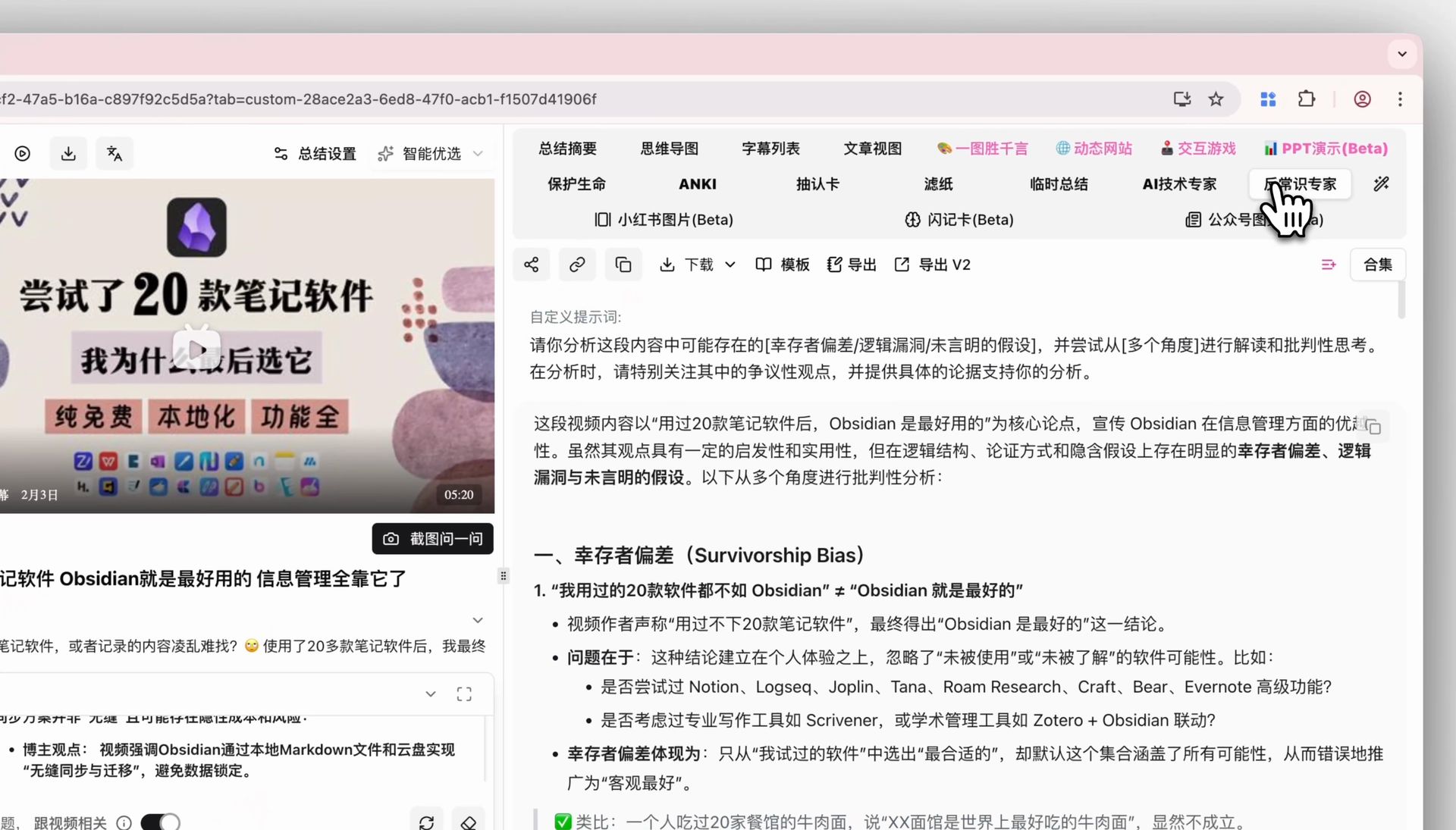
Here’s how BibiGPT handles the same thing — see the screenshot below: a default summary first, then a custom prompt to rerun it on your formula.
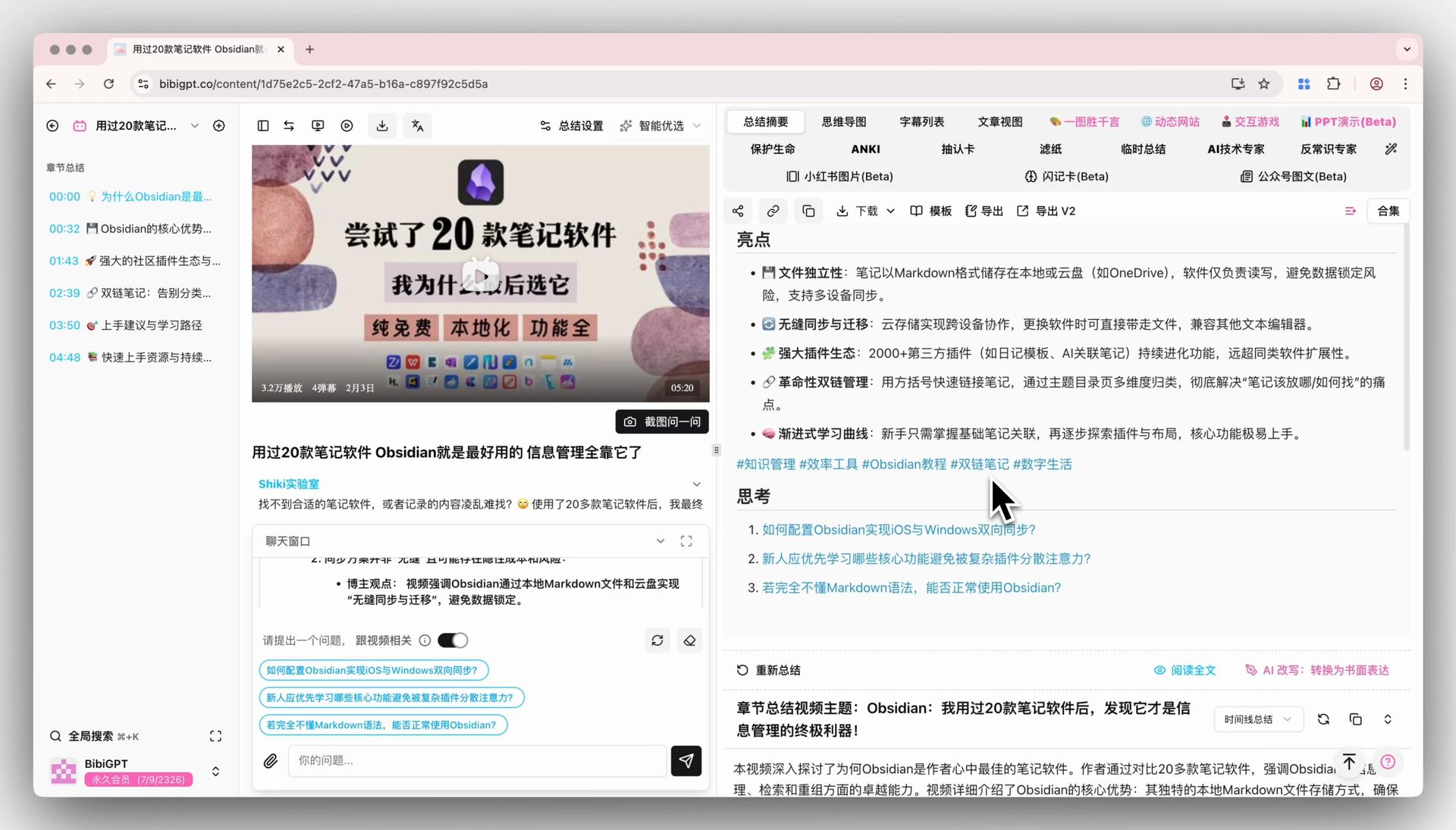
Screenshot: BibiGPT product demo
Practical rule: Any empty cell in that table gets filled with the blandest default. Skip the ignore list and the model will treat the ad as a takeaway.
10 copy-paste tips
Each tip is a full block. The anti-example is the same intent as empty adjectives. In BibiGPT: open custom prompt, paste the whole block, save, reuse with one click.
1. Give it a job title, not “summarize this”
One-line rule: the model needs to know who it is working for.
You are a corporate training lead. Summarize this video for colleagues who will not watch it but must give a 10-minute team sync next week.
Keep only what they need to decide. Do not write a reaction piece.
Anti-example: Please give me a nice summary of this video.
How to use it in BibiGPT: save as “training sync” and pin it so every training recording uses this identity.
2. Write length as a budget, not as “detailed”
One-line rule: a summary with no cap expands until you stop reading.
Hard limits:
- 80-word TL;DR that can be forwarded alone
- At most 7 bullets, 40 words each
- Never more than 600 words
If the video is dense, drop background and mood. Keep only executable information.
Anti-example: Be as detailed as possible and do not miss any key points.
How to use it in BibiGPT: use this for a one-screen brief. Save a separate “deep notes” prompt. Do not mix them.
3. Require timestamps, and name the format
One-line rule: a summary without timestamps hides the video again.
Every bullet must end with a timestamp in [mm:ss].
Point it at the moment the speaker starts that claim, not at the chapter title.
If you cannot hear it, write [uncertain]. Do not invent a plausible time.
Anti-example: Add approximate times if convenient.
How to use it in BibiGPT: the default summary already jumps back to the source. This prompt makes the custom summary equally clickable.
4. Split facts, opinions, and actions
One-line rule: mixed prose cannot be quoted in a meeting.
Output three headings. Do not mix them:
## Facts (said explicitly in the video)
## Opinions (the speaker's judgment, named)
## Actions (what I might do next; tag owner as me / them / unassigned)
Facts must not contain "should", "best", or "obviously".
Anti-example: Extract the key insights.
How to use it in BibiGPT: meetings and interviews. Default highlights help you remember; this block helps you act.
5. Demand checkable claims. Ban filling the gaps
One-line rule: models love to finish sentences the speaker never said.
Use only information that appears in the video.
Numbers, names, products, dates: quote the original wording.
Do not add industry background, competitor comparisons, or forecasts the video never made.
If a line is inaudible, write "unclear in the source". Do not guess.
Anti-example: Feel free to add background from your knowledge to make the summary complete.
How to use it in BibiGPT: earnings, compliance, contract walkthroughs. The default summary is already conservative; this writes “do not invent” as a hard constraint.
6. Separate output language from video language
One-line rule: you may watch English and need a Chinese brief — those are two fields.
The video may be English or mixed.
Write the summary in English.
Keep proper nouns in their original form. On first use, add a short gloss in parentheses.
Do not literary-translate verbal filler.
Anti-example: Just make the translation sound natural.
How to use it in BibiGPT: save as “English brief from any source language.” The product already supports multilingual output; this prompt sets the notes language, not the recognition language.
7. List the junk minutes it must skip
One-line rule: without an ignore list, the model dutifully summarizes “thanks for watching.”
Ignore and delete from the summary:
- The first 60 seconds of bio and channel promo
- Sponsor reads, coupon codes, affiliate links
- Recap of the previous episode beyond two sentences
- Outro likes, subscribes, and next-episode teases
If a sponsored minute also contains a real demo, keep only the demo and label it "inside the sponsor segment".
Anti-example: Focus on the good stuff.
How to use it in BibiGPT: especially for tutorial and review channels. Save once, reuse on the same creator.
To see what a long lecture looks like as input, the public talk below is the classic case — write the prompt first, then decide whether the full 120 minutes are worth watching:
Source: YouTube · Andrej Karpathy · Let’s build GPT
8. Name the reader in one sentence
One-line rule: a student summary and a boss summary delete different minutes.
Reader: a product manager who has 15 minutes in standup to answer "does this video change this week's scope?"
Write for that attention span:
- Lead with yes/no
- Then 3 questions they will be asked in the room
- Then what they can skip
Do not write a learning journal.
Anti-example: Make it more professional.
How to use it in BibiGPT: save one prompt per reader. Work, school, and creators should not share a “universal” block.
9. Name the reuse container, not “turn this into notes”
One-line rule: if you need cards, a Slack paste, or a Notion block, put the container in the prompt.
Output in these containers so I can paste into Notion:
- One-line title (20 characters max)
- 3 Q&A cards: question / answer / source timestamp
- One Slack message I can send as-is (500 characters max, no markdown headings)
Do not output a mind-map tree.
Anti-example: Organize this into study notes.
How to use it in BibiGPT: cards when you need flashcards; Slack when you need a sync. BibiGPT can also build mind maps and flashcards; this prompt makes the custom-summary body already the thing you paste.
For comparison, the screenshot below shows the matching step inside BibiGPT: after you open custom prompt, the template and the deep analysis stay separate so you can see whether the formula fired.
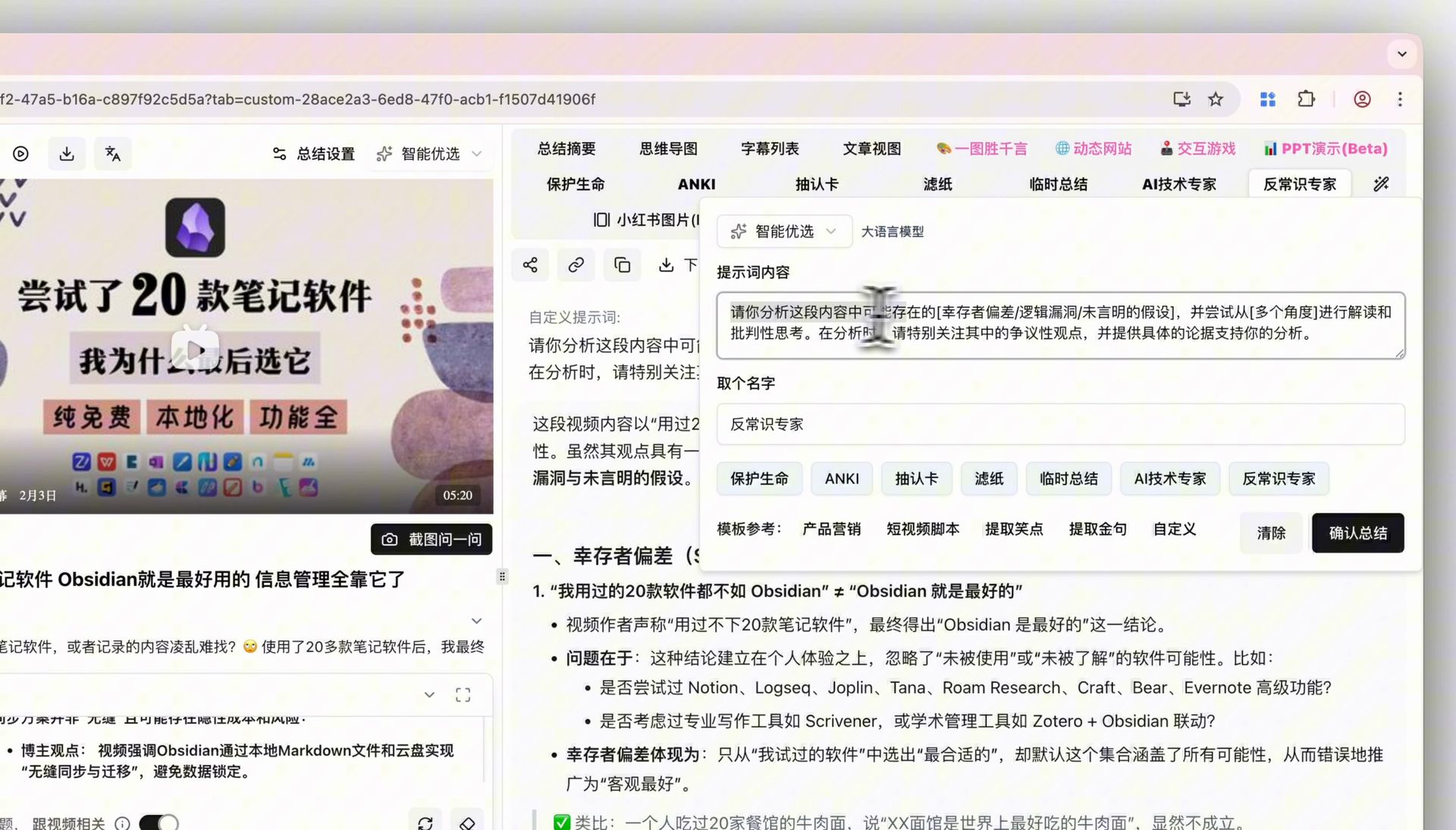
Screenshot: BibiGPT product demo
10. Add “if you cannot, say so”
One-line rule: given silence or missing captions, the model will still write a fluent summary.
If the video has no usable speech, missing captions, or under two minutes of real content:
Do not force a summary.
Output only:
1. Failure reason (one sentence)
2. Every word you actually heard or read
3. What I should do next (clearer file / local upload / visual analysis)
Do not invent chapters.
Anti-example: If there isn't much, just improvise from the topic.
How to use it in BibiGPT: meeting recordings and phone videos. A missing summary is better than a fake one in your notes.
Practical rule: Every tip keeps at least one full prompt block. Principles without pasteable text do not count.
6 full scene templates
Each template is one paste. Swap {topic}. Leave the rest.
Lecture / course
You are a teaching assistant. Summarize this lecture on "{topic}" for a student who missed class but still has homework.
Output:
1. 80-word TL;DR
2. 5 concepts they must remember, each with one plain-language line + timestamp
3. Homework or follow-ups (only if named in the video)
4. 3 likely exam questions (answers must exist at a timestamp)
Ignore roll call, equipment setup, and late small talk.
If a formula is inaudible, write "formula unclear in the source". Do not complete the derivation.
Earnings / industry interview
You are a sell-side research assistant. Summarize this interview or earnings walkthrough on "{topic}".
Split into:
## Numbers (every figure with units, a quote, and a timestamp)
## Direct quotes (only checkable sentences)
## Risks and unanswered questions
## Small talk I can skip
Forbidden: price targets, macro filler, treating metaphors as facts.
Cap: 700 words.
Podcast interview
You are a show editor. Summarize this podcast for a reader who wants quotable lines, not a recap.
Output:
- 3 social-ready quotes (must be verbatim, with timestamps)
- 5-topic timeline (timestamp + 10-word title + 40-word note)
- The 8-minute stretch worth hearing if that is all they have
Ignore ads, mutual praise, and the next-episode tease.
Hands-on tutorial
You are a technical writer. Turn this "{topic}" tutorial into executable steps.
Output:
## Prerequisites (OS, materials, versions; write "not stated" if missing)
## Steps (numbered, one action each + timestamp)
## Failure modes (only if demonstrated or warned)
## Done when (how they know it worked)
Do not write a theory lesson. Do not invent menu names that never appear.
News briefing
You are a morning-brief editor. Crush this news video into a 90-second read.
Fixed shape:
- What happened (one sentence)
- Who said what (name + quote or marked paraphrase)
- Who might be affected in the next 72 hours
- What the video did not say, so I must not write it
No headline voice. Do not import comment-section mood.
Meeting recording
You are the minutes taker. Write minutes for people who will execute but did not attend.
Output:
## Decisions (text / owner / due date; "unassigned" if the video never names an owner)
## Open questions
## Parking lot
## Quote backup (max 5 lines, with timestamps)
Ignore chatter, arrivals, and mic checks.
Do not novelize the discussion.
Here’s how BibiGPT handles the same thing — see the screenshot below. After a custom prompt runs, the deep analysis and the default summary are two artifacts, so you can check whether the formula did anything.
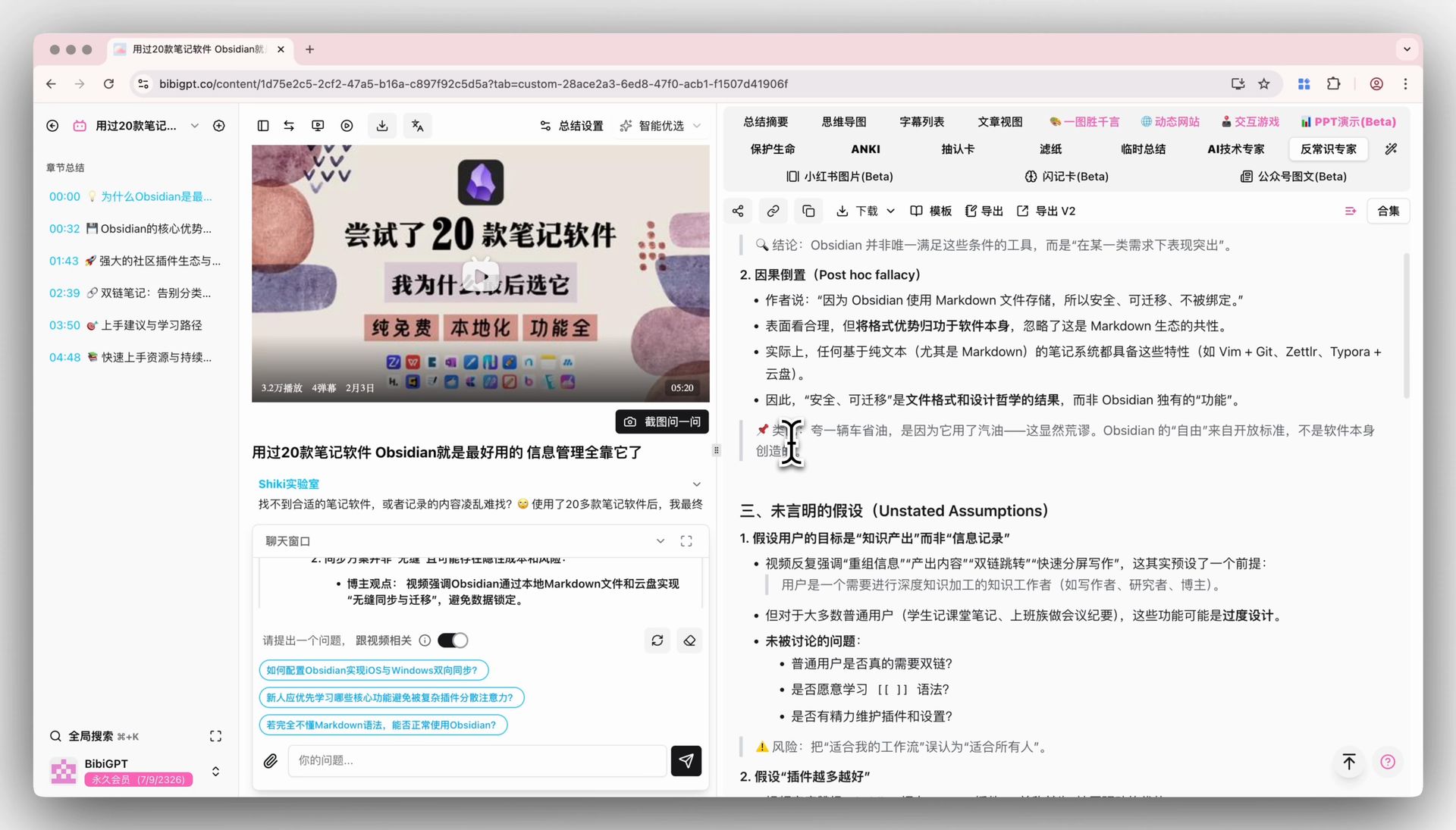
Screenshot: BibiGPT product demo
These posts sit in the existing AI video summary guide cluster. If you already have a transcript and want 12 job-shaped prompts for any chat box, use the video summary prompts library. The paste-a-link walkthrough is how to summarize YouTube videos. YouTube-only slots (chapters, sponsor reads, auto-captions) live in YouTube video summary prompts.
Empty prompt vs copy-paste prompt
Same 40-minute tutorial. The gap is not prose quality. It is whether you can work from the output.
| Dimension | Empty prompt | Copy-paste template |
|---|---|---|
| Opening | “This video discusses…” | 80-word TL;DR you can forward |
| Timestamps | None, or chapter names only | [mm:ss] on every claim |
| Ads | “The creator recommended a tool” | Deleted or labeled |
| Uncertainty | Smoothed into fluent sentences | Marked unclear |
| Next step | “Hope this helps” | Actions / steps / done-when |
| Reuse | Retype every time | Saved custom prompt, one click |
Little Dot’s look at 800+ channels noted that average length of the most popular videos dropped from about 35 minutes to about 28. That is still longer than you will watch linearly. The prompt is not there to make the model “understand video.” It is there to turn 28 minutes into 90 seconds of usable text.
After you copy: custom prompts and Prompt Market
Three moves. Do not turn this into a class.
- Copy one full prompt above. Replace
{topic}. - Open BibiGPT video summarizer, save it as a custom prompt, pin it if you reuse it daily.
- If you do not want to write: open Prompt Market in the sidebar, pick a template, apply it to the current video.
BibiGPT has served 1M+ users, generated 5M+ AI summaries, and supports 30+ platforms. Custom prompts are your private formula. Prompt Market is the shared shelf. Both beat retyping into a chat box, because the formula stays attached to the video instead of disappearing when the thread scrolls away.
The screenshot below is the Prompt Market entry — sidebar, Prompt, then the list, filters, and use-now button.
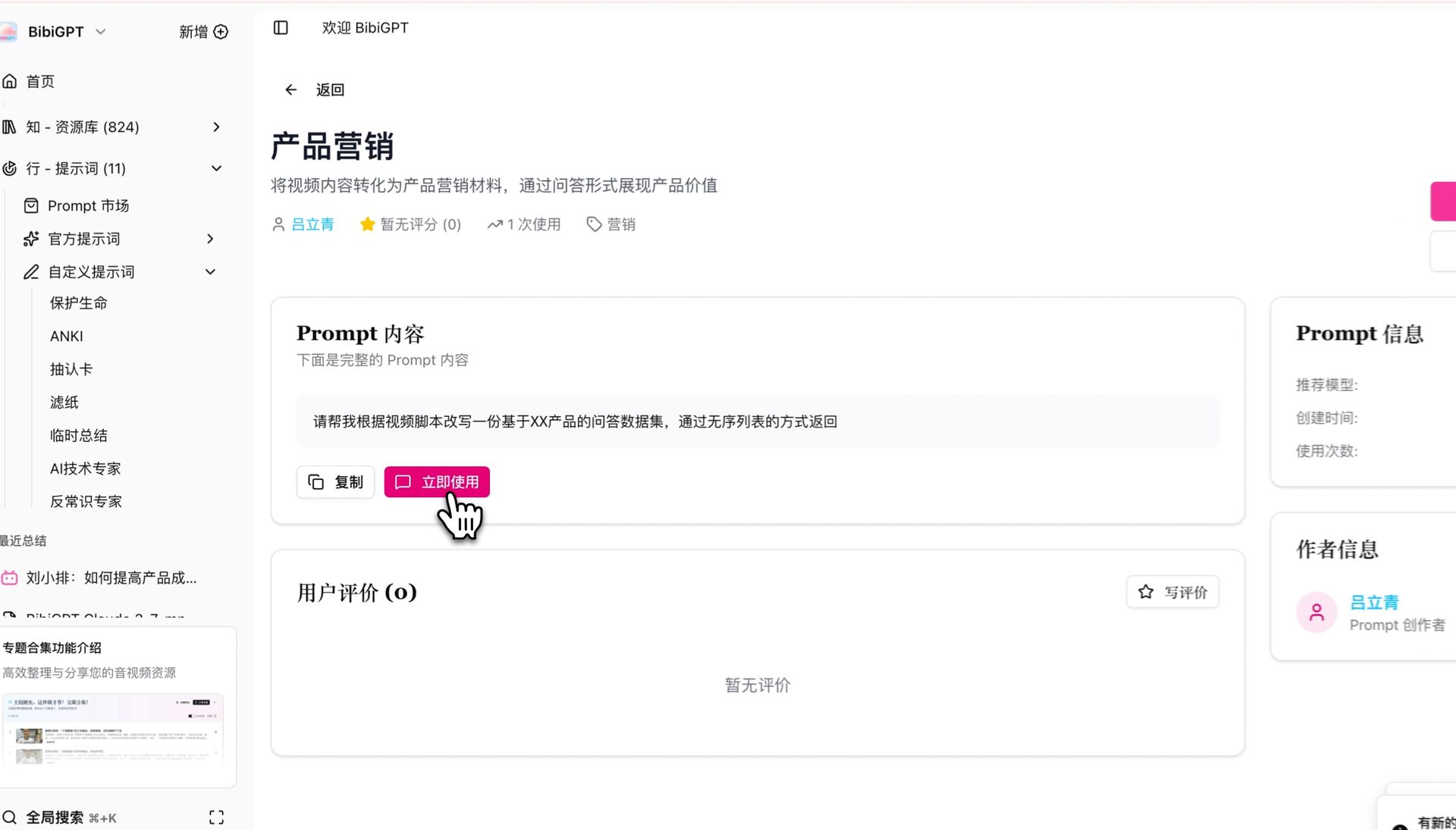
Screenshot: BibiGPT product demo
FAQ
Should I paste a transcript into ChatGPT, or drop a link?
Drop a link when you can. Pasting a transcript throws away the pictures and will hit a context wall on long videos. Public prompting guides still want instructions separated from the body, but in video the “body” is often longer than one paste. BibiGPT is built for links and local files. The prompt only shapes the output.
What is the difference between custom prompts and Prompt Market?
Custom prompts are private: save, pin as default. Prompt Market is the official shelf of free or paid templates from the team and other users — browse, filter, apply to the current job, or publish your own. Daily workflows: custom. New scenes: market.
Why does my prompt work in a general chat and fail on video?
Chat models see the text you pasted. Video summaries also see stumbles, ads, chapters, and inaudible stretches. Write the ignore list and the no-invention line and the gap shrinks immediately.
Can one prompt cover every video?
No. Lectures, earnings, tutorials, and meetings delete different minutes. Keep at least three: learn / decide / operate. A universal prompt collapses back into an empty summary.
Timestamps do not match the player?
Require [mm:ss] and “start of the claim.” If they still drift, jump once from the default timestamped summary, then mark the bad line uncertain. Do not let the model invent a time just to match a chapter title.
The formula is the summary. Save the first block you copied. Run it on the next video.
Save this custom prompt in BibiGPT
BibiGPT Team
Popular tools
More in this series
- AI Competitive Intelligence Workflow: Build Industry Monitoring with BibiGPT Video Summaries
- Lessons From Shipping BiliGPT: Two Cold-Start Growth Tactics Behind a GPT-3 Side Project
- [BibiGPT Growth Series] Episode 1 | How AI Summaries for Bilibili Were Born
- BibiGPT Advanced Guide 2026: Download + AI-Summarize Videos from WeChat Channels, RedNote, TikTok, and Enterprise Intranet Sites
- Chat with Any Video: How to Ask AI Questions About Videos Instead of Watching the Whole Thing (2026)