YouTube Video Summary Prompts: 10 Copy-Paste Templates (2026)

The playhead sits at 14:02. The creator is reading a coupon code. The sentence you actually need is trapped between two “don’t forget to subscribe” beats. You search best youtube video summary prompt because you want something to paste — not a class on how to think about prompts. You want a template that knows this is YouTube.
YouTube is not a generic media file. It ships with chapters, description links, a pinned comment, mid-rolls, auto-captions, and an end screen. YouTube’s own help article treats chapters as jumpable timestamps that start at 0:00 in the description. A good prompt to summarize a YouTube video treats those fields as inputs instead of pretending this is unstructured audio.
The 10 tips and 6 templates below are written against a real YouTube watch page. Platform-agnostic slots live in video summarizer prompts. The paste-the-link walkthrough is how to summarize YouTube videos. This post does one job: after you copy, the summary should look like it was written for this URL.
Table of Contents
- Why a generic prompt fails on YouTube
- The YouTube fields a prompt can actually eat
- 10 YouTube copy-paste tips
- 6 YouTube scene templates
- What a usable YouTube summary looks like
- Copy into a custom prompt or Prompt Market
- FAQ
Why a generic prompt fails on YouTube
“Summarize this video” treats chapter titles as claims, mid-rolls as recommendations, and auto-caption typos as jargon. On YouTube those noises are structured: sponsor reads have a script, chapters live in the description, and the pinned comment is often the author’s real addendum.
An Overseeros sample of 1,257 long-form videos had a median runtime of 21.7 minutes. Digital i reported that videos of 20 minutes or longer grew from 63.6% to 67.7% of viewing time between 2024 and 2025 (as relayed with Little Dot’s 2026 length work). You do not need 22 sentences for 22 minutes. You need chapter jumps, sponsor cuts, and a flag on auto-caption errors.
Paste the URL into AI YouTube summary and the default output already carries timestamps. A custom prompt tells the model which YouTube fields count and which minutes to throw away.
Summarize any video in seconds
Pick a sample below to see the AI summary — TL;DR, key points, and jump-to timestamps.
TL;DR: Karpathy builds a GPT-style language model from scratch in code, explaining every piece — from a tiny character-level model up to the full Transformer.
Key points
- Start with a bigram model, then add self-attention so tokens can "talk" to each other
- A Transformer block = multi-head attention + feed-forward + residual connections + layer norm
- Training is just predicting the next token; scale and data do the rest
- The same architecture behind nanoGPT is what scales up to ChatGPT
Jump to
- 00:07 Why build GPT from scratch
- 08:23 Self-attention, intuitively
- 1:00:00 Assembling the Transformer block
- 1:35:00 From nanoGPT to ChatGPT
Practical rule: A YouTube prompt must mention at least two of: chapters, sponsors, auto-captions. Mention none, and it will treat the file as a plain recording.
The YouTube fields a prompt can actually eat
Treat the watch page as slots, not as abstractions. Public prompting guides want instructions first, then a separator before the body. On YouTube the “body” is more than speech.
| Slot | What it is on YouTube | Anti-example |
|---|---|---|
| Chapter skeleton | Description lines that start 0:00 | “Segment it logically” |
| Speech vs description | Speech is evidence; the description is search bait | “Combine all video information” |
| Sponsor block | Mid-rolls, coupon reads, shopping shelf | “The creator recommended a tool” as a takeaway |
| Auto-captions | Homophones, proper-noun garbage | Promote the garbage into a new term |
| Pinned comment | Errata, links, the real addendum | Ignore it as noise |
| Open / end cards | First 45-second hook, subscribe pack | Write them into the TL;DR |
| Output language | Separate from caption language | “Translate naturally” |
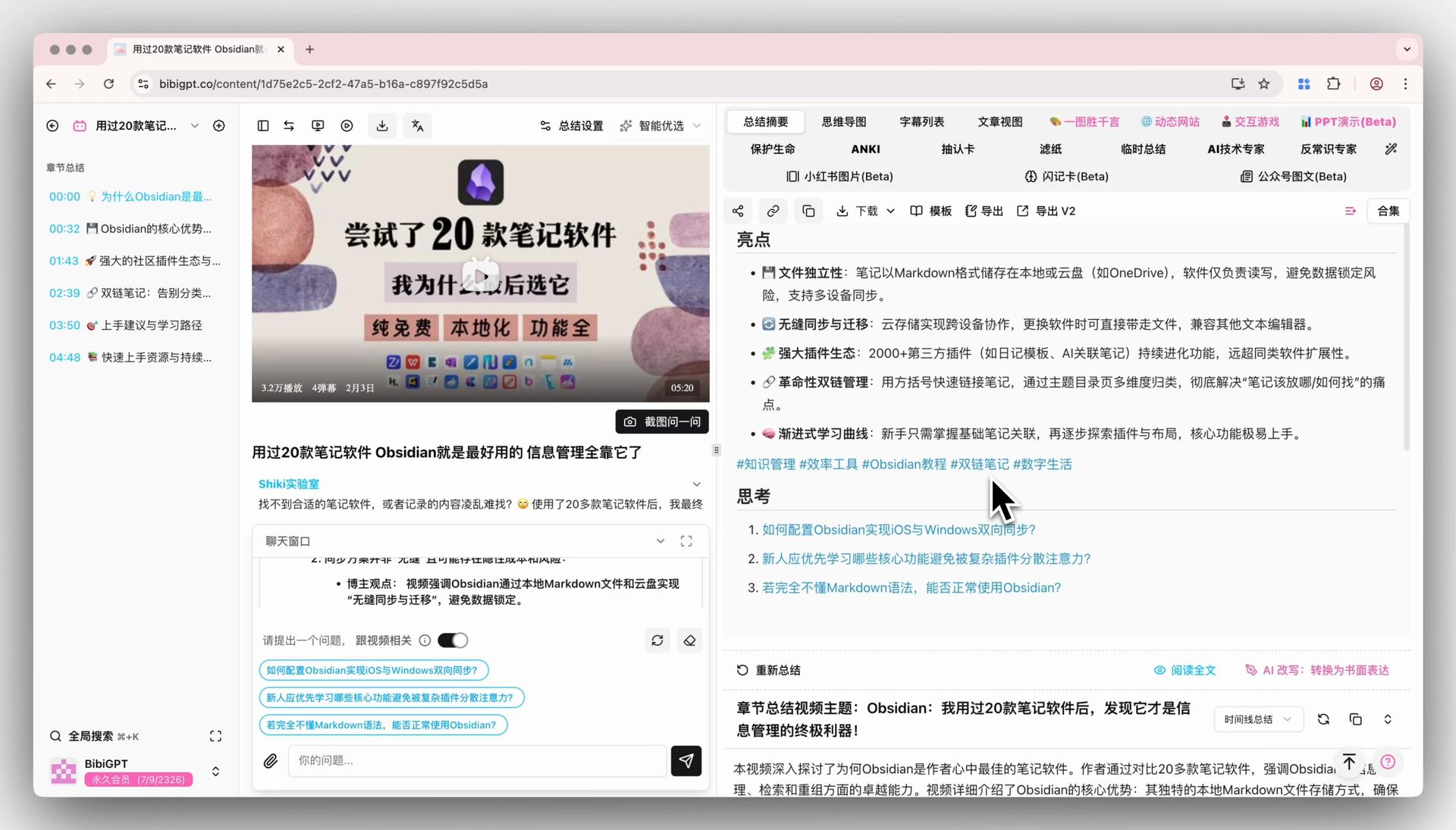
Here’s how BibiGPT handles the same thing — see the screenshot below: default summary first, then a custom prompt that reruns against YouTube fields.
Screenshot: BibiGPT product demo
Practical rule: Description chapters are a table of contents, not a conclusion. Conclusions come from speech. Chapters only supply the skeleton.
10 YouTube copy-paste tips
Each block is paste-ready. The anti-example is the YouTube-specific field written as empty adjectives. Save the whole block as a custom prompt in BibiGPT and run it on YouTube links.
1. Reuse official chapters. Do not recut the video
One-line rule: the author already sliced the file with YouTube chapters. Your prompt should reuse that cut.
Read the chapter list in this YouTube description (the lines that start at 0:00).
Output must follow those original titles in order.
For each chapter write: original title / time range / 40-word spoken takeaway.
Do not merge chapters. Do not invent a prettier title.
If the description has no chapters, then cut by topic and say "no official chapters on the source".
Anti-example: Please divide the video into sensible sections.
How to use it in BibiGPT: save as “follow YouTube chapters.” Lectures and reviews snap into place.
2. Write timestamps YouTube can jump
One-line rule: 14:02 is clickable. “Around minute 14” is not.
Use the same timestamp format as a YouTube description: m:ss or h:mm:ss. No extra words besides the stamp.
Mark the moment the claim is spoken, not the moment the chapter title appears.
Forbidden: "around", "ish", "in this part".
If you cannot align it, write "timestamp uncertain". Do not round it to look clean.
Anti-example: Note roughly where in the video this happens.
How to use it in BibiGPT: the default summary already jumps. The custom summary has to jump too, or you are back on the scrubber.
3. Cut the sponsor read out of the thesis
One-line rule: a coupon code is not a takeaway.
Delete and ignore:
- From "today's video is sponsored by" through the coupon
- Shopping-shelf reads and affiliate URLs
- The 10 seconds of padding on either side of a mid-roll
If a sponsor minute also contains a real demo, keep only the demo and label it "inside the sponsor block".
Do not list a sponsored product under "author recommends" unless they say they use it for real, with a timestamp.
Anti-example: Focus on the substance and skip ads.
How to use it in BibiGPT: almost mandatory on tech reviews, self-help, and finance channels.
4. Speech is evidence. The description is what they want searched
One-line rule: descriptions stuff keywords. The mouth said the actual sentence.
Facts may only come from speech.
Anything in the description, title, or tags that was never spoken goes under "in the description, not in the talk". Do not put it in the TL;DR.
Clickbait title lines (all caps, stacked questions) are not conclusions.
Anti-example: Summarize using the title and the content together.
How to use it in BibiGPT: news explainers and listicles. Otherwise the SEO title hijacks the brief.
5. When auto-captions fail, flag them. Do not “fix” them
One-line rule: YouTube auto-captions turn proper nouns into grocery words.
If a word looks unlike terminology, is a homophone error, or appears out of nowhere:
Do not silently replace it with the word you think they meant.
Write: caption had "X" (possible proper noun, timestamp).
Prefer the spelling from the audio; if unsure, keep the caption and mark "unverified".
Do not round a mis-hear into industry jargon from general knowledge.
Anti-example: Fix the captions if they are wrong.
How to use it in BibiGPT: academic talks, niche tools, non-English names.
The lecture below is the classic YouTube long-form input — many chapters, dense terms, captions that fight the audio. Run a prompt first, then decide which chapter is worth watching:
Source: YouTube · Andrej Karpathy · Let’s build GPT
6. Treat the pinned comment as errata, not as noise
One-line rule: authors dump corrections, links, and apologies in the pin, not in the recut.
If this video has a creator-pinned comment:
Add a section "Pinned addendum" with the substance of that comment.
Errata in the pin outrank older speech (example: "the price I said is already wrong").
Ignore every other comment. Do not import hot-comment mood into the summary.
Anti-example: Feel free to reflect highly liked comments.
How to use it in BibiGPT: tutorial updates, price changes, and resource folders often live only in the pin.
7. Keep the hook and the end screen out of the TL;DR
One-line rule: the first 45 seconds are suspense, not the point.
Ignore:
- Cold-open hooks, filler jokes, and "stay to the end"
- End-screen subscribe packs, playlist pushes, and next-episode teases beyond two sentences
The TL;DR must come from a conclusion the video actually delivered, not from a hook it promised.
Anti-example: Include the important parts from the beginning too.
How to use it in BibiGPT: story channels and viral explainers have long hooks. Without this line, the TL;DR is just the teaser.
8. Name the one chapter that is enough
One-line rule: the value of a long YouTube video is often one chapter, not the average of every chapter.
After the chapter skeleton, also output:
## If I only have 8 minutes
Give one continuous range that sits inside a single official chapter, and say why that range covers today's question.
Do not recommend the intro. Do not recommend the sponsor block.
If one chapter is not enough, say "watch two chapters" and name both ranges.
Anti-example: Tell me which parts are more important.
How to use it in BibiGPT: save as “8-minute slice” for commutes and pre-meeting cramming.
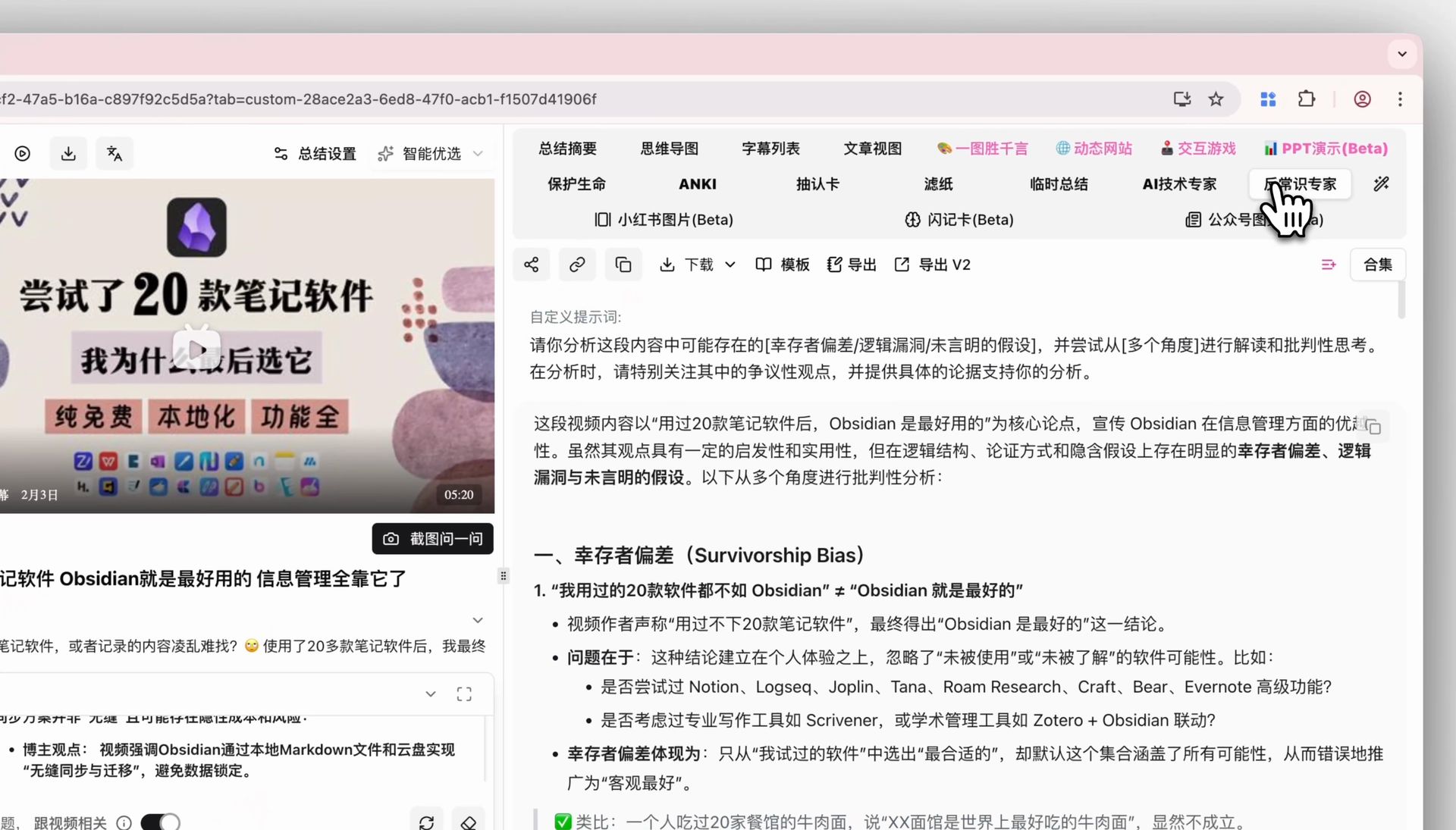
Here’s how BibiGPT handles the same thing — see the screenshot below. The full custom prompt is shown on its own, so you can check whether the YouTube slots actually landed.
Screenshot: BibiGPT product demo
9. Split output language from caption language. Keep YouTube names in the original
One-line rule: you may want an English brief of a mixed-language talk, but chapter titles should stay copy-pasteable from the description.
Write the summary in English.
Keep official chapter titles exactly as they appear in the YouTube description, then add a short gloss.
Do not translate the video title, channel, or series name.
On first use of an English term in another language context: original + short gloss.
Anti-example: Translate everything into smooth English.
How to use it in BibiGPT: overseas courses, developer keynotes, podcasts uploaded to YouTube. The product already supports multilingual output; this sets the notes language.
10. Refuse to invent a summary for caption-only or BGM-only videos
One-line rule: a montage with no speech will still get a fluent “content summary” from a generic model.
If this YouTube video has no usable speech (caption cards, BGM, montage only):
Do not write a content summary.
Output only:
1. Failure reason
2. Description chapters verbatim (if any)
3. Next step: visual analysis, or a version with speech
Do not riff on the title.
Anti-example: If there is no narration, write from the visuals and the title.
How to use it in BibiGPT: Shorts mixed into a long-form list, music channels, caption memes. Keeps fake minutes out of your notes.
Practical rule: A YouTube-only prompt names chapters, sponsors, or auto-captions at least once. Otherwise you are running a generic video summarizer prompt in a YouTube costume.
6 YouTube scene templates
Each template is one paste. Replace {topic}.
University lecture / open course
You are a teaching assistant. Summarize this YouTube lecture "{topic}" for a student who has not finished it but still owes notes.
Follow official description chapters. Each chapter: original title / range / 3 spoken points with timestamps.
Also:
- 80-word TL;DR (no hook language)
- 3 likely exam questions (answers must sit at a chapter timestamp)
Ignore roll call, mic checks, and "like and subscribe".
Mark auto-caption terms that do not look like terminology as unverified. Do not silently correct them.
Earnings call uploaded to YouTube
You are a research assistant. Summarize this YouTube-uploaded earnings or results talk "{topic}".
Numbers and quotes only from speech, all of them quoted + timestamped.
Description "highlights" that were never spoken go under "in the description, not in the talk".
Delete broker ads and subscribe asks.
No price targets.
Product review / unboxing
You are a hardware editor. Summarize this YouTube review "{topic}".
Output:
## Measured conclusions (speech only, with timestamps)
## Sponsor block (name the products you deleted; they are not recommendations)
## Description shopping links vs spoken verdict (keep them apart)
## 8-minute must-watch range
Ignore unboxing ambience and the end-screen of other videos.
Tutorial / how-to
You are a technical writer. Turn this YouTube tutorial "{topic}" into executable steps.
Map official chapters onto steps when they exist; otherwise cut on actions.
Each step: one action + timestamp + the control they actually clicked.
Pinned-comment errata override older spoken steps.
Do not invent menus they never touched.
Podcast uploaded to YouTube
You are a copy editor. This is a podcast uploaded to YouTube: "{topic}".
Output:
- 3 quotable lines (verbatim speech, timestamps)
- Topic timeline by chapter
- The one chapter to hear if they only hear one (never an ad insert)
Ignore guest flattery and mid-rolls.
Show-note links from the description get their own list, not a place in the argument.
Conference keynote
You are a conference reporter. Summarize this YouTube keynote "{topic}".
Follow official chapters. Keep only: newly named products, checkable numbers, dated timelines.
Opening spectacle, curtain calls, and chants stay out of the TL;DR.
Flag auto-caption product-name errors as unverified.
Output language: English. Product names stay in the original.
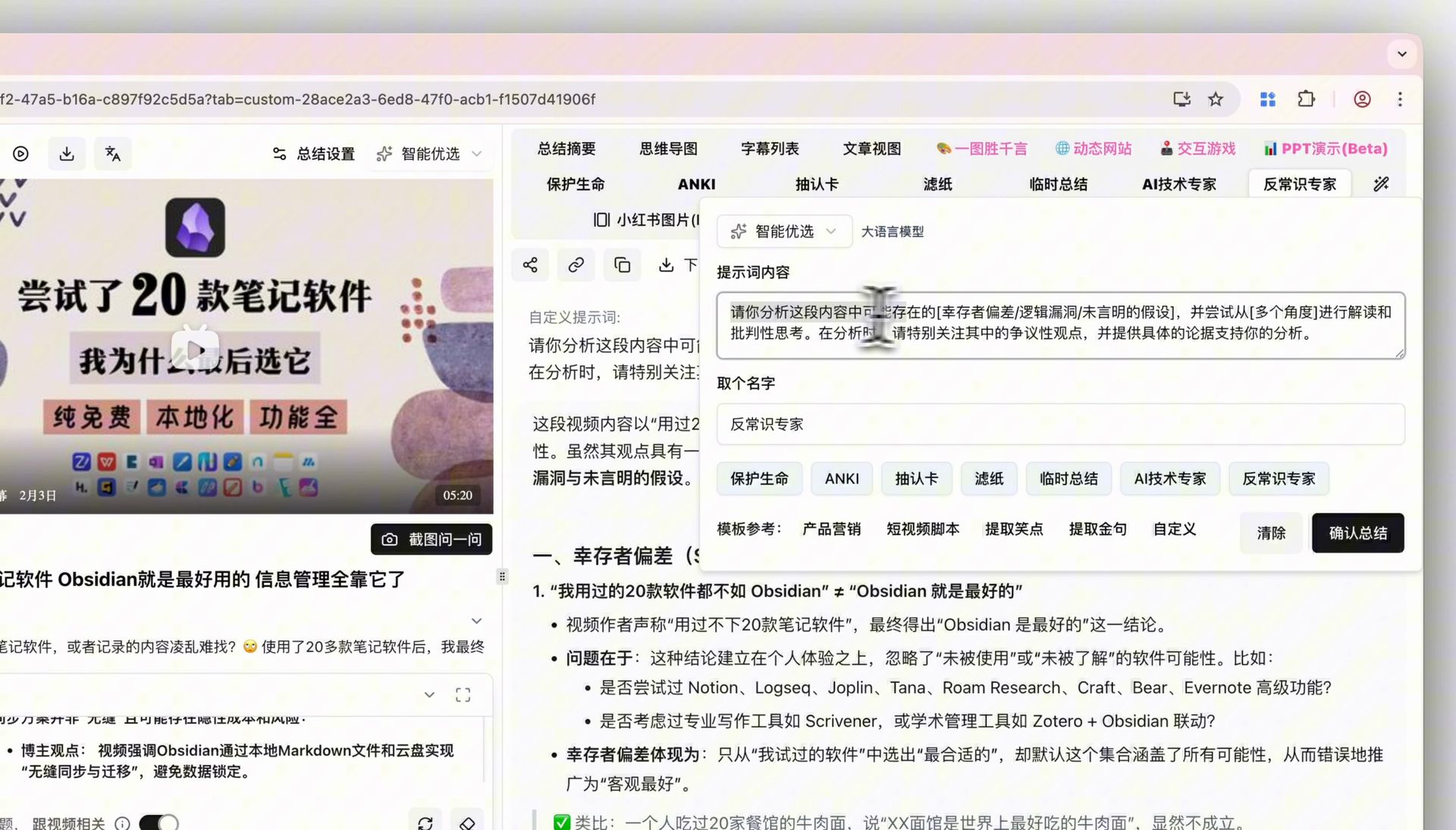
For comparison, the screenshot below shows the matching step inside BibiGPT: after the custom prompt runs, deep analysis and the default summary sit side by side so you can see whether the YouTube slots fired.
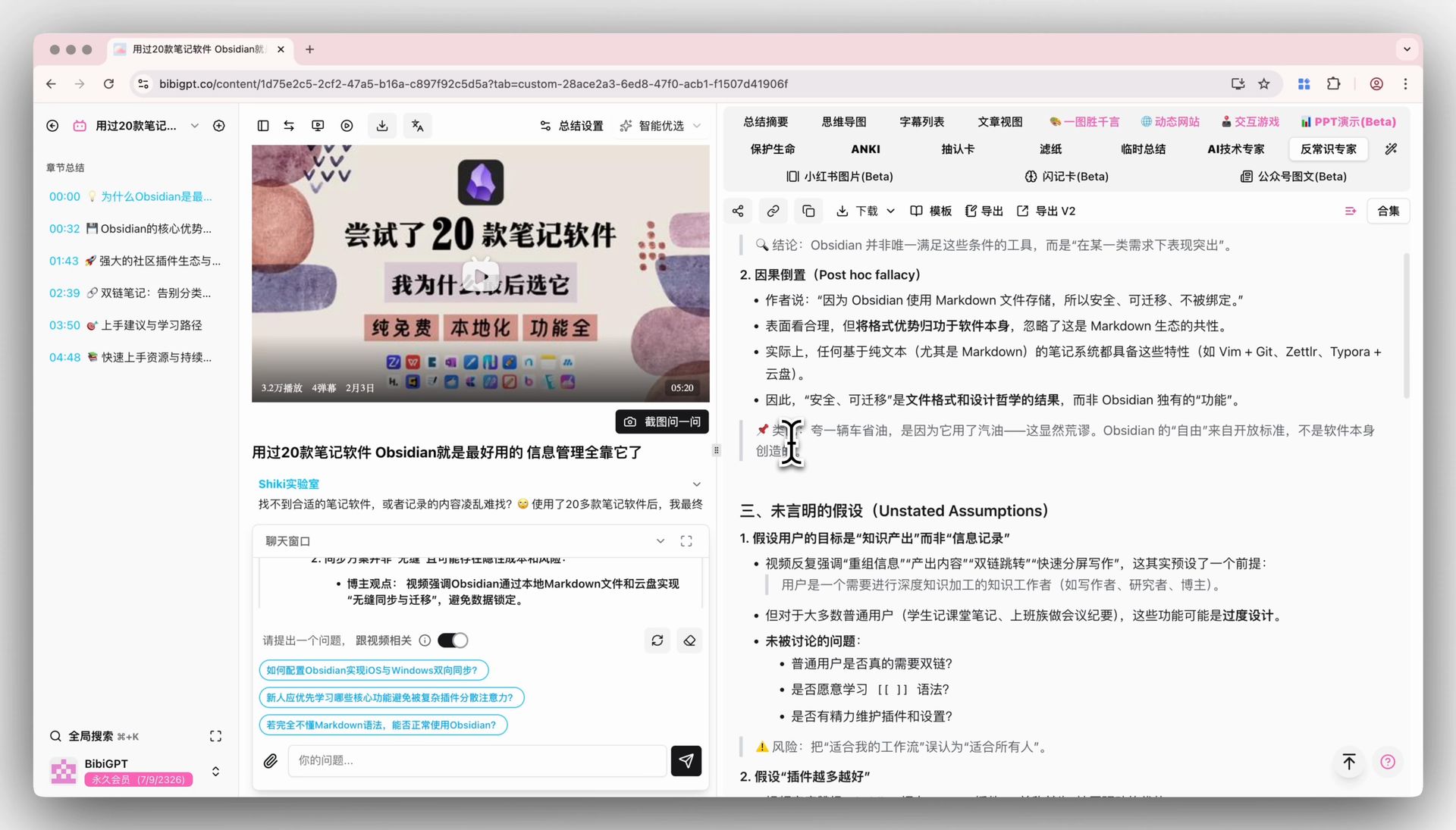
Screenshot: BibiGPT product demo
These sit under the AI video summary cluster. Generic slots (role, length, no invention) belong in video summarizer prompts, not here.
What a usable YouTube summary looks like
Same 28-minute review. The gap is not style.
| Dimension | Empty “summarize this YouTube” | Copy-paste YouTube template |
|---|---|---|
| Structure | Model-made three-act recap | Official description chapters |
| Sponsors | “The creator recommended a tool” | Deleted or listed separately |
| Timestamps | “Later in the video” | Jumpable 14:02 |
| Description | Mixed into speech | Unspoken lines get their own heading |
| Pinned comment | Ignored | Errata win |
| 8-minute slice | None | One continuous range |
Little Dot recorded average length of the most popular videos falling from about 35 minutes to about 28. Twenty-eight minutes still needs a chapter skeleton and a sponsor cut. It does not need another theory lesson.
Copy into a custom prompt or Prompt Market
Three moves.
- Copy one full template. Fill
{topic}. - Open YouTube summary, save it as a custom prompt, pin it if you live on one kind of channel.
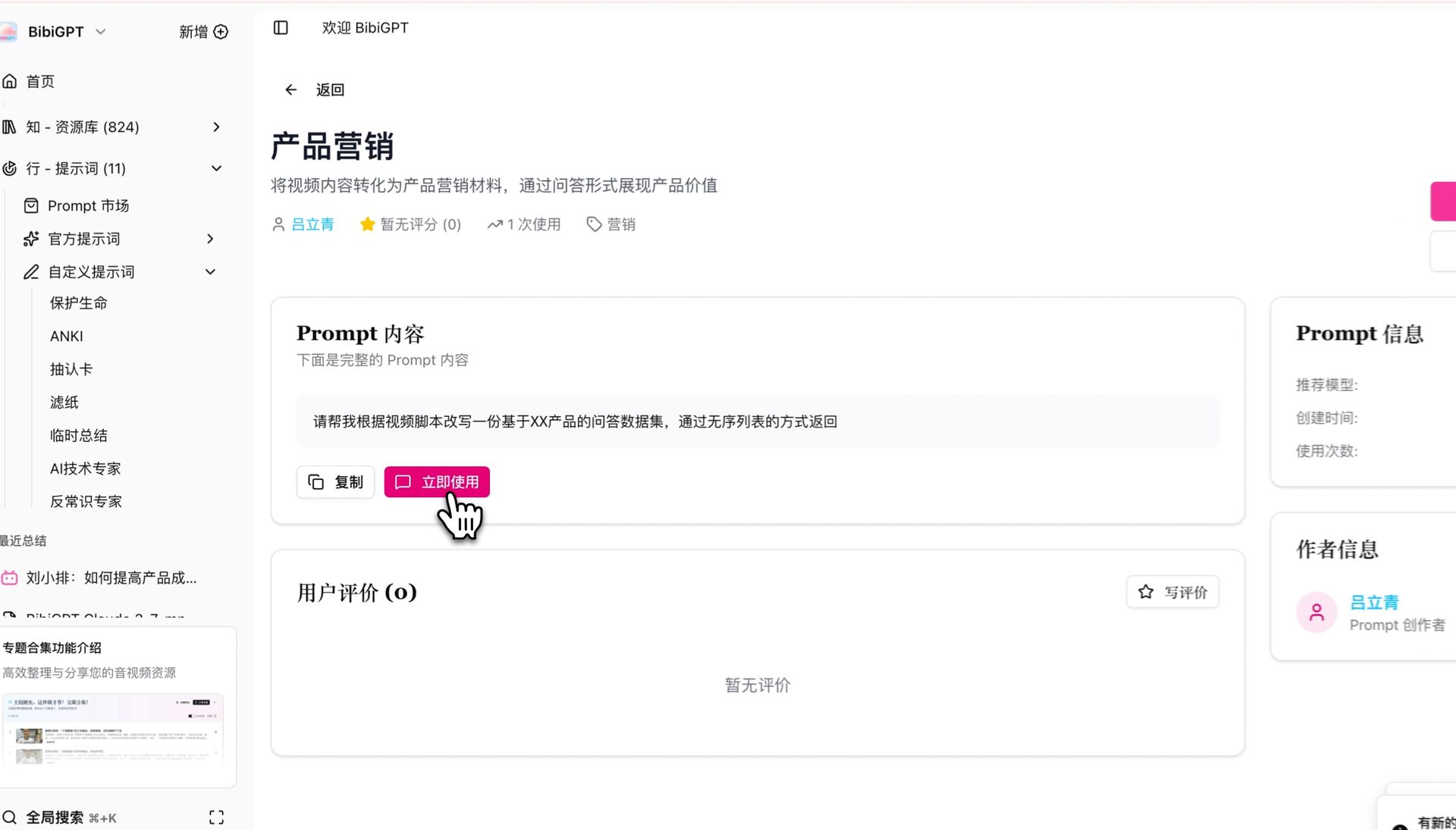
- Skip writing: Prompt Market in the sidebar, filter by study / review / meeting, apply to the current URL.
BibiGPT has served 1M+ users and generated 5M+ AI summaries across 30+ platforms including YouTube. Custom prompts keep one YouTube formula on your account. Prompt Market lets you start from someone else’s tuned version.
The screenshot below is the Prompt Market entry.
Screenshot: BibiGPT product demo
FAQ
How is this different from asking ChatGPT to summarize a YouTube video?
A ChatGPT thread makes you re-paste captions or wait on a fetch, and chapter / sponsor constraints leak out. Prompting fundamentals still want task, context, and output written down — on YouTube the context is chapters, the description, and the pin. BibiGPT takes the URL as input. The prompt only shapes the notes, and you can save it.
What if the video has no official chapters?
Tip 1 already degrades: say “no official chapters,” then cut by topic. Do not fake a chapter list.
Do these templates work on Shorts?
No. Shorts rarely have chapters or real speech. Use tip 10’s refusal, or the short-content budget in video summarizer prompts. Do not run a lecture template on a clip.
Custom prompt or Prompt Market?
Same few YouTube channel types every week: pin a custom prompt. Occasional new scenes: Prompt Market. Both beat retyping into a chat box.
Timestamps do not match the YouTube player?
Force m:ss and “start of the spoken claim.” If they still drift, jump once from the default timestamped summary and mark the bad line uncertain. Do not invent a time to match a chapter title.
Save the first block you copied. Run it on the next YouTube URL.
Save this YouTube summary prompt in BibiGPT
BibiGPT Team
Popular tools
More in this series
- AI Competitive Intelligence Workflow: Build Industry Monitoring with BibiGPT Video Summaries
- Lessons From Shipping BiliGPT: Two Cold-Start Growth Tactics Behind a GPT-3 Side Project
- [BibiGPT Growth Series] Episode 1 | How AI Summaries for Bilibili Were Born
- BibiGPT Advanced Guide 2026: Download + AI-Summarize Videos from WeChat Channels, RedNote, TikTok, and Enterprise Intranet Sites
- Chat with Any Video: How to Ask AI Questions About Videos Instead of Watching the Whole Thing (2026)