DeepSeek V4-Flash-Vision-Exp: Vision Agents Near Opus 4.8 Still Do Not Equal Full-Video Understanding

You just finished a forty-minute product demo. The voice notes look tidy: features, pricing, next steps. Then the speaker points at a chart and says “look at this trend.” The notes shrink to four words: see chart. You scrub back for that frame, the progress bar lands on an ad, and the chart has already flipped to the next slide.
As of August 21, 2026, this is no longer just a “is transcription enough” problem. It is a vision-agent decision: can the model see that chart, and once it sees it, can it hand you the output you actually need to take away.
Most write-ups stop at “approaches Opus-4.8.” This piece unpacks the other half: a vision Agent that can read images still does not equal understanding a full video.
Table of Contents
- What shipped on August 21
- Text holds steady, vision jumps: how to read the numbers
- What a vision Agent still lacks for full-video understanding
- What this means for creators, students, and professionals
- Plug visual understanding into the workflow
- A falsifiable prediction
- Frequently Asked Questions
What shipped on August 21
As of August 22, 2026: DeepSeek launched the experimental multimodal model DeepSeek-V4-Flash-Vision-Exp on its official changelog. The call name is deepseek-v4-flash-vision-exp. The same day, DeepSeek Harness 0.1.1 shipped built-in support.
DeepSeek itself drew two lines:
- Text stays on par with V4-Flash: Agent, reasoning, and world knowledge do not collapse just because vision was added.
- Vision-agent benchmarks approach Opus-4.8: relative to text-only V4-Flash, this is a real “can see” jump.
The API layer also hard-codes the cost boundary: images bill by token, at most 384 tokens per image, at the same price as V4-Flash; Chat Completions, Messages, and Responses are supported; images can arrive as base64, a public URL, or the new Files API (upload once for free, reuse with file_id). Vision entry point: API Guides - Vision. The Decoder adds: JPEG / PNG / GIF / WebP are detected from file content, not the extension.
It still carries the Exp suffix. DeepSeek did not open-source weights alongside it, and did not present it as the final form of V4 multimodal.
That slide in a lecture video is exactly what a vision model should see:
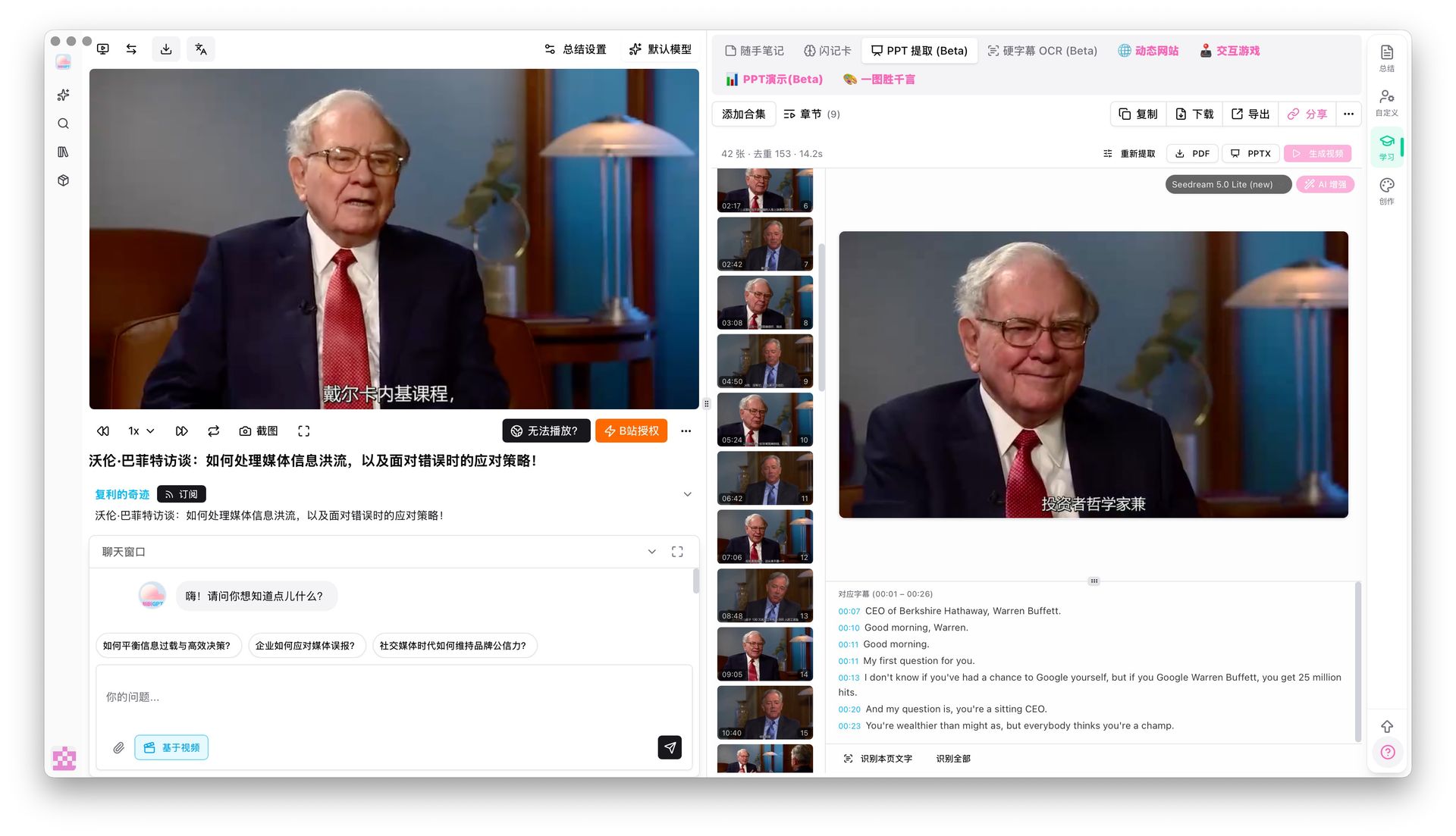 Screenshot: key course frame with matching text. Source: BibiGPT.
Practical rule: When you read an experimental-model announcement, look at the suffix first.
Expmeans you can try it — not that it is a product promise.
Text holds steady, vision jumps: how to read the numbers
The official line is “approaches Opus-4.8.” The Next Web finished the same table: the new model beats Opus-4.8 on 3 of 11 items and trails on the other 8. NL2Repo is 57.7 vs 69.7 — a 12-point gap; DSBench-Hard is 63.6 vs 71.7. The close ones really are close: Terminal Bench 2.1 is 83.9 vs 85.0; Chartography is 64.3 vs 65.0.
The jump over V4-Flash is more concrete. ApexBench Pass@1 goes from 26.2 to 36.5; Agents’ Last Exam from 25.2 to 27.3. DeepSeek’s own footnote says: on those two, text-only V4-Flash “ignores the multimodal elements.” In other words, part of the lift is giving a blind test an eye — not a sudden doubling of text ability.
| Dimension | V4-Flash | V4-Flash-Vision-Exp | Full-video understanding |
|---|---|---|---|
| Input | Text | Text + image | Link / file + timeline |
| Agent sees images | No | Yes | Frames + speech understood together |
| Official framing | Text baseline | Vision Agent near Opus-4.8 | Product workflow, not a benchmark name |
| Billing | V4-Flash price | Same price, ≤384 tokens/image | Per output, not “look at one image” |
Demo: how Harness wires a model into real tasks. Source: public YouTube explainers, cross-checked with DeepSeek Harness.
Practical rule: When you see “approaches Opus,” count how many items it wins and loses. Winning 3 and losing 8 can still be “close” — it is not “ahead.”
We covered the long-video layer in DeepSeek V4 1M-context workflow; how to install Harness skills is in dsh audio/video skill. This piece only hits “vision Agent → video-frame understanding.”
What a vision Agent still lacks for full-video understanding
Lead with the answer: an Agent that can read images defaults to one image, one screenshot, one table. A full video needs continuous frames on a timeline, then speech, captions, and chapters on top.
V4-Flash-Vision-Exp’s legitimate jobs are clear: describe images, read screenshot text, read charts, and wire what it sees into tool calls. That is already enough for GUI Agents, report Q&A, and slide spot-checks. What it is not enough for: a chart that appears for 11 seconds in a forty-minute demo, when what you need is “what did the chart at minute 17 say,” not “I uploaded this one frame.”
The next stop for office Agents is not smarter planning — it is whether audio and video can be fed in. Meeting recordings, lectures, and product demos still get stuck at the input layer by default. Whoever first connects “seen frames” to “searchable chapters” covers the three high-frequency paths for creators, students, and professionals.
The inventory gap sits here too. Million-token context solves “how much fits in one pass”; Harness solves “how a skill folder gets discovered by the runtime”; the vision experiment solves “can images enter the Agent.” All three matter. None of them alone equals understanding video.
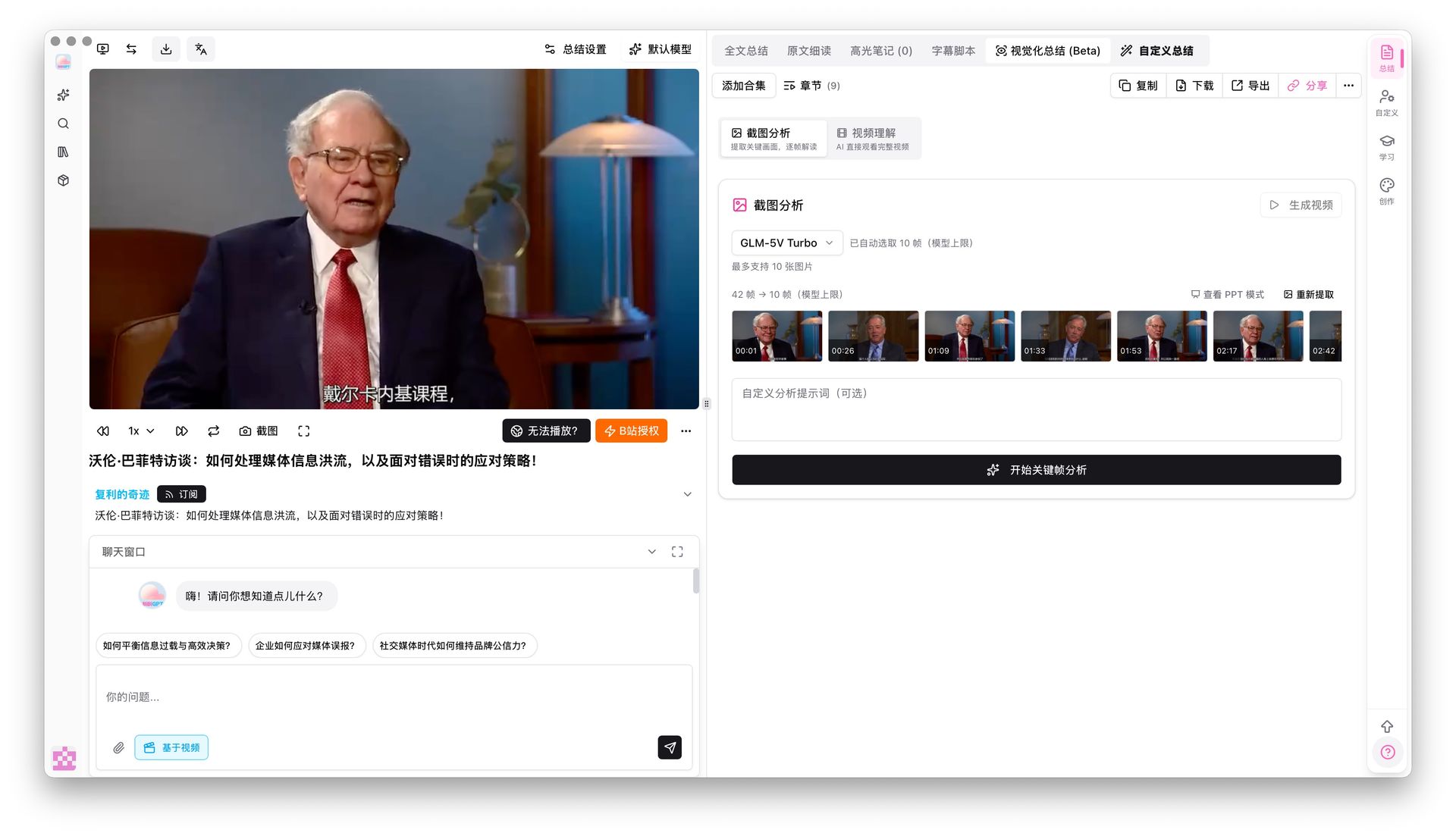
Screenshot: keyframe analysis panel. Source: BibiGPT.
Practical rule: A vision Agent that can see images is not the same as one that can watch a full video. Without a timeline, it is just photo-album Q&A.
What this means for creators, students, and professionals
Creators. You do not need “this cover looks nice.” You need “can this 20-minute explainer become publishable illustrated posts.” A vision Agent helps you read one chart frame; visual video content summary helps you watch the whole clip, then hand off to video to illustrated article.
Students. The value of a lecture often lives in the board and the slides, not the instructor’s verbal tics. A vision Agent is fine for spot-checking one page; a full course needs a keyframe grid plus matching captions — like flipping through slides, not rewatching four hours.
Professionals. In a weekly recording, what you cannot miss is the numbers on the shared screen. A text-only memo writes “see screen.” A vision Agent can read the frame you cropped; searchable chapters let you jump back to “the table at minute 23.” Serving 1M+ users, 5M+ summaries, and 30+ platforms, the gap was never “bolt on another model name” — it was keeping seen frames on the timeline.
The selection filter is one sentence: do you need “read one image,” or “take away the images that mattered across the whole video.”
Practical rule: When you evaluate a vision model, ask which frame the output lands on. If you cannot name a timestamp, it is not video understanding yet.
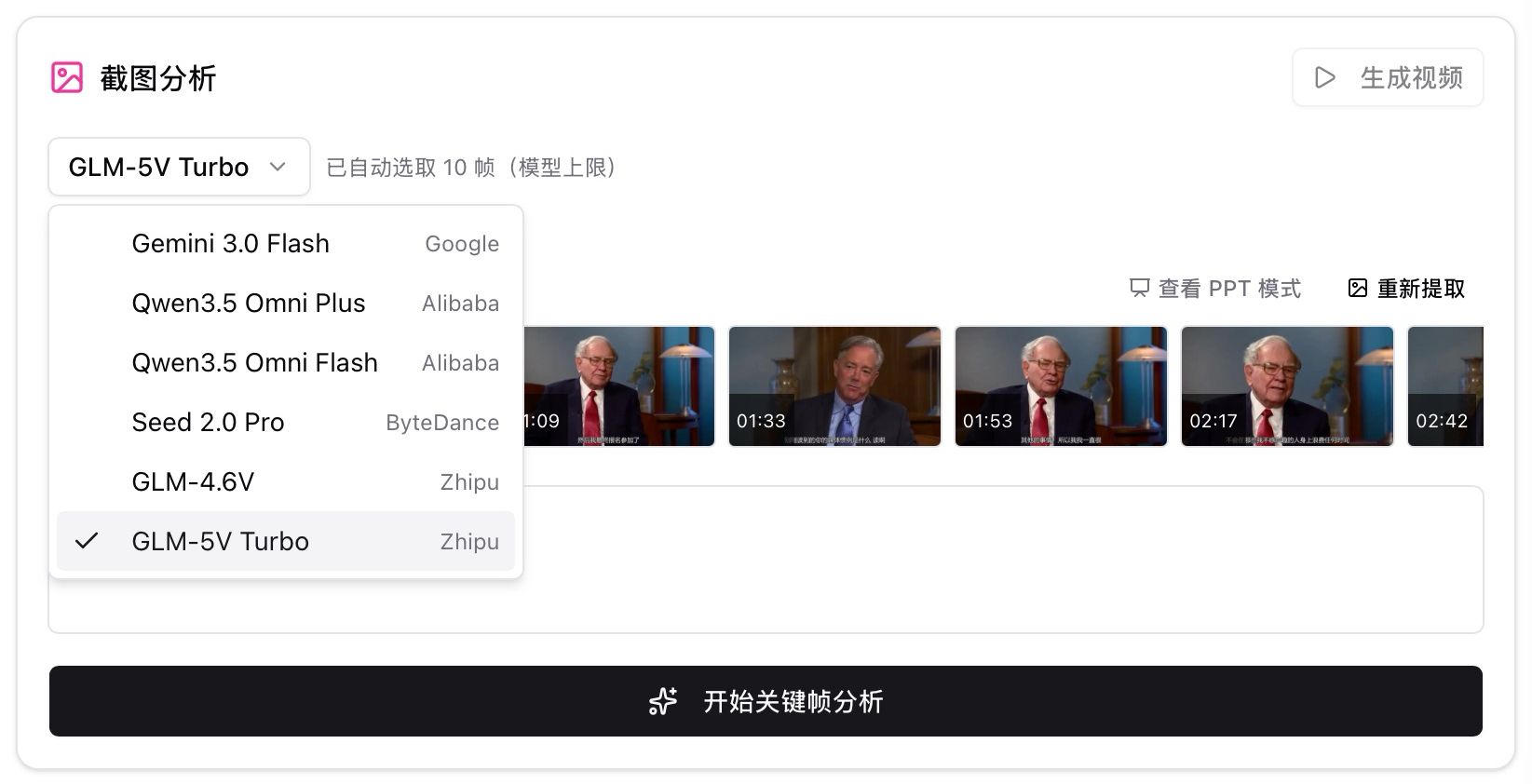 Screenshot: model selection for keyframe analysis. Source: BibiGPT.
Plug visual understanding into the workflow
The judgment section ends here. How to use the product lives only in this section. Assume you have an explainer video with charts:
- Paste a Bilibili / YouTube / podcast link and get timestamped chapters first — do not start by screenshotting.
- Open visual summary and let the system pull keyframes, instead of scrubbing the progress bar and hoping.
- Run frame analysis on frames with charts, code, or whiteboard content, and turn “see chart” into readable takeaways.
- When you need to redistribute, use illustrated-article or slide views — not more hand-cropped covers.
- Jump back to the original timestamp to verify; do not treat the model description as final fact.
Side-by-side demo: paste a link and watch frames become citable takeaways.
Turn video frames into illustrated notes
The AI looks at the picture too — slides, charts, on-screen text — and writes it up.
Key frames

On-screen text: nanoGPT
Karpathy live-codes the bigram model — the simplest language model, predicting the next character from the current one.
The general summary entry is still AI video summary guide. An experimental vision model can be one “read the image” link in that pipeline; it is not the pipeline itself. At publish time the product has not listed this experimental model as integrated — covering a model release as a topic is fine; treating it as the product’s exclusive engine is not.
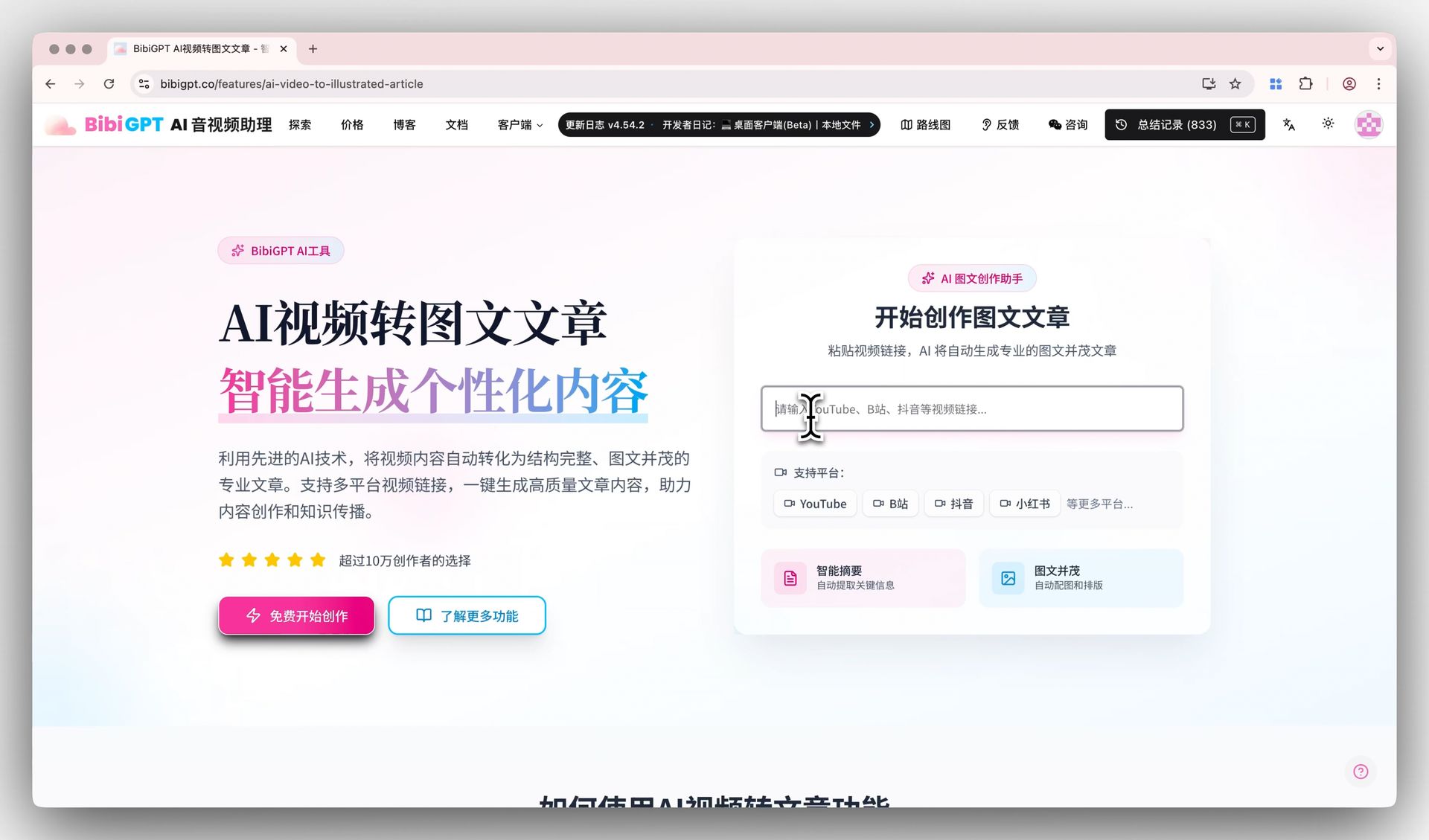 Screenshot: video-to-article entry. Source: BibiGPT.
A falsifiable prediction
If by February 2027 mainstream vision Agents still only ingest single images / short screenshots, and still cannot align “the table at minute N” on a timeline and write searchable chapters, then the claim “vision Agent near flagship ≠ full-video understanding” stands. If within six months a public, reproducible “full-video visual understanding” benchmark appears, and Flash Vision–class experimental models directly match product workflows, that claim is void.
Frequently Asked Questions
Is V4-Flash-Vision-Exp already matching Opus 5? No. Official and third-party coverage compares against Opus-4.8. TNW notes there is no Opus 5 column in the table. A V4.1 Flash intermediate preview circulated around 2026-09-08 (temporary endpoint expired 9/10); it does not change the claim that an experimental vision model is still not full-video understanding.
Is 384 tokens per image expensive? Official framing is same price as V4-Flash, with a 384-token per-image cap and no separate vision surcharge. Files API is free — good for asking about the same image repeatedly.
How is this different from the 1M-context piece? That one hits “how much fits in one pass.” This one hits “after eyes are wired into the Agent, the video workflow still lacks a timeline.”
Has BibiGPT already integrated this experimental model? This is not written as a product-integration post. It was not integrated before publish. User-selectable models can be named; system-chosen steps do not get exclusive-engine marketing copy.
I only want to read images, not summarize video — do I still need this pipeline? If you only need image reading, the vision API is enough. If you need to take away charts, boards, and demo UIs from a full video, you still need chapters + keyframes + jumpable timestamps.
Finish the table before you decide whether to follow the hype. What approaches flagship is the vision-agent benchmark — not “paste a link and understand a forty-minute demo.” To keep seen frames on the timeline, run one of your own links through BibiGPT first.
Start now — turn video frames into searchable takeaways:
- 🌐 Website: https://bibigpt.co
- 📱 Mobile: https://bibigpt.co/app
- 💻 Desktop: https://bibigpt.co/download/desktop
- ✨ Visual analysis: Visual summary
BibiGPT Team
Popular tools
More in this series
- GPT-Transcribe vs Whisper vs Grok Voice 2.0 vs MAI-Transcribe:2026 语音转文字模型怎么选
- Apple iOS 27 Opens Third-Party AI: The Era of Switchable Assistants Is Here — How to Choose for Audio and Video (2026)
- DeepSeek R1 + BibiGPT: A Practical Guide to AI-Powered Audio/Video Understanding in 2025
- DeepSeek-V4 здесь! BibiGPT в день релиза подключил 4 новые модели + 1M контекста — ИИ-краткое содержание видео и подкастов вышло на новый уровень
- BibiGPT vs DeepSeek-V4 + Granite Speech Plus 2026: Self-Hosted Open Source vs Productized Stack
Показать все статьи по теме «Обновления моделей» (7) →