How to Get a YouTube Transcript for Claude (and Any AI Agent)

How to Get a YouTube Transcript for Claude (and Any AI Agent)
You just watched a two-hour conference talk, a dense product walkthrough, or a lecture you half-followed at 1.5x speed. There’s a specific answer buried somewhere around minute 47, and you want Claude to pull it out, argue with it, and turn it into notes. So you do the obvious thing: paste the YouTube link into Claude and ask. And Claude tells you, politely, that it can’t open the video.
That refusal is the real starting point of this article. A chat model does not “watch” a URL — it works on text. So the practical question isn’t “why can’t Claude see my video,” it’s how do I get the words out of the video and into the model in a form it can actually reason over? Once you frame it that way, “get a YouTube transcript for Claude” turns into a workflow decision, not a dead end.
Most guides stop at “here’s a tool that downloads captions.” That’s the easy 20%. The harder, more useful part is what happens after you have the text — how you feed it to Claude, when to paste versus when to let an agent fetch the video itself, and how to keep a two-hour transcript from blowing past what’s readable. This guide covers both paths, with the trade-offs nobody puts in the tool comparison tables.
Table of Contents
- Why feeding a YouTube transcript to Claude changes the work
- The fastest path: copy a transcript and paste it into Claude
- The agent-native path: let Claude watch the video itself
- Copy-paste vs. agent-native: which fits your workflow
- Long videos, missing captions, and multi-video research
- FAQ: YouTube transcripts and Claude
- From transcript to answers: a Claude workflow that sticks
Why feeding a YouTube transcript to Claude changes the work
A transcript turns a video from something you sit through into something you can query. That’s the whole payoff. Watching is linear and slow; text is random-access. Once the spoken words are in Claude, you can ask “what did the speaker say about pricing,” “summarize the three objections and rank them,” or “write this as a 200-word brief” — and get an answer in seconds instead of scrubbing a timeline.
The reason this works now, and didn’t a couple of years ago, is context. Claude’s context window now reaches up to 1 million tokens on supported tiers — comfortably enough to hold a full-length lecture transcript with room left over for your questions and its answers. The bottleneck is no longer “will the transcript fit.” The bottleneck is getting a clean, well-structured transcript in the first place.
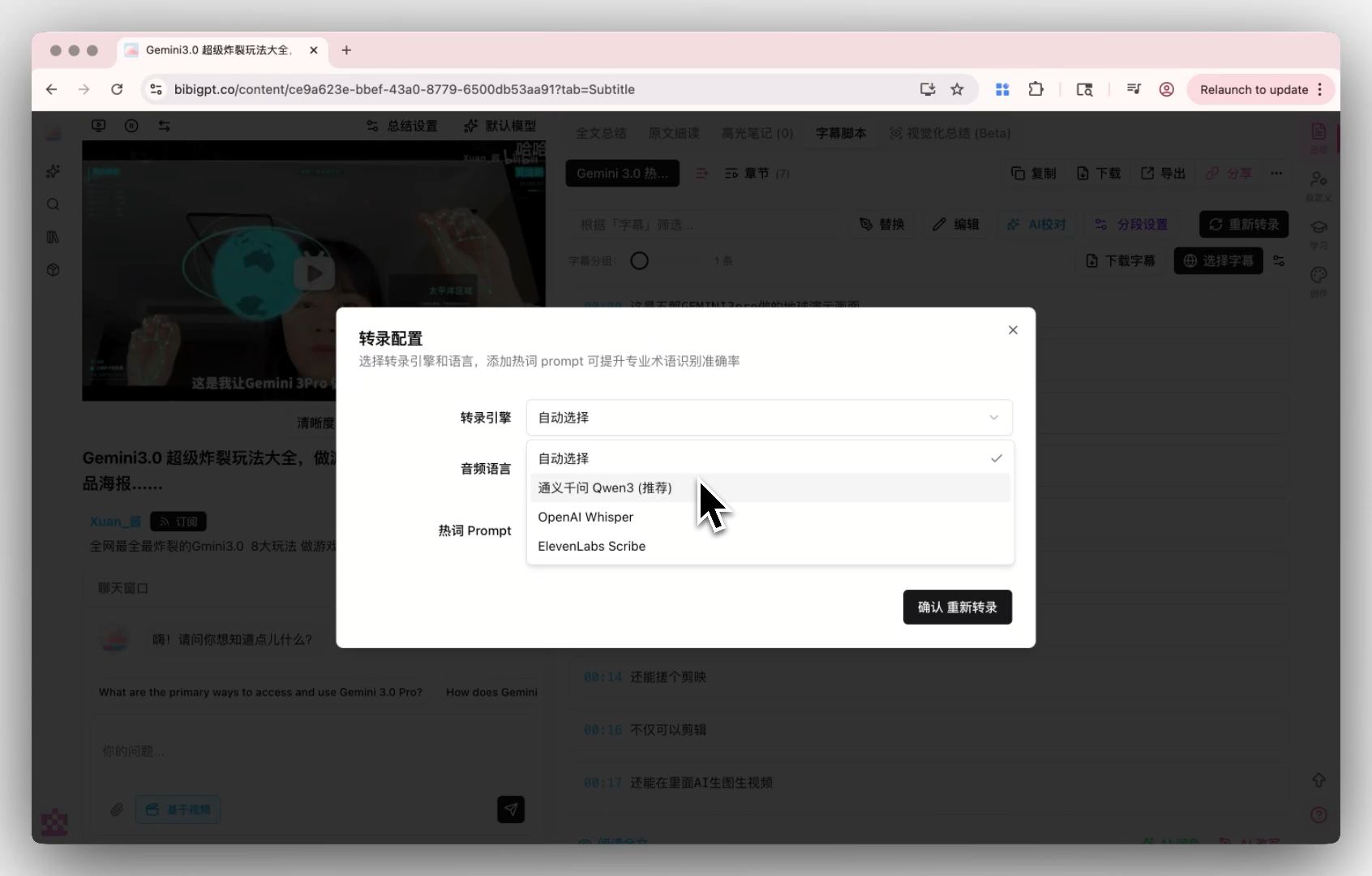
A dedicated engine produces cleaner text than YouTube’s raw auto-captions — which matters because Claude reasons over whatever quality you hand it.
Quality matters more than people expect. YouTube’s auto-generated captions are convenient, but as Wikipedia’s overview of subtitles notes, automatic captions are generally less accurate than human-typed ones — they stumble on homophones, accents, and specialized vocabulary. Paste a garbled transcript into Claude and you get a confident summary of the wrong thing — garbage in, articulate garbage out.
Practical rule: If the value of a video is in what’s said, a transcript is more useful than the video — but only if the transcript is accurate enough that a model can trust it.
Here’s what “video to a reusable summary” looks like before you even bring your own model into it — paste a link, get structured chapters and key points you can hand to Claude verbatim:
Summarize any video in seconds
Pick a sample below to see the AI summary — TL;DR, key points, and jump-to timestamps.
TL;DR: Karpathy builds a GPT-style language model from scratch in code, explaining every piece — from a tiny character-level model up to the full Transformer.
Key points
- Start with a bigram model, then add self-attention so tokens can "talk" to each other
- A Transformer block = multi-head attention + feed-forward + residual connections + layer norm
- Training is just predicting the next token; scale and data do the rest
- The same architecture behind nanoGPT is what scales up to ChatGPT
Jump to
- 00:07 Why build GPT from scratch
- 08:23 Self-attention, intuitively
- 1:00:00 Assembling the Transformer block
- 1:35:00 From nanoGPT to ChatGPT
The fastest path: copy a transcript and paste it into Claude
The quickest way to get a YouTube transcript into Claude is to grab the plain text and paste it into the chat — no API keys, no setup. This is the right path for a one-off: a single video, a single question, and you’re done.
There are two flavors of “grab the text”:
- Pull the existing captions. If the video already has captions (creator-uploaded or auto-generated), a YouTube transcript generator extracts them as one continuous block you can copy in a click. Fastest, but you inherit whatever the original caption quality was.
- Re-transcribe the audio. If captions are missing or clearly wrong, a dedicated transcription engine re-generates the text from the audio, usually with better accuracy on names and jargon.
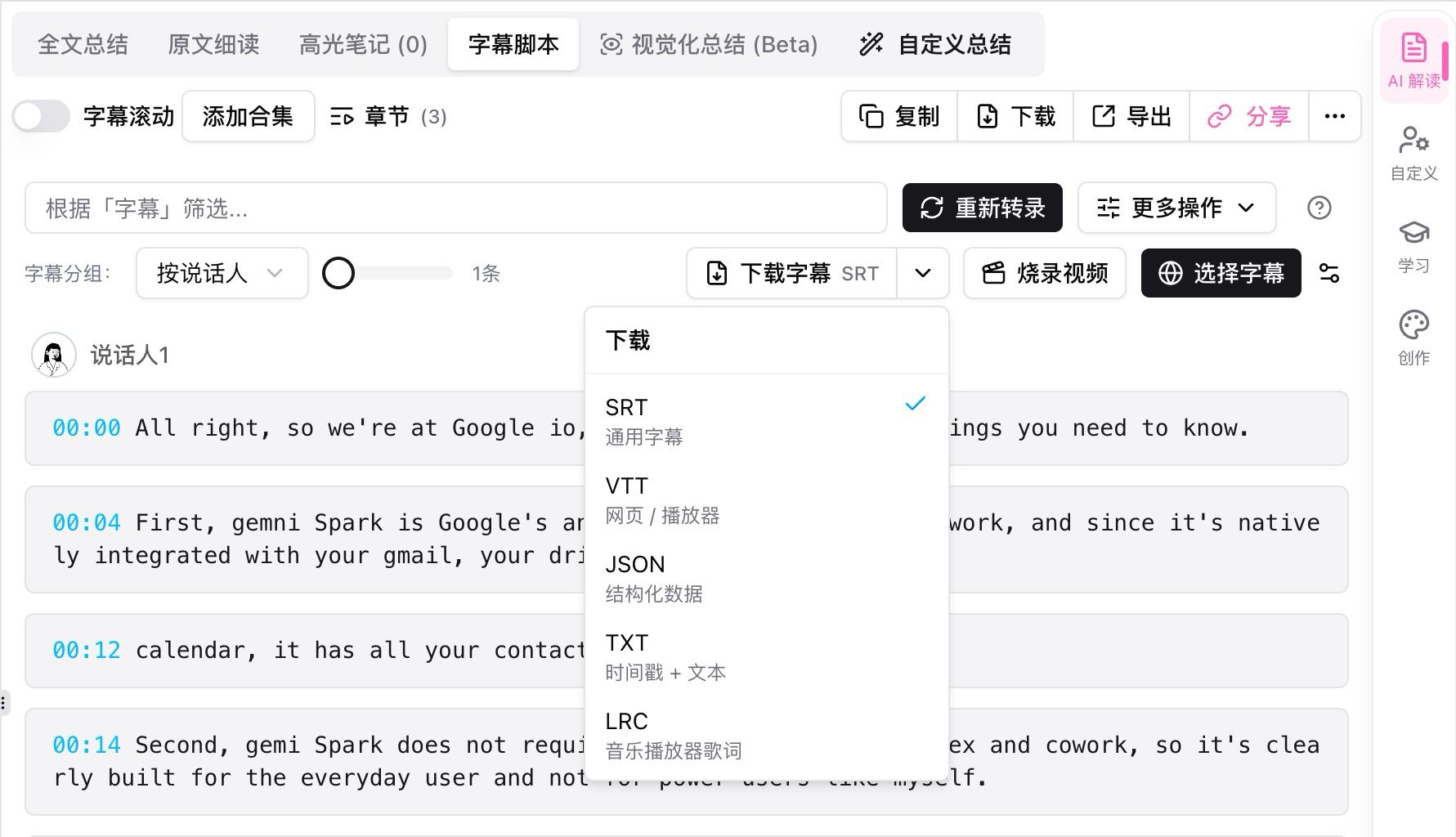
Export the transcript as plain text (or SRT/Markdown), then paste the block straight into a Claude message.
Once you have the text, the paste-in workflow is simple:
- Copy the full transcript to your clipboard.
- Open Claude and start a message with a clear instruction — “Here is a transcript of a talk. Summarize the main argument, then list the three strongest claims with timestamps if present.”
- Paste the transcript below your instruction.
- Send, then follow up: “Now rewrite the summary for a non-technical reader.”
The one gotcha: order matters. Put your instruction before the transcript, not after. A model reads top-to-bottom, and a long wall of transcript followed by a buried question is easy to under-weight.
Practical rule: Instruction first, transcript second. Tell Claude what job to do before you hand it 15,000 words to do it on.
The agent-native path: let Claude watch the video itself
The more powerful path is to skip the copy-paste entirely and give the agent the ability to fetch and understand the video on its own. Instead of you being the courier between YouTube and Claude, the model calls a tool, pulls the transcript, and reasons over it inside the same turn.
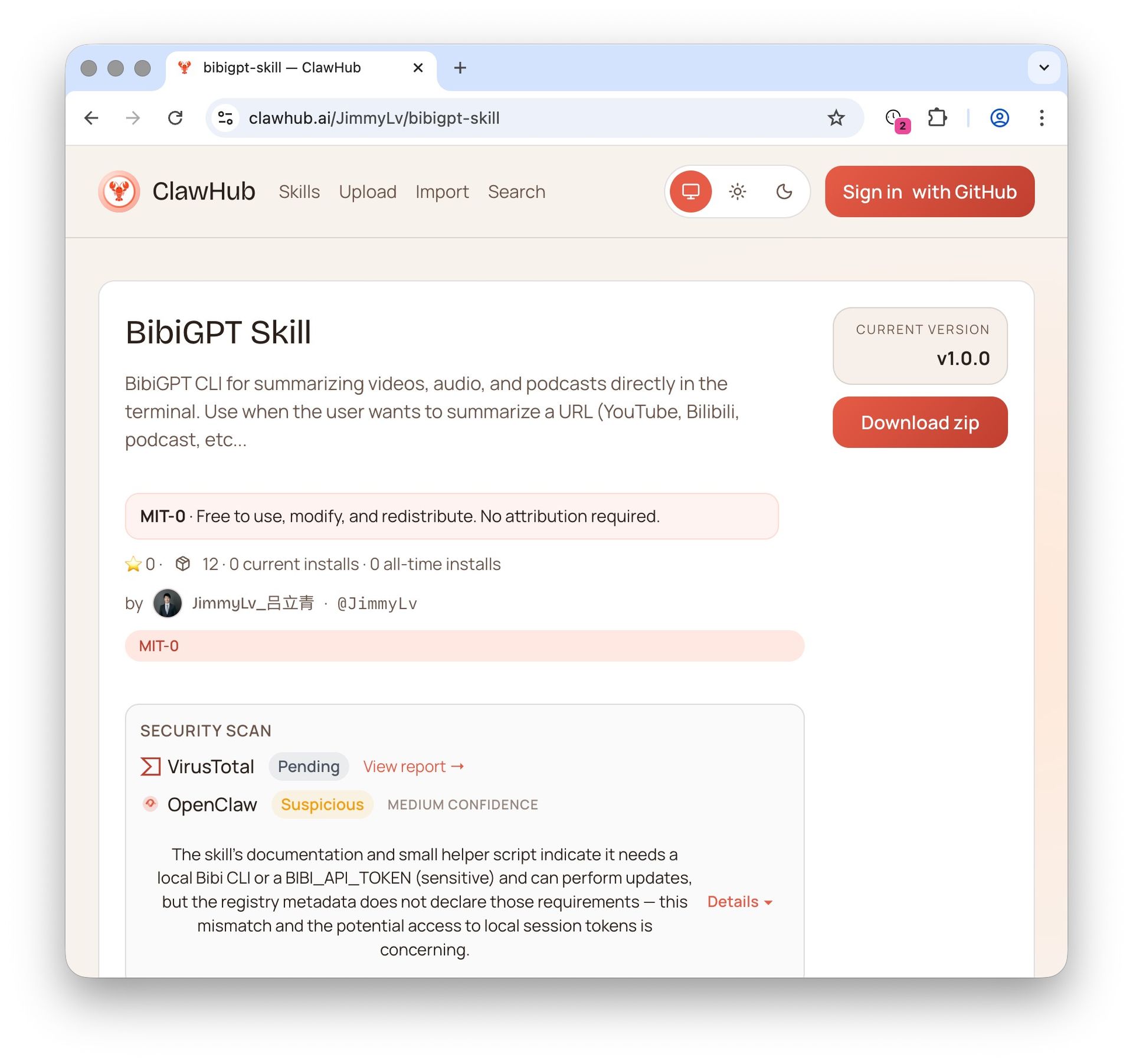
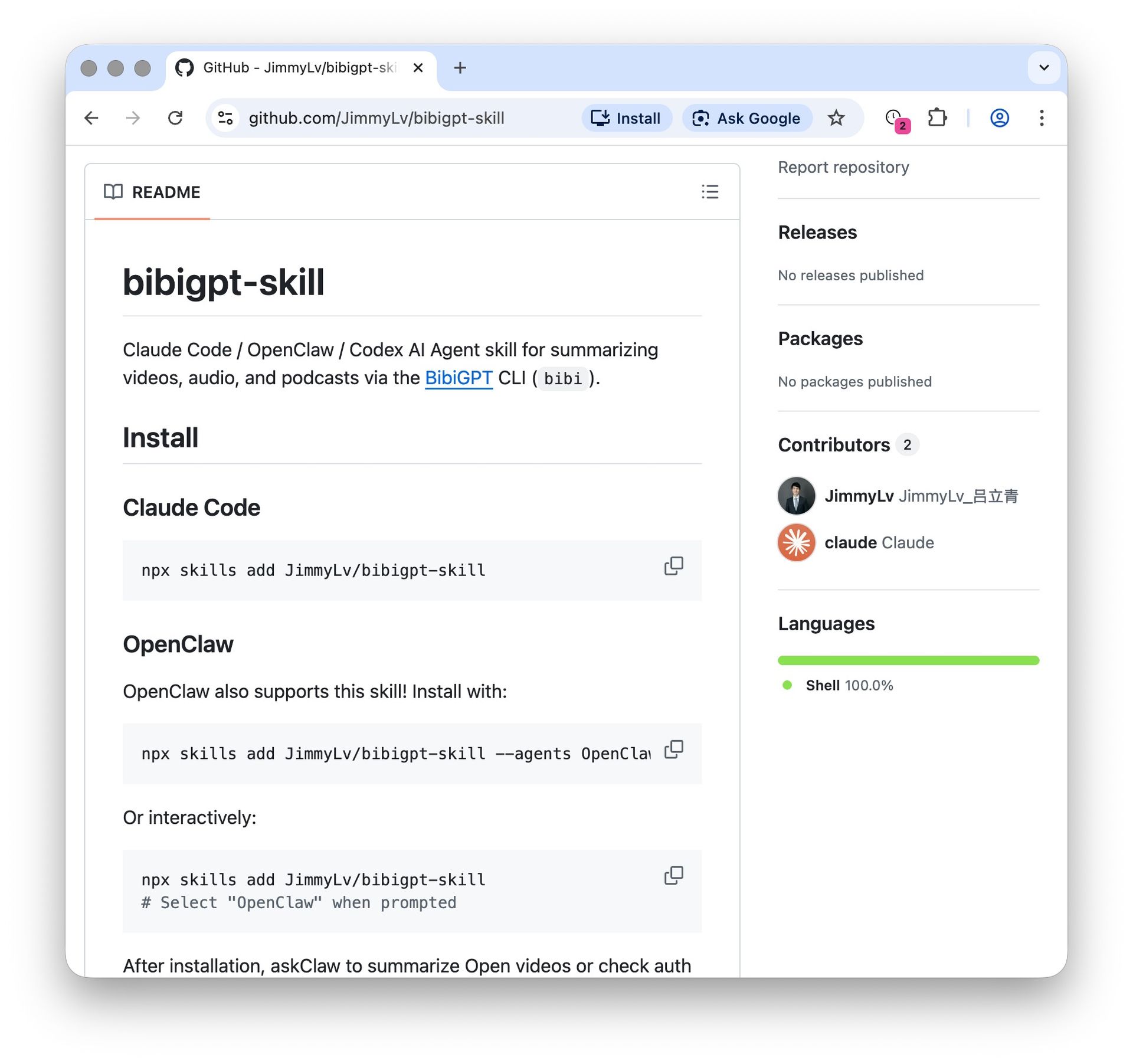
This is what “agent-native” means in practice, and it’s built on the Model Context Protocol (MCP) — the open standard that lets AI agents call external tools in a consistent way. A video-understanding tool plugs into Claude the same way a file-search or web-fetch tool does: you give the agent a YouTube URL, it does the retrieval, and you never touch a clipboard. The screenshot below shows that tool being invoked directly from the command line.
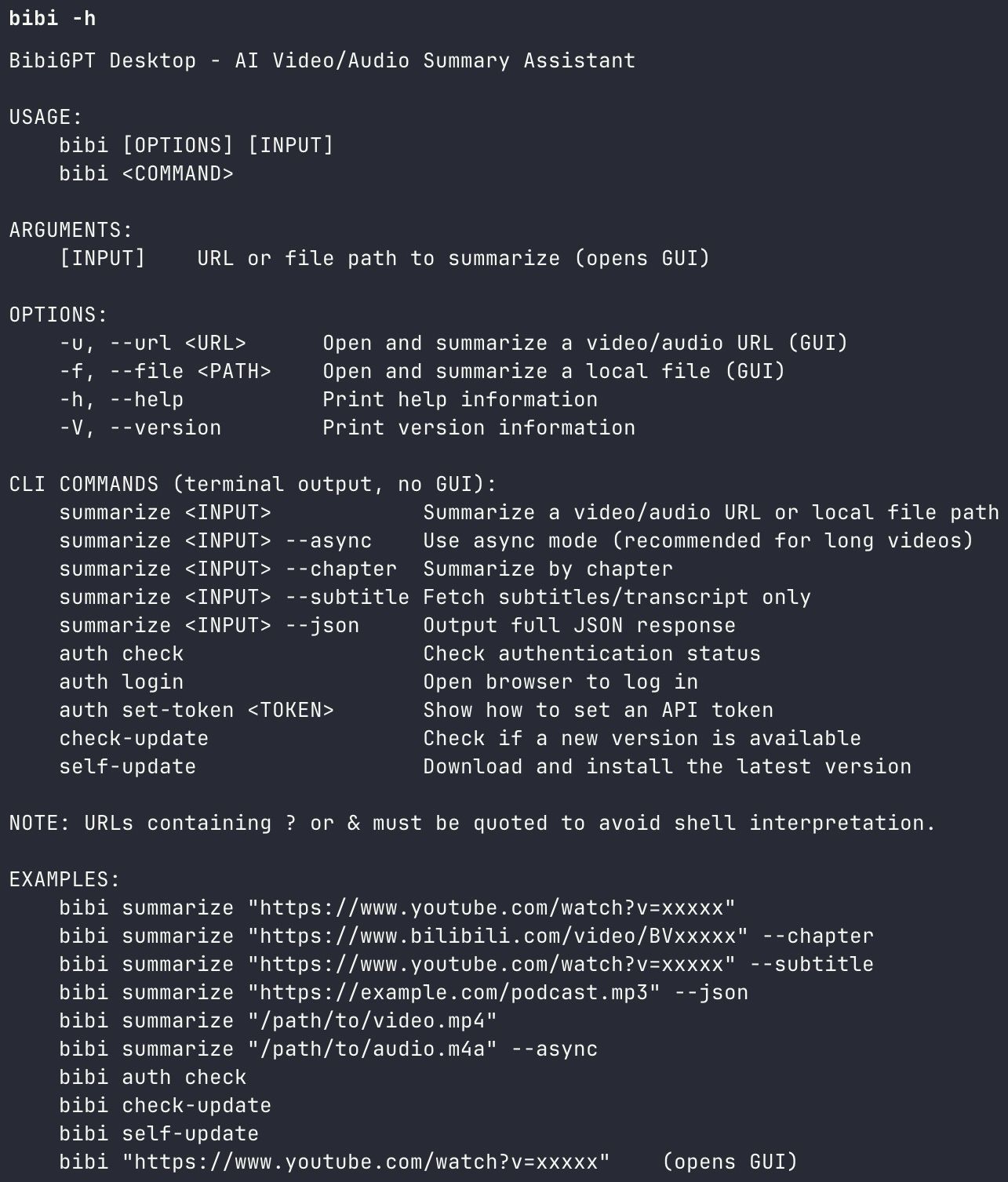
With a video skill installed, the agent fetches and reads the video itself — the URL goes to the tool, not to you.
For developers, the same capability is scriptable: open-source libraries like the widely used youtube-transcript-api pull captions programmatically, and you feed the result into a Claude API call. That’s great when you control the pipeline and the videos reliably have captions. The trade-off is that raw caption libraries don’t re-transcribe audio or clean up structure — you’re back to “inherit the caption quality.” A tool that both retrieves and transcribes covers the case where captions are missing.
The real advantage of the agent-native path shows up in follow-up. Because the agent holds the transcript in context, you can interrogate the video conversationally instead of re-pasting for every question:
Ask the video a question
Watched it but still unsure? Ask follow-ups and get answers grounded in the transcript.
Tap a question:
Why does the agent-native path even need transcription in the loop? Because length adds up fast. Presentations run about 100–150 words per minute, per VirtualSpeech’s breakdown of average speaking rates — so a two-hour talk is roughly 15,000–18,000 words of raw speech. Handing an agent a clean, structured version of that (chapters, speaker turns, timestamps) makes its answers far more precise than dumping an unpunctuated caption stream.
To see how much cleaner structured transcription is than raw captions, it helps to watch a dense, jargon-heavy talk — the kind where auto-captions usually fall apart:
Copy-paste vs. agent-native: which fits your workflow
Choose based on how often you do this and how much you care about follow-up. Copy-paste wins for the occasional single video; the agent-native path wins the moment you’re doing this repeatedly, at length, or as part of a larger research task. Here’s the honest comparison:
The agent-native path is a one-time setup that pays off across every future video.
| What you care about | Copy-paste path | Agent-native path |
|---|---|---|
| Best for | One-off, single video | Repeated use, research, workflows |
| Setup | None | One-time tool/skill install |
| Follow-up questions | Re-paste each time | Ask conversationally in context |
| Missing captions | Fails unless you re-transcribe | Tool can re-transcribe audio |
| Who it suits | Anyone, right now | Power users, developers, teams |
Both paths end in the same place — words in the model — so this isn’t about which is “better,” it’s about matching effort to frequency. If you’ll do this twice a year, don’t build a pipeline. If you do it twice a day, don’t keep copy-pasting.
Decision filter: Ask one question — will you ask more than one follow-up about this video? If yes, let the agent hold the transcript. If no, paste and move on.
Long videos, missing captions, and multi-video research
The edge cases are where a real workflow either holds up or breaks. Three come up constantly, and each has a clean answer.
Long videos. A three-hour stream can still fit in context, but the answers get sharper if the transcript is chaptered instead of a flat wall. Structured output lets you (or the agent) jump to the relevant section — “the pricing discussion” — rather than making Claude wade through everything. A good YouTube-to-text converter keeps timestamps and segments intact so that structure survives into your prompt.
Missing or wrong captions. When a video has no captions, or the auto-captions are unusable, caption-scraping tools simply fail — there’s nothing to scrape. The only fix is re-transcribing from audio. If you compare your options here, the best free YouTube transcript tools split cleanly into “downloaders” (which need existing captions) and “transcription engines” (which don’t), and that distinction decides whether a given tool can help you at all.
Multi-video research. When your question spans several videos — a channel’s back catalog, a series, three competing product demos — you don’t want three separate paste sessions. This is exactly where the agent shines: point it at each URL, let it transcribe and summarize each, then ask it to compare across all of them. For a deeper look at the tooling, our roundup of YouTube subtitle downloaders and extractors maps which tools handle batch work.
Practical rule: If captions are missing, you don’t need a downloader — you need a transcriber. Diagnose which problem you have before you pick a tool.
FAQ: YouTube transcripts and Claude
Can Claude summarize a YouTube video from just the link?
Not directly. Claude works on text, so a bare YouTube URL isn’t enough on its own. You either paste in the transcript yourself, or use an agent tool (via MCP) that fetches and transcribes the video, then hands the text to Claude in the same conversation.
What’s the fastest way to get a YouTube transcript for Claude?
For a single video, copy the transcript with a transcript generator and paste it into a Claude message — instruction first, transcript second. No setup, works immediately.
Do I need coding skills to feed a video to an AI agent?
No. The copy-paste path needs zero code. The agent-native path can be a no-code tool/skill install; the scriptable API route (using libraries like youtube-transcript-api) is the developer option, not a requirement.
Will a long transcript exceed Claude’s context limit?
Rarely, on modern tiers — Claude’s context window reaches up to 1 million tokens, enough for a multi-hour transcript. If you’re on a smaller context tier, chapter the transcript and feed the relevant section instead of the whole thing.
From transcript to answers: a Claude workflow that sticks
The people who get the most out of this don’t ask “how do I get a transcript.” They ask “what’s the transcript for,” and build a short, repeatable loop around it. Here’s the one worth stealing:
- Get a clean transcript — pull captions if they’re good, re-transcribe if they’re not. Keep timestamps and chapters.
- Front-load the instruction — tell Claude the exact job before you paste (summary, extraction, rewrite, critique).
- Ask one broad question, then narrow — start with “summarize the argument,” then drill into the parts that matter.
- Pull quotes with timestamps — ask Claude to cite the timecode so you can verify or link back.
- Export the output — drop the result into your notes, a draft, or a YouTube AI summary you can reuse later.
BibiGPT was built for exactly this handoff: it pulls a clean, structured transcript from YouTube and 30+ other platforms, generates the summary and mind map, and lets you ask follow-up questions — so whether you paste into Claude or let an agent do it, the text you’re reasoning over is worth trusting. If you’d rather your AI agent simply watch the video, that’s the same capability our Claude-ready video skill gives any MCP-compatible agent.
Try BibiGPT free if you want a YouTube transcript your AI agent can actually reason over — paste a link, get the text, and go straight to answers.
BibiGPT Team
Popular tools
More in this series
- Best Free YouTube Transcript Extractor 2026: 7 Tools Compared
- YouTube Subtitle Extractor: Best Downloaders Compared (2026)
- Free YouTube Transcript Generator: Top 5 AI Tools Ranked (2026)
- Best Video Summarizer & YouTube Transcript MCP Servers for AI Agents (2026)
- How to Download YouTube Subtitles in 2026: 5 Methods Compared + BibiGPT One-Click Extraction (No Install)