AI Video Note Taker Comparison 2026: QuickQuill vs Mufal vs Memories.ai vs BibiGPT

AI Video Note Taker Comparison 2026: QuickQuill vs Mufal vs Memories.ai vs BibiGPT
You just finished a two-hour industry interview, and all that’s left in your head are three useful sentences — but you can’t remember which minute they showed up in. You want to save the key points to Notion, find them again in two weeks, and ask “how exactly did they push back on that point?” — but the tool in front of you either dumps a giant wall of text or can’t even open the video you bookmarked.
This isn’t really a question of “should I take notes” — it’s a question of which AI video note-taking tool to use. By 2026 this category has split into fundamentally different product shapes: some focus on local meeting privacy, some go all-in on long-form YouTube videos, and some want to be the single entry point for all your audio and video. Pick the wrong direction and you’ll either pay for capabilities you never use, or get stuck exactly when you need the tool most.
Most comparison posts just tick boxes on a giant feature table without telling you the trade-offs behind them. This hands-on breakdown covers the real boundaries of four tools — QuickQuill, Mufal, Memories.ai, and BibiGPT: who each one is actually built for, and why “which input sources it supports” usually matters more than summary quality itself.
The 60-second verdict: who each tool is for
If you just want the one-line answer: if you handle local meetings and privacy is non-negotiable, pick QuickQuill; if you want an unobtrusive real-time meeting copilot, look at Mufal; for deep notes on YouTube and other public long-form videos, Memories.ai gets the job done; and if you need one unified entry point that can ingest YouTube, Bilibili, podcasts, local files, and pretty much any audio or video, then turn it searchable, askable, and syncable to your note library — BibiGPT currently has the widest coverage.
The real difference between these four tools isn’t “can it summarize” — it’s three fault lines: which input sources are supported, how structured the notes end up, and whether it plugs into the knowledge workflow you already have. Let’s break each one down.
Summarize any video in seconds
Pick a sample below to see the AI summary — TL;DR, key points, and jump-to timestamps.
TL;DR: Karpathy builds a GPT-style language model from scratch in code, explaining every piece — from a tiny character-level model up to the full Transformer.
Key points
- Start with a bigram model, then add self-attention so tokens can "talk" to each other
- A Transformer block = multi-head attention + feed-forward + residual connections + layer norm
- Training is just predicting the next token; scale and data do the rest
- The same architecture behind nanoGPT is what scales up to ChatGPT
Jump to
- 00:07 Why build GPT from scratch
- 08:23 Self-attention, intuitively
- 1:00:00 Assembling the Transformer block
- 1:35:00 From nanoGPT to ChatGPT
Practical rule: Check a tool’s supported input sources before you check its summary quality — a beautiful summary is worth zero if it can’t even open the video you need to watch.
Why you need an AI video note taker in 2026
Audio and video are becoming the biggest “dark matter” of the AI search era. Text-based web pages have long been thoroughly indexed by search engines and large language models, but the key takeaways buried in a podcast, an online course, or a product launch are largely invisible to AI engines — they’re locked inside the audio track. Whoever can efficiently turn audio and video into structured, searchable text gets access to first-hand information others can’t reach.
This isn’t a niche need. According to SE Ranking’s AI traffic research, referral traffic from AI engines currently makes up only 0.32% of total traffic — but it has grown 16x in two years. People are increasingly comfortable letting AI “watch” content for them first, then deciding whether it’s worth watching themselves. AI video note takers are the first link in that chain: summarize first, decide later.
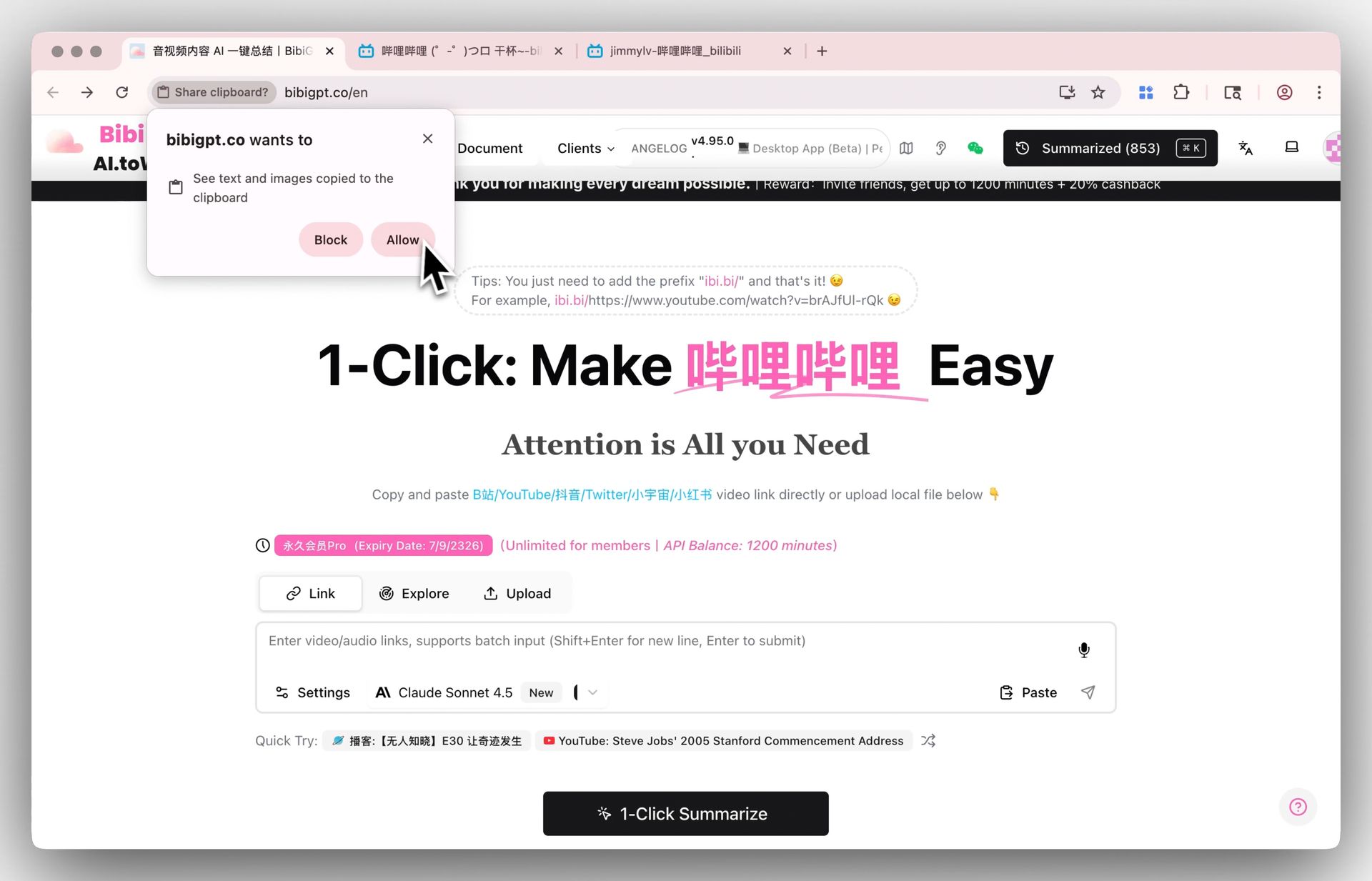
Screenshot: BibiGPT — paste any link anywhere to trigger a summary
Practical rule: To judge whether an AI note-taker is worth it, ask yourself one question — can it let me “spend 30 seconds reading the summary before deciding whether to spend an hour watching the original”?
Breaking down all four tools
QuickQuill: privacy-first local meeting notes for Mac
QuickQuill is a local meeting recording tool built for Mac. It records both your Mac’s system audio and your microphone input, and transcription plus summarization happen entirely on-device, with nothing uploaded to the cloud — no bot joins your meeting, and it still works offline. It also supports live captions and local translation while recording, and can import existing audio/video files for transcription. Pricing is a one-time $49 purchase (the dictation feature is free forever), with no account and no subscription required.
Its strengths and boundaries are both very clear: maximum privacy plus local meeting scenarios. But it isn’t built for “paste a YouTube or Bilibili link and take notes,” and it has no cloud knowledge base or cross-device search.
Mufal: the invisible real-time meeting copilot
Mufal positions itself as a real-time meeting AI copilot that stays “unnoticeable” — no bot joining the call, live transcription, real-time summaries, and action item extraction, with multilingual support. It’s built for teams that want a low-visibility presence during the meeting while still being able to look back afterward. Like QuickQuill, its core scenario is meetings, and publicly available detail on its feature set is fairly limited — for a deeper look, go to a primary source like its Product Hunt page rather than secondary roundups.
Practical rule: Meeting tools (QuickQuill, Mufal) and video note-taking tools (Memories.ai, BibiGPT) solve two different problems — don’t use a tool built for “logging the meeting I attended” to “digest the video I didn’t have time to watch.”
Memories.ai: deep notes focused on long-form YouTube video
Memories.ai’s YouTube video note-taker puts its weight behind public video. The company says its model is trained specifically on educational and technical content, reaching 95–98% accuracy on clear audio, with most videos processed in under 2 minutes, and it has a built-in AI chat that lets you ask follow-up questions about the content without rewatching. It’s not limited to YouTube either — it also handles TikTok clips, online courses, and training videos. Pricing includes a free tier ($0/month, 100 credits) and a paid annual Plus tier (roughly $15/month, 5,000 credits).
Of the four, it’s positioned closest to BibiGPT — but its input-source coverage and support for domestic platforms like Bilibili still lag noticeably behind.
Video source: YouTube — a general demo of summarizing YouTube videos with AI
BibiGPT: turning all your audio and video into one searchable, askable knowledge base
BibiGPT takes a different approach from the first three: it isn’t tied to a single platform or a single scenario — it aims to be the unified entry point for all audio and video. Paste a link from YouTube, Bilibili, Douyin, TikTok, Xiaohongshu, podcasts, or 30+ other platforms (or upload a local file) to generate a timestamped, structured deep summary in one click. It has served over 1 million users and generated more than 5 million summaries to date.
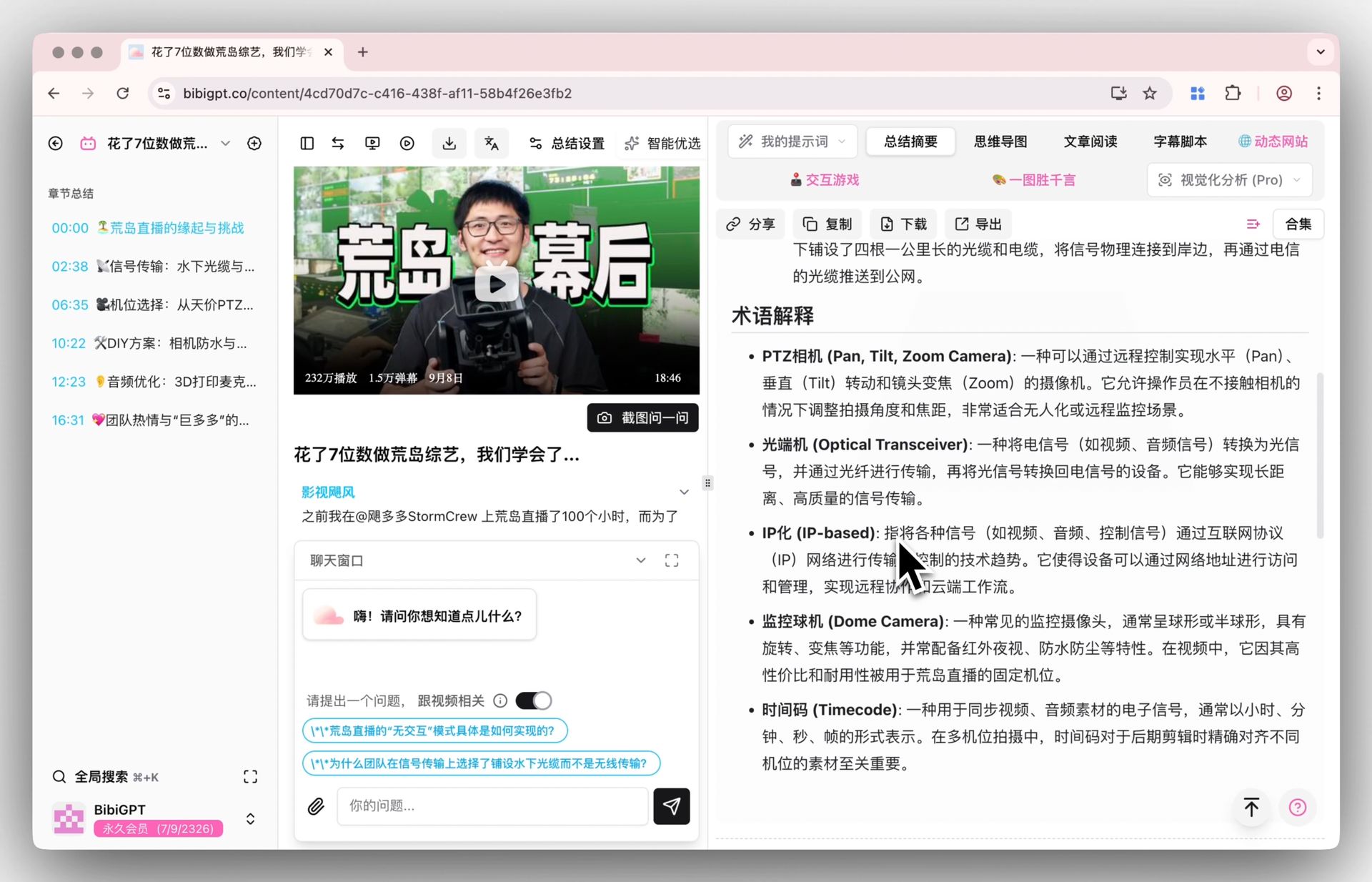
Its notes are the most structured of the four: not just a block of text, but a core summary + highlights + Q&A prompts + terminology explanations, and you can switch it into an inline mind map with one click, then click any node to jump straight to that moment in the video.
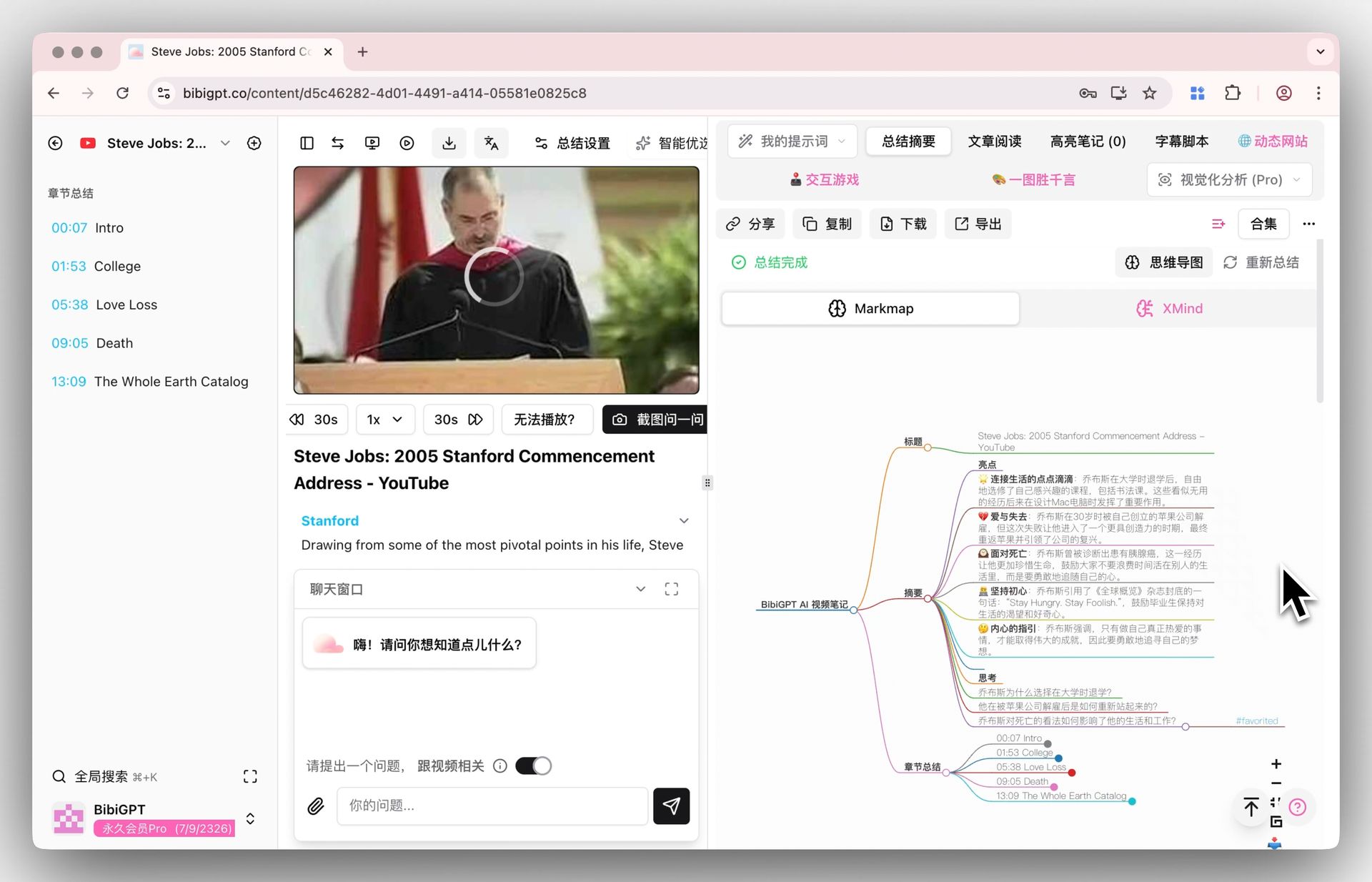
Screenshot: BibiGPT — summaries with an inline mind map
Side-by-side comparison of key dimensions
Put all four tools on the same table, lined up against the dimensions you’re most likely to care about:
| Dimension | QuickQuill | Mufal | Memories.ai | BibiGPT |
|---|---|---|---|---|
| Primary use case | Local meetings | Real-time meeting copilot | Long-form YouTube video | All-platform audio/video |
| Input sources | Local audio/video, meetings | Meeting audio | YouTube/TikTok/courses | YouTube/Bilibili/podcasts/local files, 30+ |
| Note structure | Transcript + summary | Summary + action items | Summary + highlights + chat | Deep summary + mind map + timestamps |
| AI follow-up questions | — | — | ✅ | ✅ (with source tracing) |
| Note library integration | Local | Team | In-platform | Notion / Obsidian / Readwise |
| Multilingual | Live translation | Multilingual | English-first | Chinese/English/Japanese/Korean |
| Free tier | Dictation free | — | 100 credits/month | Free tier available |
Practical rule: Use this decision filter — first ask “where does the content I deal with most often live?” then ask “where does it need to go once it’s processed?” Those two answers pretty much decide which tool you should pick.
What makes BibiGPT different: why cross-platform coverage is the fault line
Three differences give BibiGPT its footing in the video note-taking space.
First, breadth of input sources. Meeting tools can’t open public videos, and Memories.ai opens YouTube but offers limited support for domestic platforms like Bilibili. BibiGPT covers 30+ platforms, so you never have to switch tools depending on where a video lives — YouTube, Bilibili, and podcasts all go through the same paste box.
Second, you can ask questions and trace the answers. BibiGPT’s AI video chat attaches a clickable timestamp and source clip to every answer it gives when you follow up — so you never have to worry about the AI making things up; one click jumps you back to the original footage to verify.
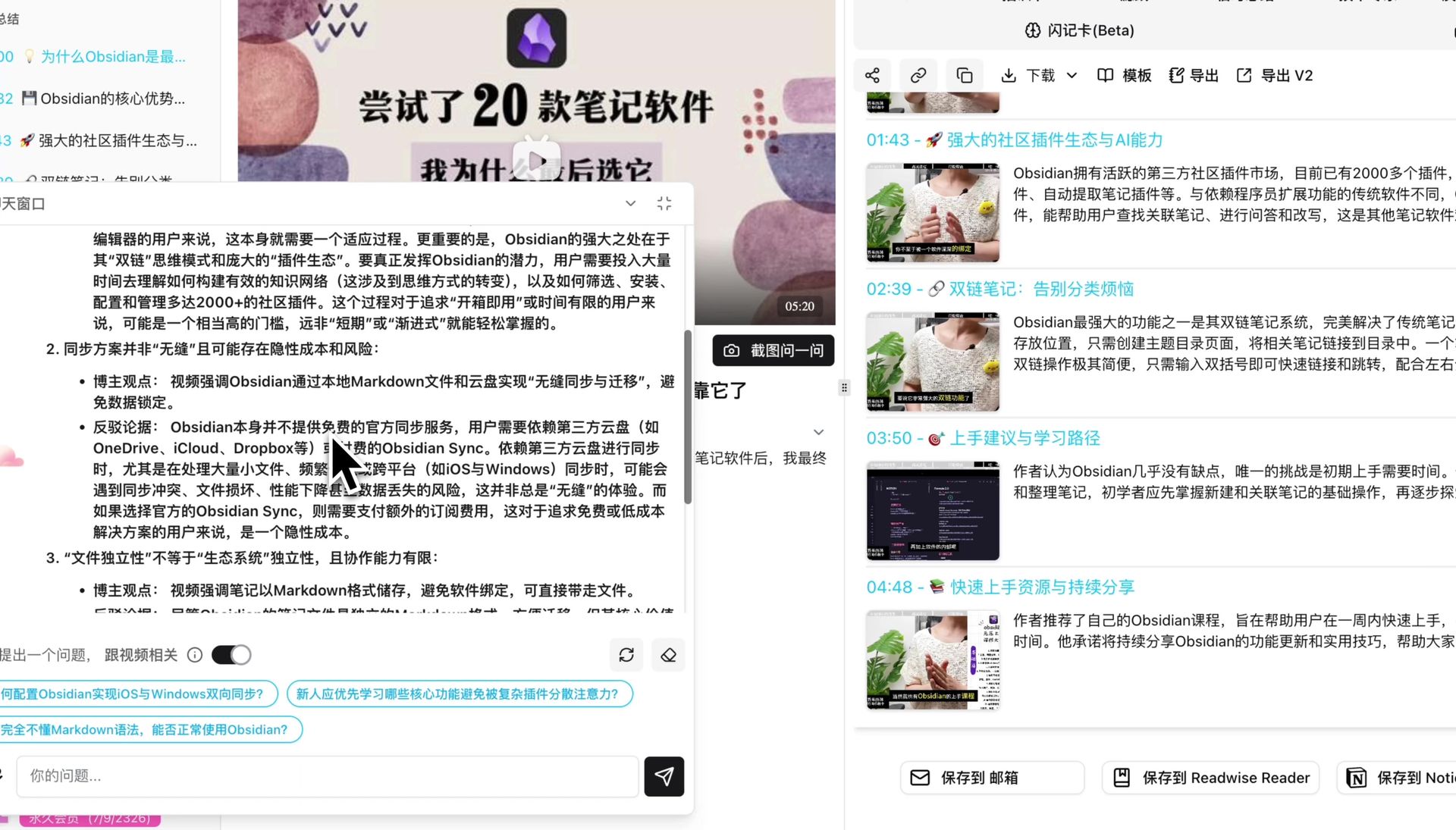
Screenshot: BibiGPT — AI chat answers grounded in video content
Third, it plugs into the knowledge workflow you already have. Finishing a note isn’t the end point. BibiGPT lets you export highlighted notes to Notion, Obsidian, or Readwise with one click, or download them as Markdown/PDF — it doesn’t want to be your Nth note silo, it wants to feed the one you’re already using.
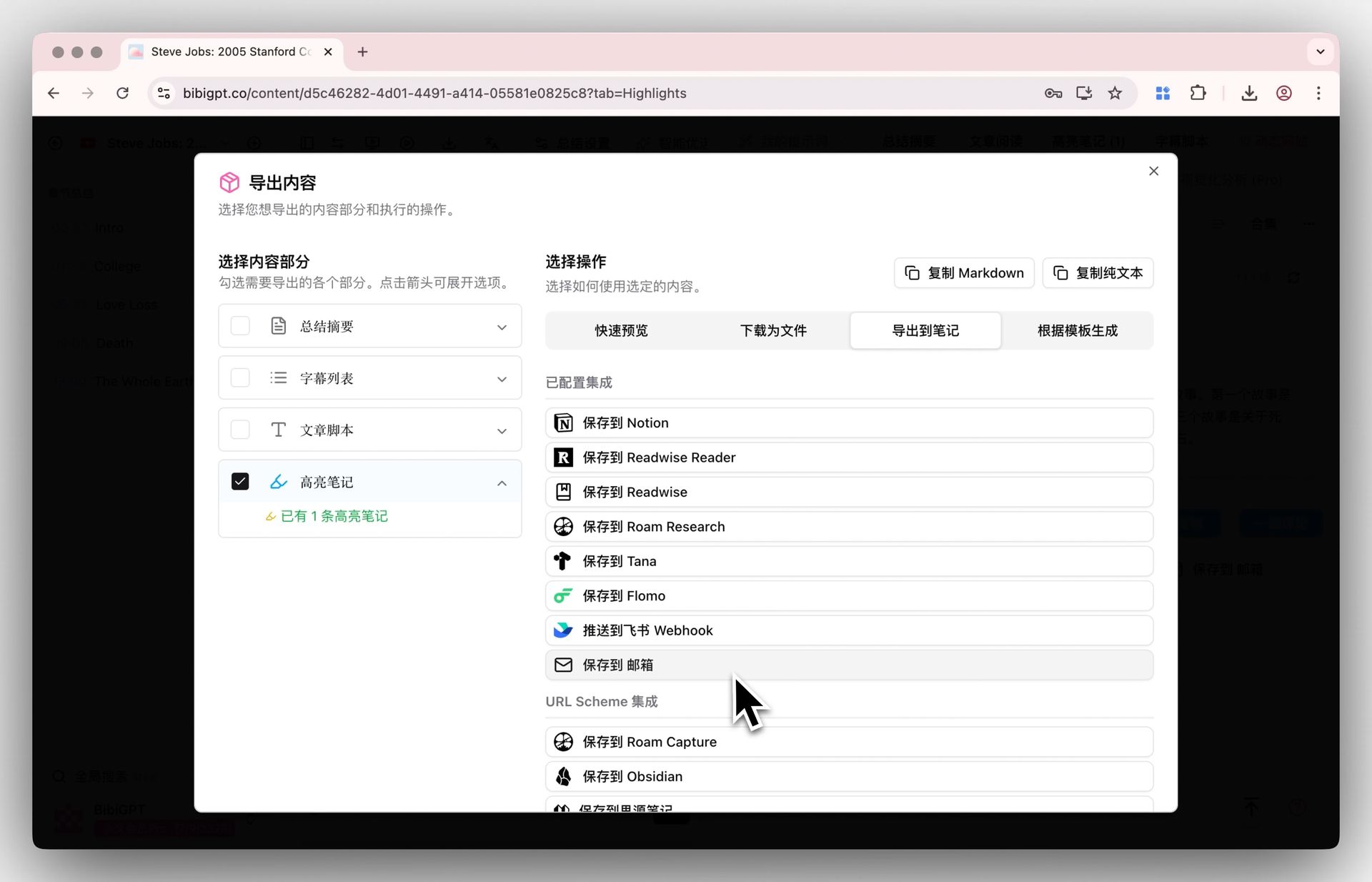
Screenshot: BibiGPT — export highlighted notes to Notion / Obsidian
Practical rule: A note-taking tool’s real value isn’t whether it can take notes — it’s whether what it captures can flow back into the knowledge base you already use. Otherwise you’ve just opened one more inbox nobody ever revisits.
Frequently asked questions
Are AI video note takers and meeting recording tools the same thing? No. Meeting recording tools (like QuickQuill and Mufal) solve “how do I keep a record of the meeting I attended.” Video note-taking tools (like Memories.ai and BibiGPT) solve “how do I quickly digest the video I didn’t have time to watch.” Their input sources and use cases are completely different.
Can I process both YouTube and Bilibili? This is exactly the fault line. Most overseas tools only cover YouTube. BibiGPT covers 30+ platforms including Bilibili, Douyin, and Xiaohongshu — all through the same input box.
Can finished notes sync to Notion? BibiGPT lets you export highlighted notes to Notion, Obsidian, or Readwise, or download them as Markdown/PDF; meeting tools tend to keep records local or within a team only.
Is there a free tier to try before committing? Yes. BibiGPT offers a free tier, Memories.ai gives 100 free credits per month, and QuickQuill’s dictation feature is free forever — you can run your own real video through any of them before deciding.
Do any of these tools make things up? The risk mostly comes from tools with no source attribution. BibiGPT’s AI chat attaches a clickable timestamp and source clip to every answer, letting you jump back to the original footage to verify — cutting down the chance of confident-sounding fabrication.
From watching to using: a practical workflow
Once you’ve picked the right tool, what actually compounds the value of your notes is the workflow. Here’s a five-step process you can copy directly:
- When you find a video you want to watch but don’t have time for, paste the link into BibiGPT and read the deep summary in 30 seconds to decide if it’s worth watching.
- If it’s worth it, switch to the mind map view and click nodes to jump straight to the key moments.
- If you have questions, ask directly in AI chat and verify against the timestamps.
- Highlight what matters and export it to your Notion or Obsidian with one click.
- A week later when you need it, search your note library by keyword instead of re-watching a two-hour video.
The people who actually get value out of this workflow aren’t asking “how do I summarize a video” — they’re asking “what am I actually going to use this summary for.”
If you want a tool that can ingest content from every platform and turn audio and video into a searchable, askable knowledge asset, try BibiGPT for free — paste a video link you already have on hand, and in 30 seconds you’ll see exactly where it differs from the three tools above.
BibiGPT Team
Popular tools
More in this series
- Adobe Acrobat Student Spaces vs BibiGPT: 2 เส้นทางเปลี่ยน PDF และวิดีโอเป็นพอดแคสต์ AI (เปรียบเทียบเครื่องมือเรียน AI สำหรับนักศึกษา 2026)
- AI Haoji vs BibiGPT 2026 Full Comparison: Use Case, Platform Coverage, Multilingual, Mind Map Depth, Pricing — Which Should You Pick?
- เปรียบเทียบเครื่องมือสร้าง PPT ด้วย AI 2026: Qwen vs Gamma vs BibiGPT vs Tome อันไหนเหมาะกับคุณ?
- Ask YouTube's Conversational AI Search Rolls Out Wider This Summer: Can It Replace Video Summary Tools? (2026 Hands-On Review)
- Bayt Podcast Translation vs BibiGPT: เครื่องมือ AI พอดแคสต์ตัวใดเหมาะกับคุณ?