Can Gemini Notebook (formerly NotebookLM) Replace BibiGPT? Where Video/Audio Summary Capabilities Draw the Line in 2026

The conclusion first: Gemini Notebook cannot replace BibiGPT — the two solve different links in the content pipeline. Gemini Notebook excels at deep research and organization of “material you already have in hand.” BibiGPT excels at turning “video and audio scattered across 30+ platforms” into text you can read, search, and cite. What’s the starting point for the former is exactly the finish line for the latter.
Try BibiGPT first: paste a video link and get a timestamped summary in seconds
On July 16, 2026, Google officially renamed the three-year-old NotebookLM to Gemini Notebook and announced one genuinely new capability. Let’s lay out the facts first, then answer the question everyone is searching for: after the rename, how far is it from “video/audio summarization”?
What the Rename Actually Changed: Separating Fact from Noise
As of 2026-07-26, according to Google’s official announcement and TechCrunch’s coverage, the change breaks down into two parts:
- The name and product family changed: NotebookLM is now officially called Gemini Notebook, with a new blue-purple identity, folded into the broader Gemini ecosystem; same product, same URL, same notebooks — no migration, no rebuilding your library required.
- There’s exactly one genuinely new capability: every notebook now has a built-in “secure cloud computer” that can write and run code in the background, useful for heavier work like data analysis.
- Scale credentials: since debuting at Google I/O 2023 (back then called Project Tailwind), the product has been used by over 30 million people and 600,000 institutions.
Practical rule: Whenever you see “rename + new capability” news, ask first: “did its input change?” Gemini Notebook’s input is still the documents, web pages, and pasted text you upload yourself — that hasn’t changed, so its capability boundary hasn’t either.
An Overlooked Timing Bonus: Search Interest in the Old Name Is Turning Over
A brand rename is usually treated as a small “remember to update the copy later” task, but the data says there’s a real timing window here. Search interest for the old term NotebookLM started declining within days of the announcement, while the new term Gemini Notebook is still ramping up from zero — the two curves are crossing this very week.
Practical rule: The old brand term won’t wait for your content calendar — it started declining the day the announcement dropped. The real leverage is keeping both the old and new names in the same piece of content, capturing decaying old-term traffic and rising new-term traffic at the same time.
That’s also why this article’s title keeps both “Gemini Notebook” and “formerly NotebookLM”: people still searching the old name are the largest existing pool right now.
Where the Capabilities Diverge: Research Notes vs. Video/Audio Summaries
The two tools get compared constantly, but their “home turf” is completely different. Here’s a side-by-side across the dimensions people ask about most:
| Dimension | Gemini Notebook (formerly NotebookLM) | BibiGPT |
|---|---|---|
| Core scenario | Deep research, Q&A, and export on material you’ve uploaded | Turn a video/audio link into timestamped text in one click |
| Content source | You need to prepare documents / web pages / pasted text first | Takes links directly: YouTube, Bilibili, podcasts, and 30+ platforms |
| Video/audio handling | You need to transcribe it to text yourself first | Natively extracts subtitles, reads on-screen content, generates summaries |
| Chinese and local platforms | Primarily English and general web pages | Deep coverage of Bilibili / Douyin / Xiaohongshu and the Chinese content ecosystem |
| Output format | Research reports, audio overviews, exported documents | Summaries, mind maps, article rewrites, subtitle translation |
Tables only go so far — try it yourself. The interactive demo below turns a video into a structured summary; paste a link and see exactly which gap BibiGPT fills:
Summarize any video in seconds
Pick a sample below to see the AI summary — TL;DR, key points, and jump-to timestamps.
TL;DR: Karpathy builds a GPT-style language model from scratch in code, explaining every piece — from a tiny character-level model up to the full Transformer.
Key points
- Start with a bigram model, then add self-attention so tokens can "talk" to each other
- A Transformer block = multi-head attention + feed-forward + residual connections + layer norm
- Training is just predicting the next token; scale and data do the rest
- The same architecture behind nanoGPT is what scales up to ChatGPT
Jump to
- 00:07 Why build GPT from scratch
- 08:23 Self-attention, intuitively
- 1:00:00 Assembling the Transformer block
- 1:35:00 From nanoGPT to ChatGPT
Seeing is believing — the video below walks through the real flow of “paste a link → get a structured summary.” Spend two minutes watching it, then match it against the table above to see which piece you’re actually missing:
Video source: YouTube · AI video summarization in action
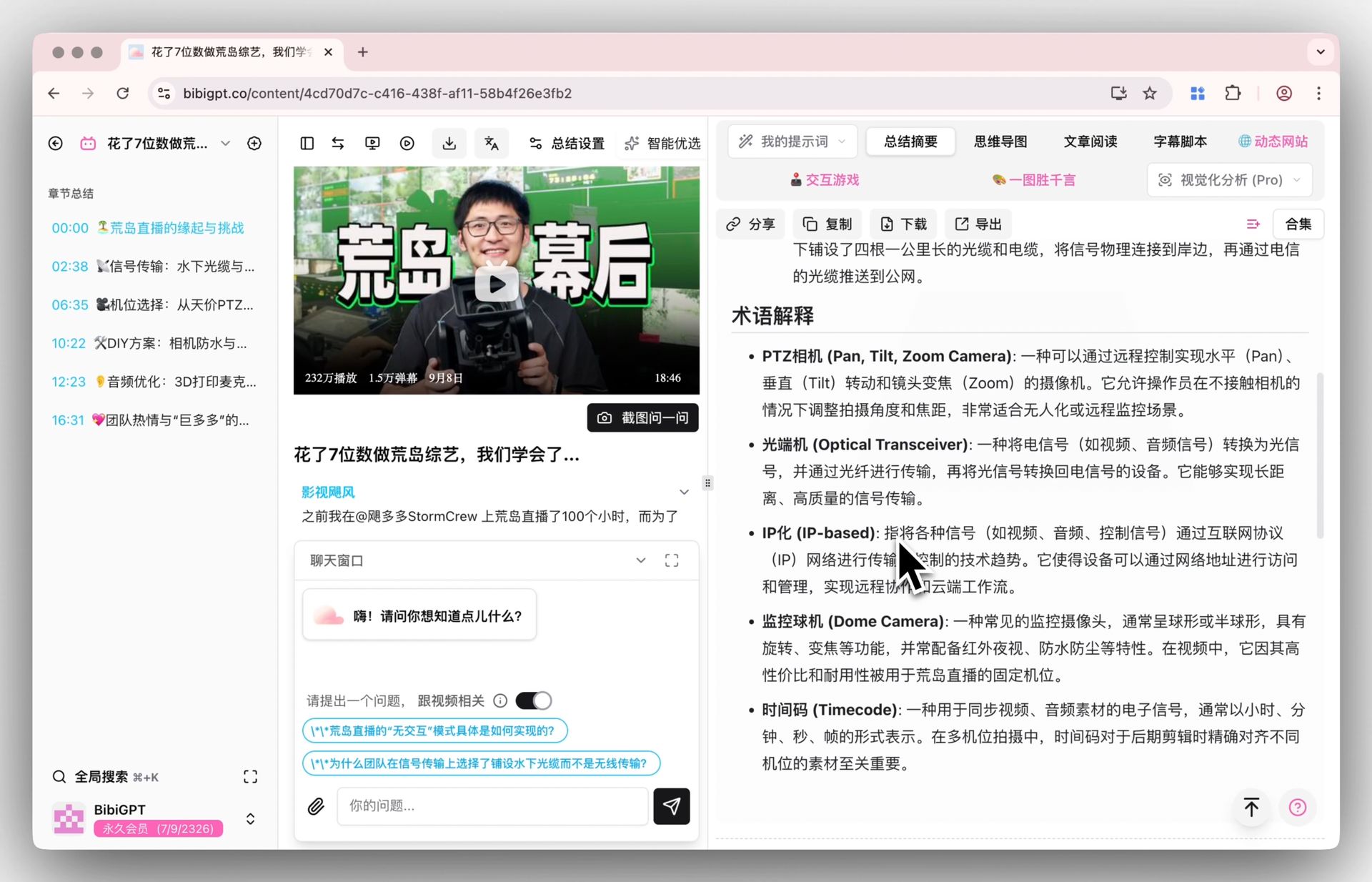
Back to BibiGPT — here’s a real product screenshot showing what a timestamped, structured summary looks like:
Screenshot: BibiGPT · Smart deep summary feature
Why Video and Audio Are the Biggest Dark Matter of the AI Search Era
Zoom out one level. Today’s conversation around “Generative Engine Optimization” (GEO, proposed by researchers at Princeton and Georgia Tech in 2023) almost entirely focuses on web text — but the biggest chunk of content AI engines can’t read is exactly video and audio.
Practical rule: Video content is the biggest dark matter of the AI search era — massive in volume, yet invisible to most AI engines. Turning video and audio into citable text is how you light up that dark matter.
This is exactly where Gemini Notebook and BibiGPT divide the labor: Gemini Notebook does deep processing on material that’s “already text,” while BibiGPT fills the layer upstream of that — turning videos, podcasts, and livestreams into text. Put the two together and you get a complete knowledge pipeline.
The image below shows BibiGPT’s collection summary entry point, which can batch-turn an entire video series into structured notes:
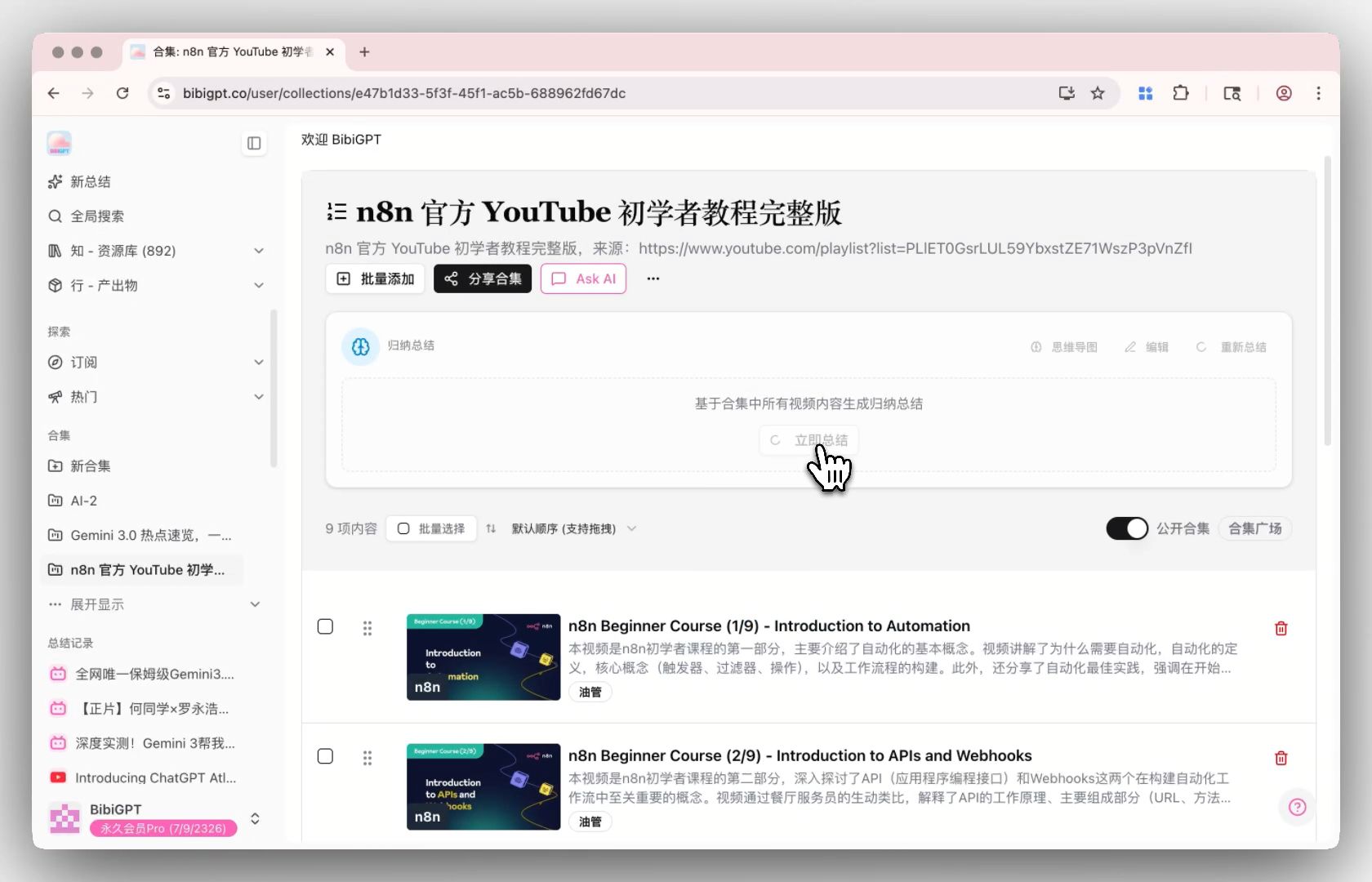
Screenshot: BibiGPT · Collection summary feature
What Makes BibiGPT Unique: More Than “Just Another Summarizer”
BibiGPT has served over 1 million users and generated over 5 million AI summaries, supporting 30+ mainstream video/audio platforms. On top of the core job of “turning video/audio into text,” it layers on several capabilities Gemini Notebook doesn’t currently cover:
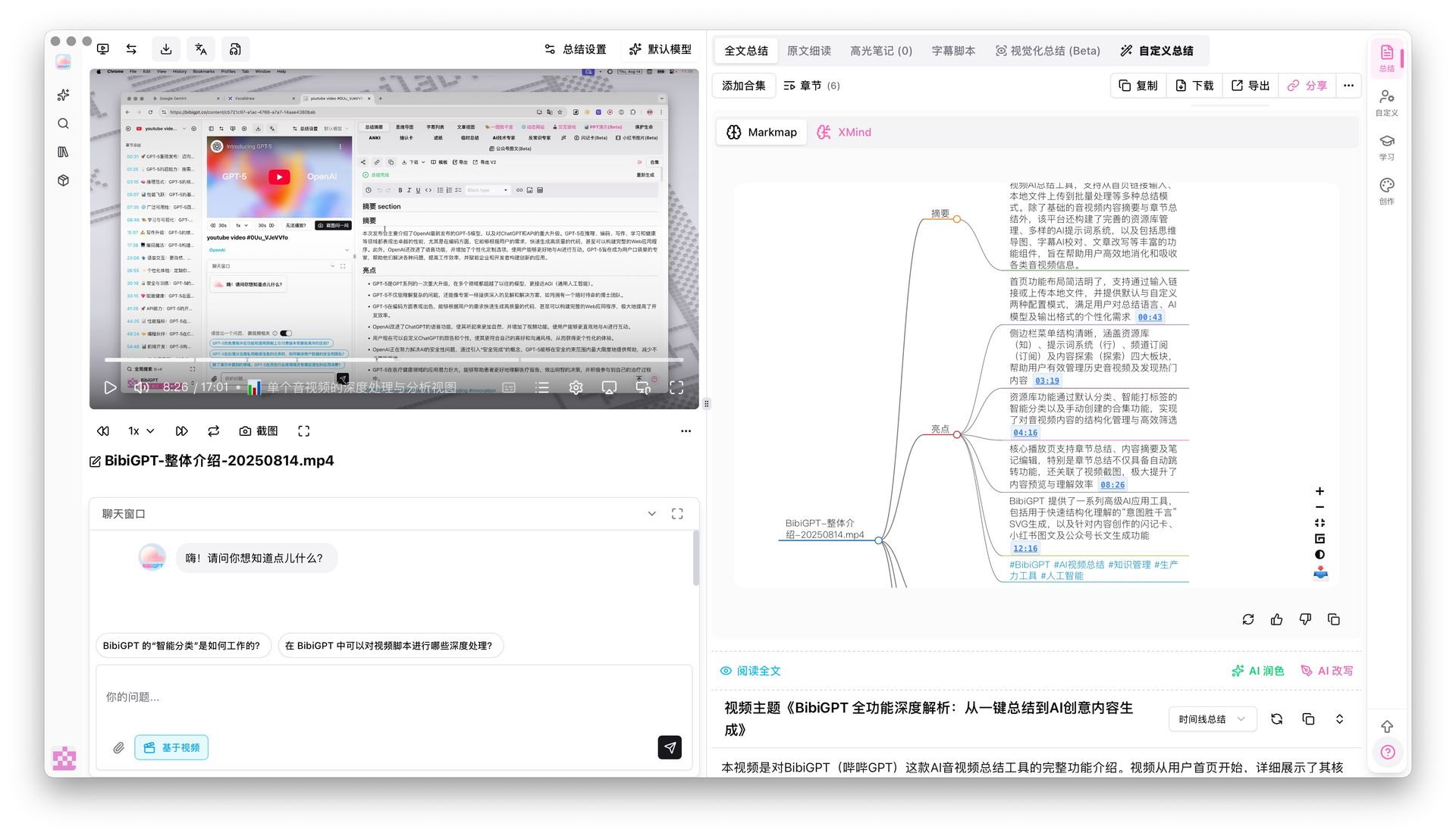
- Timestamped deep summaries: every key point jumps back to the exact second in the original video;
- Mind maps + timestamp jumps: compress a one-hour podcast into a single clickable map;
- Collections and batch processing: summarize an entire series or playlist in one pass;
- Visual understanding and article rewriting: it doesn’t just listen — it watches, and can turn footage into WeChat articles or Xiaohongshu-style image posts.
How to Choose: A 30-Second Decision Filter
No need to argue over “which is stronger” — just go by the format your content is currently in:
- Your material is already documents / web pages / text → use Gemini Notebook for deep research and export;
- The information is locked inside video, podcasts, or livestreams → use BibiGPT first to convert it into timestamped text;
- You have both → BibiGPT handles “reading fast, finding it,” turning video/audio into text; Gemini Notebook handles the heavier research on top of that text. It’s not either/or — it’s upstream and downstream of the same pipeline.
Practical rule: The first question in tool selection isn’t “which has more features,” it’s “what format is my content in right now.” The format determines which link you’re actually missing.
Frequently Asked Questions (FAQ)
Q: Is Gemini Notebook just the old NotebookLM? A: Yes. Renamed on July 16, 2026 — same product, same URL, same notebooks, no migration needed.
Q: Can Gemini Notebook directly summarize YouTube / Bilibili videos? A: It’s centered on material you upload; video and audio generally need to be transcribed to text yourself first. For summarizing directly from a link, BibiGPT is the smoother path.
Q: Why not just use Gemini directly? A: Gemini Notebook is a research and organization tool; BibiGPT is the video/audio-to-text conversion layer. In a real workflow, the two complement each other: use BibiGPT to turn video into text first, then feed it into Gemini Notebook for deeper research.
Q: What platforms does BibiGPT support? A: YouTube, Bilibili, Douyin, Xiaohongshu, podcasts, and 30+ mainstream platforms, plus local file uploads.
Try It Now
Instead of getting hung up on names, go solve that video you can’t get through right now. Paste a link and get a timestamped, structured summary in seconds.
Open BibiGPT and turn your first video into text
BibiGPT Team
Popular tools
More in this series
- Adobe Acrobat Student Spaces vs BibiGPT: Dua Jalur Mengubah PDF dan Video Menjadi Podcast AI (Perbandingan Studi AI Pelajar 2026)
- AI Haoji vs BibiGPT 2026 Full Comparison: Use Case, Platform Coverage, Multilingual, Mind Map Depth, Pricing — Which Should You Pick?
- Perbandingan Tool AI PPT Generator 2026: Qwen vs Gamma vs BibiGPT vs Tome — Mana yang Tepat untuk Anda?
- AI Video Note Taker Comparison 2026: QuickQuill vs Mufal vs Memories.ai vs BibiGPT
- Ask YouTube's Conversational AI Search Rolls Out Wider This Summer: Can It Replace Video Summary Tools? (2026 Hands-On Review)