The AI Audio Briefing Wave: From Forbes Daily Top 3 to Turning Any Long Content Into a Listenable Podcast (2026)
The AI Audio Briefing Wave: From Forbes Daily Top 3 to Turning Any Long Content Into a Listenable Podcast (2026)
You’re on the morning commute, phone in hand, inbox stacked with a dozen unread long-form articles, three half-finished podcasts, and a couple of two-hour interview videos. Your eyes are on the road, your hand is on the rail — there’s no way you’re reading word by word. The thought that pops into your head is simple: wouldn’t it be great if all this stuff could just be read out to me, like the radio?
That’s not a niche demand. In the first half of 2026, a wave of mainstream media outlets bet on the same idea at almost exactly the same time: compress long content into a few-minute AI audio briefing and slip it into those commute, cooking, and running windows where your eyes are occupied but your ears are free. This is shifting from “an experimental feature in some app” to “a standard move in content distribution.”
Most coverage frames it as a media industry story. But for everyday people drowning in information, it answers a more concrete question: can you actually get the core of the long content you subscribe to without reading every word? This piece skips the jargon and the hype. It explains three things clearly — how this wave started, why it matters to you, and how to put “any long content → listenable summary” in your own hands.
100-word quick answer: An AI audio briefing is an AI-generated voice summary that compresses a long article, podcast, or video into a few minutes of audio — so you listen instead of read. As of June 2026, Forbes, Amazon Alexa, the Washington Post, and others are all doing this. You don’t have to wait for media outlets to hand you a briefing — paste any link into BibiGPT to get a structured text summary you can treat as your own private briefing.
Rather than just reading the takeaway, see the full “long content → a few-minute readable and listenable summary” workflow in action — pick a sample below and run it in your browser:
Summarize any video in seconds
Pick a sample below to see the AI summary — TL;DR, key points, and jump-to timestamps.
TL;DR: Karpathy builds a GPT-style language model from scratch in code, explaining every piece — from a tiny character-level model up to the full Transformer.
Key points
- Start with a bigram model, then add self-attention so tokens can "talk" to each other
- A Transformer block = multi-head attention + feed-forward + residual connections + layer norm
- Training is just predicting the next token; scale and data do the rest
- The same architecture behind nanoGPT is what scales up to ChatGPT
Jump to
- 00:07 Why build GPT from scratch
- 08:23 Self-attention, intuitively
- 1:00:00 Assembling the Transformer block
- 1:35:00 From nanoGPT to ChatGPT
1. What Actually Happened: A Timeline Through June 2026
Let’s get the facts straight. The move to turn “long content → AI audio summary” into a product suddenly accelerated in the first half of 2026:
- Forbes launched a daily news audio briefing. According to Digiday’s report, Forbes released a daily audio show called “The Daily Brief,” automatically turning the editorial team’s top 3 stories of the day into roughly 5 minutes of podcast-style audio — you skip opening three long articles and get the day’s highlights in one listen.
- Amazon Alexa introduced on-demand AI audio. Alexa’s podcast and content system began supporting “on-demand generated” AI audio, letting users summon a targeted content summary with a voice command rather than passively waiting for a scheduled episode.
- The Washington Post built personalized AI podcasts. The Post is testing automatically assembling subscriber-relevant stories into a personalized audio stream — the same news library, but a different “briefing” for each listener.
- More players entered public beta. Tools like Rebel Audio, whose core pitch is “text → listenable briefing,” went into public beta, and the whole space is clearly accelerating.
Connecting these dots, the conclusion is clear: top-tier media is standardizing “content → audio summary.” It’s no longer a novelty feature in some app — it’s a distribution format that sits alongside push notifications and email newsletters.
The screenshot below shows what long content looks like after it’s been compressed into structured key points — this is the foundational step behind any audio briefing: make the content shorter first, then you can have it read to you:
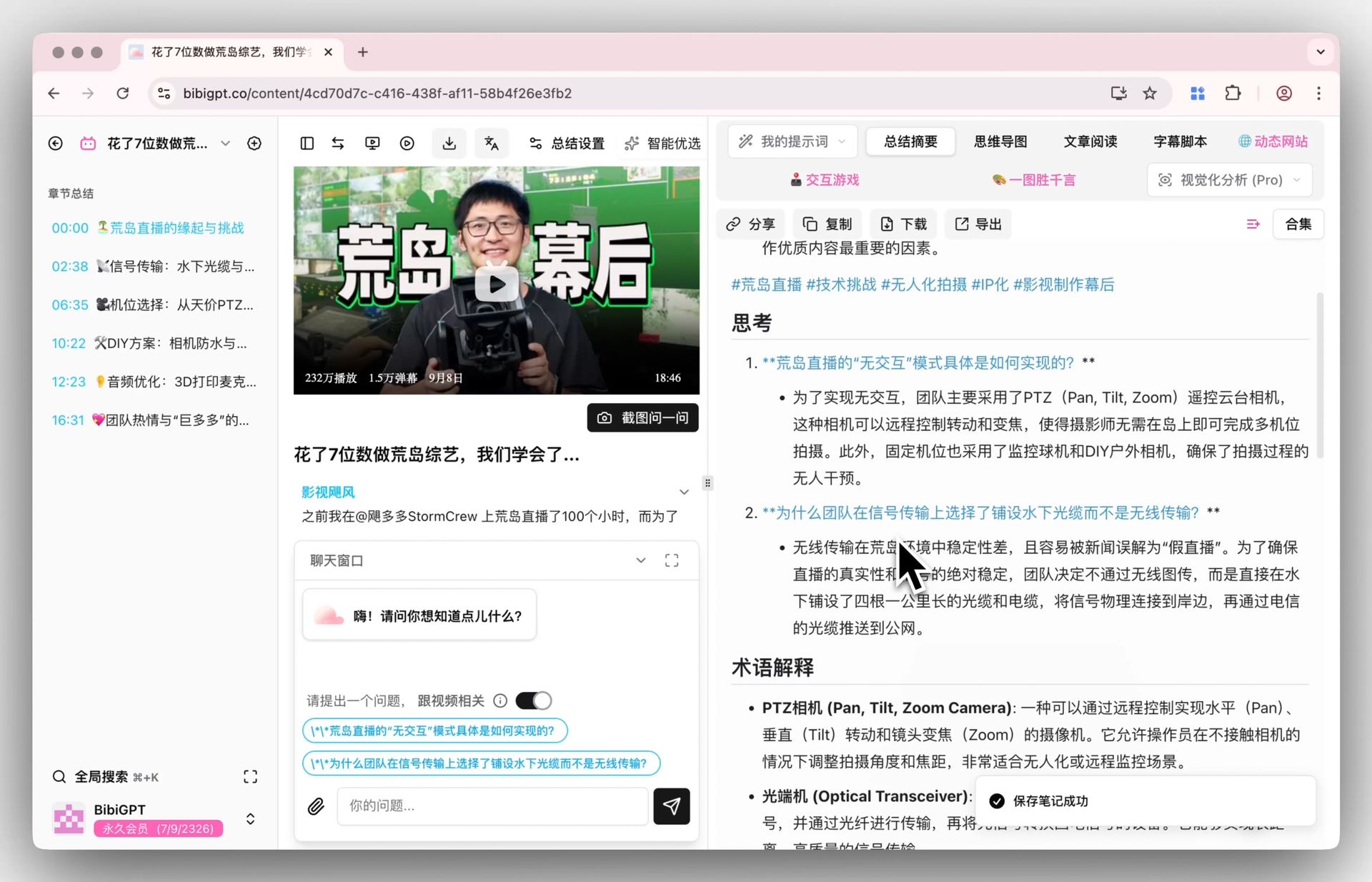
Screenshot: BibiGPT · Smart deep summary feature demo
Practical rule: When gauging whether a content format will go mainstream, don’t look at a single product — look at how many major players are betting on the same thing simultaneously. When Forbes, Amazon, and the Washington Post all do the same thing in the same quarter, it has crossed the “experiment” threshold.
There’s also a bigger industry data point behind this wave: according to the Edison Research Infinite Dial 2024 report, roughly 47% of Americans aged 12 and older listened to a podcast in the past month — “consuming content with your ears” is already a mass habit. AI audio briefings are simply extending that habit to cover any long-form content.
2. Why Every Major Player Is Doing This: Monetizing Idle “Ear Time”
Media companies aren’t building audio briefings to show off. There’s a very practical attention economy at play.
People have large pockets of time each day where their eyes are occupied but their ears are free — commuting, doing chores, working out, walking. These windows have historically been almost unreachable by text content, because you can’t read a long article while crossing the street. Audio is the only content format that fits into these gaps.
AI solves audio’s biggest cost problem: in the past, making a podcast meant topic selection, scripting, recording, and editing — a single episode was expensive to produce. Now “long article → summary → synthesized voice” can be automated, driving the marginal cost to nearly zero. That’s why so many players entered the space at once in 2026 — it’s not that everyone suddenly got inspired, it’s that AI made “audio at scale” economically viable for the first time.
For content platforms, the math is attractive: take an existing long-form content library, automatically spin off an audio stream that captures users’ “ear time,” add almost no production cost, and consume a whole new slice of attention.
Practical rule: Any tool that converts time you would otherwise waste — scattered commute minutes — into productive input is chronically undervalued. Even rescuing just 30 minutes of commute time a day adds up to 100+ hours a year.
But there’s a catch that everyday users often miss: the audio briefings media companies produce only cover their own content. Forbes’s briefing won’t include that independent podcast you follow; the Washington Post’s personalized podcast won’t digest that two-hour meeting recording your boss dropped on you. The giants have standardized the format but haven’t solved “all the miscellaneous long content I personally have to deal with” — which is exactly what the next section covers.
3. What This Wave Means for You: From Passive Listener to Active Distiller
Media AI audio briefings are essentially “platforms listening to their own content for you.” But the content you actually face is spread across far more sources. Let’s break it down by role.
For content creators and independent media: The competitor videos, industry interviews, and overseas podcasts you need to track might total a dozen items a day. Watching everything in full isn’t realistic. The efficient move is to first turn each piece of “long content → a few hundred words of structured key points,” quickly deciding which ones deserve a deep dive and which you can skim. If you can also generate a listenable summary along the way, you can “listen through” the day’s essential material during breaks between editing sessions.
For students and lifelong learners: Online courses, open lectures, and academic interviews tend to be long and dense. Getting a free video content summary first lets you jump precisely to “the key derivation at the 47-minute mark” rather than scrubbing from the beginning.
For working professionals and managers: Meeting recordings, industry report walkthroughs, and long interviews are the classic “important but impossible to read in full.” Compress them into a few-minute digest, listen on your commute, and you’ll walk into meetings already up to speed.
As the demo at the top of this page shows, “long content → a few-minute readable and listenable summary” is one continuous workflow, not a patchwork of disconnected tools. The only difference is this: a media briefing has someone else choosing the content for you, while what you need is the ability to distill any content, from any source, at any time.
Practical rule: Don’t treat “reading it all the way through” as the only way to consume content. Use summaries as triage — “is this worth going deep on?” — before deciding where to invest your full attention. That triage step usually saves more time than the full read itself.
To see it in practice, watch the video below — it walks through the exact process of turning articles and long content into listenable audio with AI:
Video source: YouTube · Tech Research · How to Convert Articles to Audio Using AI
4. How to Put “Any Long Content → Listenable Summary” in Your Own Hands: BibiGPT in Practice
Media briefings solve “their content.” BibiGPT solves “your content.” It supports YouTube, Bilibili, Douyin, TikTok, Xiaohongshu, podcasts, and 30+ other major platforms — paste a link to extract subtitles and generate an AI summary in one click. Here’s a real, runnable workflow.
- Paste any link. A podcast you haven’t finished, a two-hour interview video, the video version of a long report — just paste the link. No need to download anything.
- Get a structured text summary. Within seconds you’ll have a TL;DR + segmented key points + a timestamped outline. Scan this layer first to decide whether the content is worth going deeper on.
- Turn long podcasts directly into readable articles for the details. No need to read the full transcript — get a structured text-and-visual version with key insights and data at a glance.
- Use it as your private briefing. Export the key points into your note-taking system and gradually build a searchable archive of every piece of long content you’ve ever tracked.
Back on BibiGPT’s end, the demo below shows what a podcast or long audio file looks like after it’s been compressed into structured key points — this is the raw material of your “private briefing”:
Ask the video a question
Watched it but still unsure? Ask follow-ups and get answers grounded in the transcript.
Tap a question:
If you’re following an entire series, the screenshot below shows what a whole collection looks like after batch distillation — key points organized into a visual overview so you can see a large body of content at once:
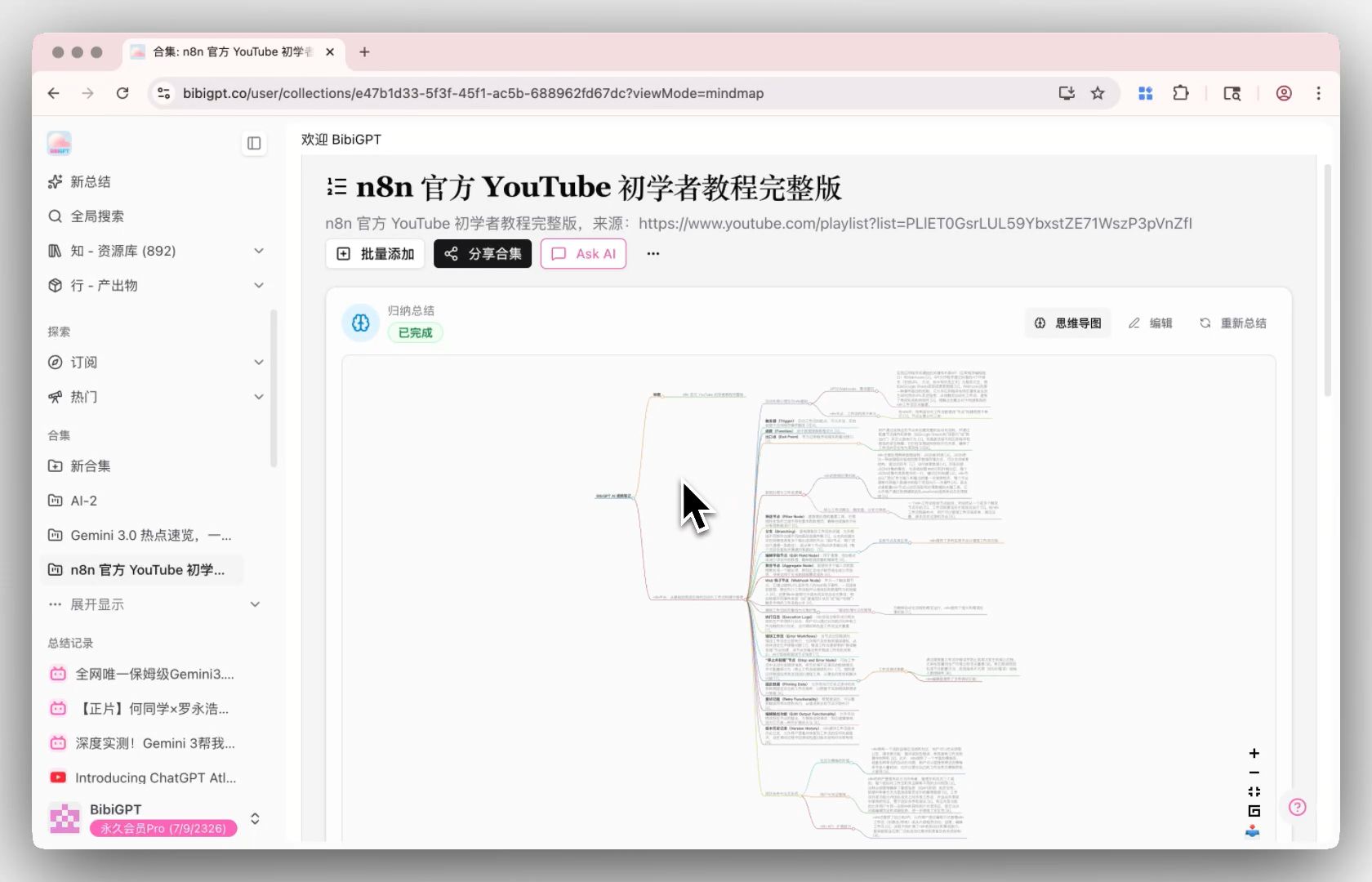
Screenshot: BibiGPT · Collection batch summary feature demo
The biggest difference between this workflow and media audio briefings is this: you’re in control. You don’t have to wait for a platform to decide “what to push you today.” Any long content that’s “too important to skip but too long to read” can be instantly turned into digestible key points. If you regularly listen to podcasts on platforms like Xiaoyuzhou, AI podcast summarization can distill an entire long episode, saving you the effort of listening episode by episode. BibiGPT has served more than 1 million users and generated more than 5 million AI summaries — “making long content shorter” is something it has proven at scale.
Practical rule: When choosing a content distillation tool, the first criterion isn’t how beautifully the summary is written — it’s how wide the source coverage is. A tool that covers 80% of your daily content sources is the one worth building a habit around.
5. Where This Is Headed: Three Forward-Looking Predictions
Based on the moves made in the past six months, here are three predictions:
- “Text-first” will give way to “text + audio, both formats.” More and more content will ship with a listenable version as standard at publication time, as naturally as articles now come with a cover image. Audio will stop being the exclusive domain of podcasts and become a default derivative format for any long content.
- Personalized briefings will become the new “feed.” Washington Post-style personalized audio streams will spread — the same content library, automatically curated into “your personal five minutes” based on your interests. This will become platform infrastructure, just like algorithmic recommendation feeds.
- Users with their own distillation capability will pull ahead. When platforms only help you listen to their own content, the people who can summon distillation capability for any source on demand will process dramatically more information per unit of time. The tool is no longer a bonus — it’s baseline productivity.
One sentence captures the underlying logic of this wave: models are no longer scarce; the speed at which you consume content is. Media companies are using AI to compete for your ear time — you can use the same capability to turn any long content into a form you can process quickly.
6. Frequently Asked Questions
Q1: What’s the difference between an AI audio briefing and a regular podcast? A regular podcast is a complete show manually produced through topic selection, scripting, and recording. An AI audio briefing uses AI to automatically compress existing long content into a few-minute voice summary — the goal is “get the core fast,” not “listen to the whole thing.” They serve different use cases.
Q2: Can I create audio briefings for content I choose, rather than just listening to what media outlets push? Yes. Media briefings only cover their own content, while tools like BibiGPT let you paste any YouTube, Bilibili, or podcast link and get structured text key points — giving you distillation capability over any source.
Q3: Can long videos and long podcasts be distilled with one click too? Yes. Two-hour interviews and full podcast episodes are both supported. BibiGPT generates a timestamped structured summary so you can jump directly to the section you care about without scrubbing from the beginning.
Q4: How accurate are the extracted key points? Summary quality depends on the clarity of the source content and the accuracy of the transcription. BibiGPT provides free online speech-to-text that handles heavy accents and background noise as accurately as possible, ensuring the reliability of the summary from the ground up.
Q5: I track a lot of content every day — can I process it in bulk? Yes. In addition to single links, BibiGPT supports batch distillation of an entire podcast series or a creator’s full video playlist in one go — ideal for creators and researchers who need to scan large volumes of content daily.
Q6: Can I try it without signing up? Yes. Paste a link directly into the homepage input box and you’ll get partial results right away. Experience the full “long content → readable key points” workflow before deciding whether to go further.
Media companies are using AI to compete for your ear time. The truly smart move isn’t to wait passively for platform-curated briefings — it’s to hold the ability to distill any long content on demand, turning unfinished reports, unheard podcasts, and unwatched interviews into forms you can actually process quickly.
If you want to turn any long content into your own readable, listenable private briefing, paste a link into BibiGPT and get started right away — it supports 30+ platforms, and one paste is all it takes to get an AI summary.
BibiGPT Team
Popular tools
More in this series
- AI Podcast Summarizer Complete Guide 2026: From Transcript to Quote Cards
- AI Podcast Summarizer: 6 Tools Compared + BibiGPT Workflow (2026 Comprehensive Guide)
- AI Podcast Transcription Guide (2026): Turn Any Podcast Into Searchable Text With BibiGPT
- Best AI Lecture Summarizer Tools 2026: Compared for Students, Teachers & Self-Learners
- 7 Best AI Podcast Summarizer Tools 2026: BibiGPT vs Snipd vs Podwise