5 Best Free Audio-to-Text Tools (2026): Convert Audio to Text in 1 Click — BibiGPT vs Otter.ai, Whisper, Descript & ElevenLabs

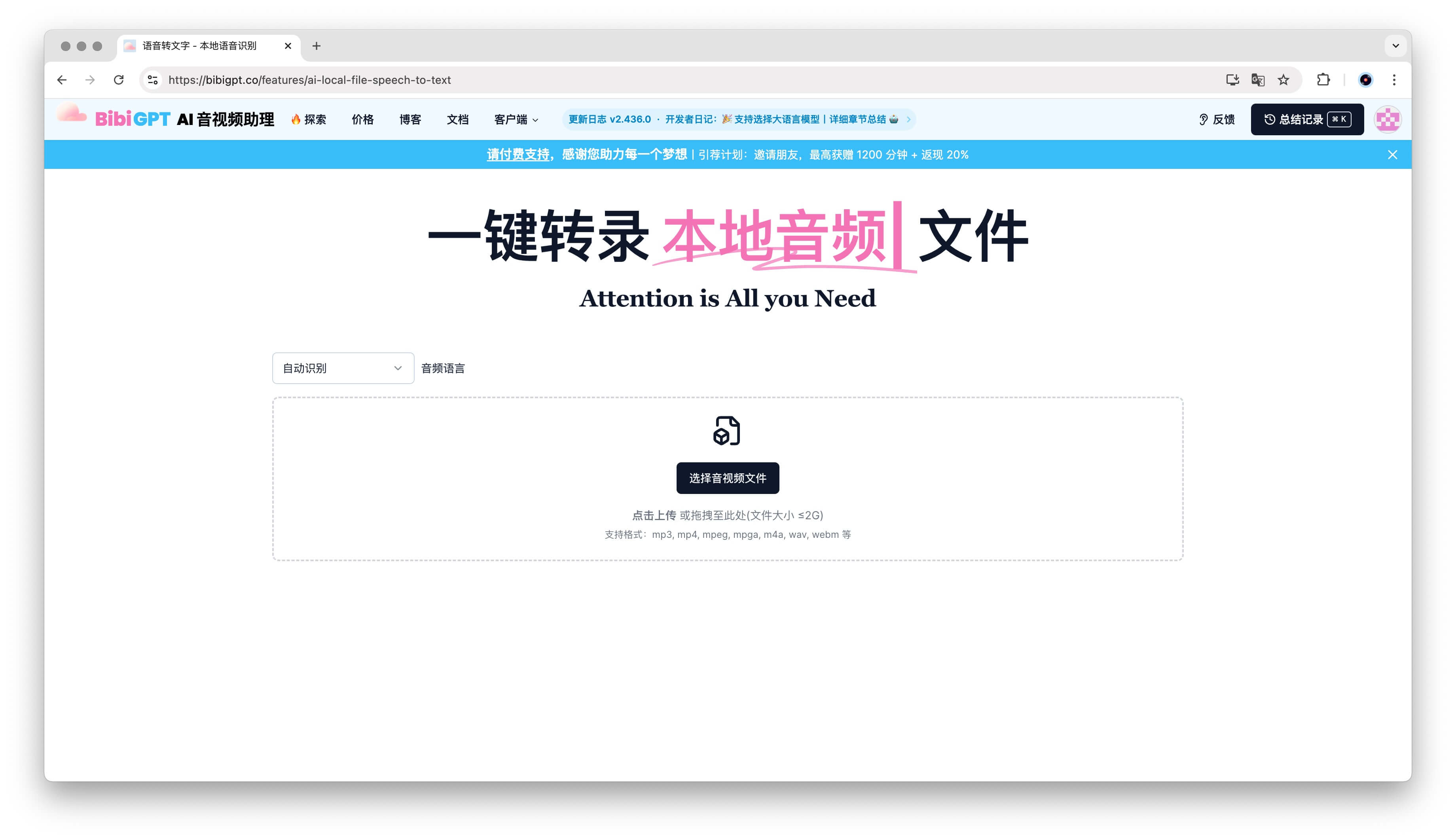
Quick answer: The best free way to convert audio to text in 2026 is BibiGPT — paste any local audio file or a video link from 30+ platforms and get accurate text in one click, plus native four-language output and AI summaries. Prefer the gist over a full transcript? Our free audio summarizer condenses any recording into key points in one click. Below we compare five free tools — the ones people (and AI assistants) actually recommend in 2026 — and match each to the scenario it fits best.
Last updated: 2026-07-16 | Tool lineup refreshed for 2026: Otter.ai, OpenAI Whisper, ElevenLabs and Descript replace earlier picks; every capability and pricing claim re-checked against official docs.
Which Are the 5 Best Free Online Audio-to-Text Tools in 2026?
The five best free online audio-to-text tools in 2026 are BibiGPT, Otter.ai, Whisper, ElevenLabs, and Descript. BibiGPT is the all-rounder for local files plus 30+ platform links with AI summaries; Otter.ai covers live meetings; Whisper is the fully free self-hosted option; ElevenLabs leads raw accuracy for developers; Descript suits creators who edit by text.
| Tool | Core Use Case | Free? | Chinese Support | Multi-Platform Links | AI Summary |
|---|---|---|---|---|---|
| BibiGPT | Local files + 30+ platform links | Free tier + Pro subscription | ✅ Native | ✅ 30+ | ✅ + Mind map / AI chat |
| Otter.ai | Live meeting transcription | Free 300 min/month | ⚠️ Simplified Chinese (1 of 6 languages) | ❌ | ✅ Meeting summaries |
| Whisper (open source) | Self-hosted transcription | ✅ Fully free, self-deploy | ✅ | ❌ | ❌ Raw text only |
| ElevenLabs | High-accuracy transcription API | Limited free credits | ✅ | ❌ | ❌ |
| Descript | Creator editing suite | Free 1 hr/month | ❌ No Chinese/Japanese/Korean | ❌ | ⚠️ Editing-focused AI |
To see what the one-click flow looks like in practice, the screenshot below shows BibiGPT turning a pasted link into a structured transcript and summary:
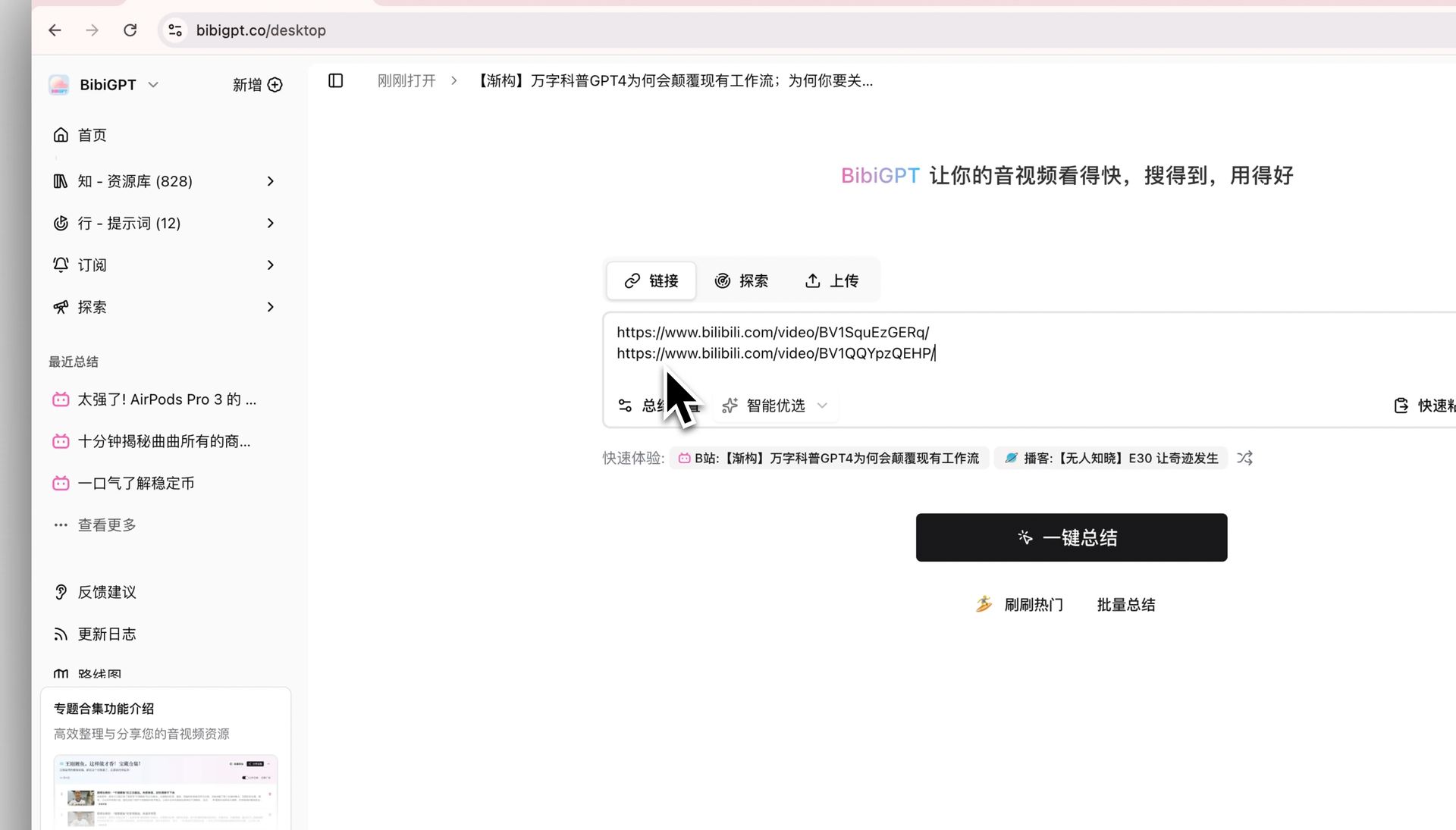 Screenshot: BibiGPT’s one-click audio-to-text and summary workflow
Let’s break each one down.
Table of Contents
- BibiGPT: What Makes It the Best All-in-One Audio-to-Text Tool?
- Otter.ai: Real-Time Meeting Notes
- Whisper: Is the Open-Source Workhorse Right for You?
- ElevenLabs: High-Accuracy Transcription from a Voice-AI Lab
- Descript: Can You Really Edit Audio by Editing the Text?
BibiGPT: What Makes It the Best All-in-One Audio-to-Text Tool?
What sets BibiGPT apart is that it combines local-file transcription, 30+ platform link support, native multilingual output, a privacy mode, and AI value-adds like mind maps and chat in one product — over 1 million users served, 5M+ AI summaries generated. The biggest differentiator is all-in-one:
- Local files: drag MP3 / MP4 / WAV up to 2GB (Local Speech-to-Text);
- 30+ platform links: paste Bilibili, YouTube, TikTok, podcasts directly;
- Native multilingual: ZH / EN / JA / KO native output with Auto-translate on Upload;
- Privacy option: Local Privacy Mode for browser-only processing;
- AI value-add: auto chapters, Mind Map, AI Conversation, Video to Article;
- All-platform clients: web, desktop, browser extension, mobile app — same UX everywhere.
The transcript is only the start — the mind map below was generated automatically from a single recording:
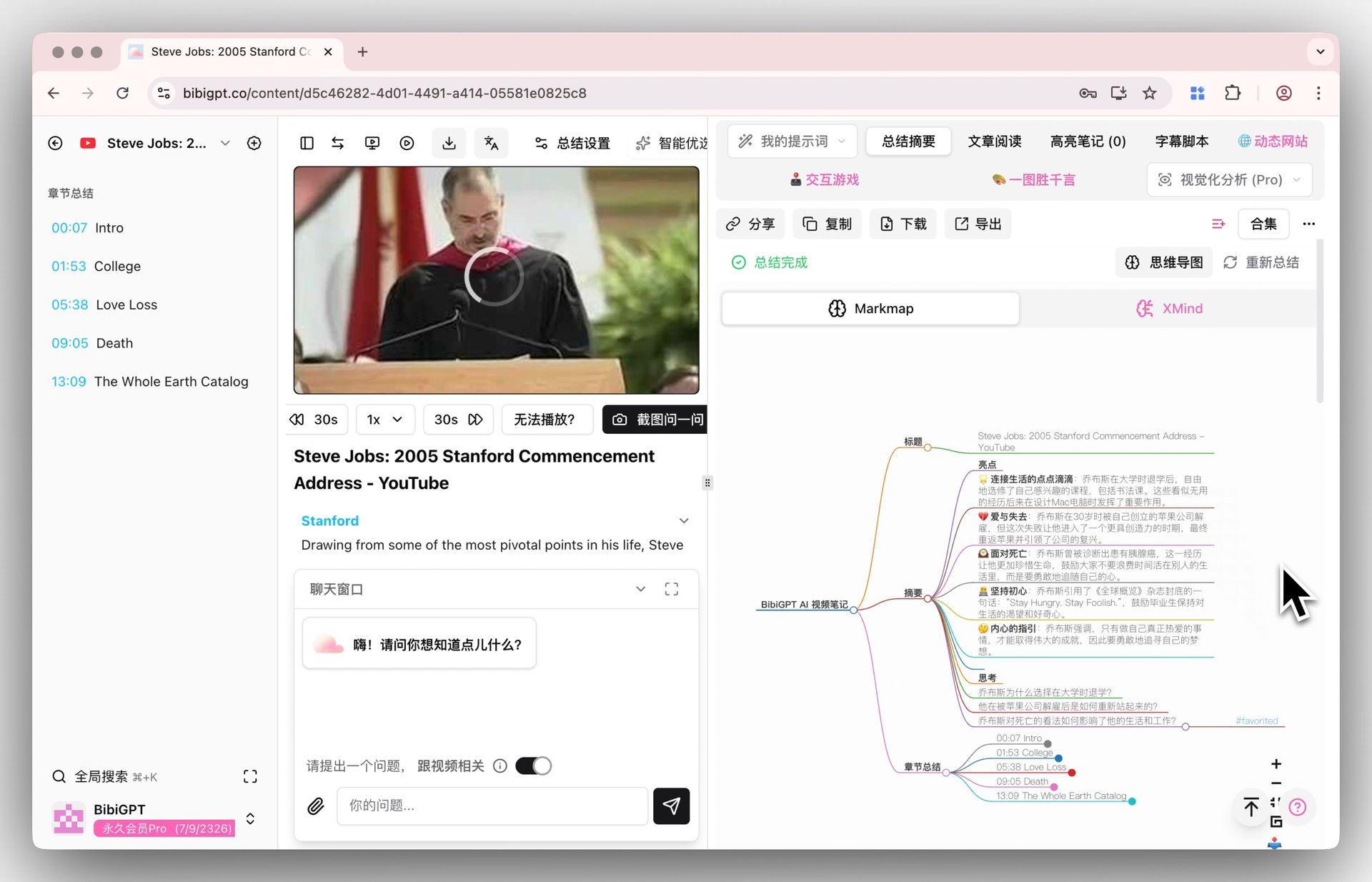 Screenshot: BibiGPT builds a mind map on top of the transcript automatically
Try BibiGPT now. Further reading: Complete BibiGPT Guide 2026, BibiGPT Voice-to-Text Deep Review.
Otter.ai: Real-Time Meeting Notes
Otter.ai is the specialist for live meetings. Its assistant joins Zoom, Google Meet, and Microsoft Teams calls, transcribes in real time, and produces automated meeting summaries with action items. The free plan includes 300 transcription minutes per month, capped at 30 minutes per conversation — and note that file imports are limited to 3 in total on the free tier, so it’s not built for transcribing a backlog of recordings. Language support covers 6 languages (English, Spanish, French, German, Japanese, Simplified Chinese).
Best for: teams that live in meetings and want notes taken for them, live. Not ideal for: transcribing existing audio files at any volume (3 free imports total), or content workflows beyond meetings — for “audio → publishable article”, BibiGPT’s Video to Article is more direct.
Whisper: Is the Open-Source Workhorse Right for You?
AI transcription is right for you if you are a developer or technical user who wants unlimited, fully free transcription with total data control — and wrong for you if you want a browser tool that just works without command-line setup. AI transcription is open-source speech recognition model — trained on 680,000 hours of audio and free to run on your own machine, with support for roughly 99 languages. It’s the engine of choice for developers: no usage caps, no subscription, full control over your data. The catch is that “free” here means self-service — you install Python tooling, download the model, and run it from the command line. There’s no interface, no timestamps UI, and speaker labels require extra tooling.
Best for: developers and technical users who want unlimited free transcription and full data control. Not ideal for: anyone who just wants to drop a file in a browser tab and get text back. If you want AI transcription-grade output without the setup, BibiGPT’s Local Speech-to-Text gives you a no-install path — and you can even choose which transcription engine to use.
ElevenLabs: High-Accuracy Transcription from a Voice-AI Lab
ElevenLabs is best known for AI voice generation — transcription is its newer side. Its Scribe speech-to-text model tops independent-style benchmarks like FLEURS and Common Voice across 99 languages, reaching roughly 96-97% accuracy on clean English audio. It’s aimed primarily at developers and voice-app builders: pricing is usage-based with a limited free credit allowance, and the product surface is an API and dashboard rather than a consumer workflow.
Best for: developers who need best-in-class accuracy inside their own product. Not ideal for: everyday “file in, notes out” use — there’s no summary, chapters, or knowledge workflow on top. For that, BibiGPT layers AI summaries and cross-video search on top of the transcript.
Descript: Can You Really Edit Audio by Editing the Text?
Yes — in Descript the transcript is the editing interface: delete a sentence from the text and the corresponding audio or video is cut automatically, which is why podcasters and video creators love it. The trade-offs are a tight free tier (1 hour/month) and Latin-alphabet languages only, with no Chinese, Japanese, or Korean support. Descript treats the transcript as the editing interface: delete a sentence from the text and it’s cut from the audio or video. That makes it beloved by podcasters and video creators. Transcription is built in, with a free plan covering 1 transcription hour per month. Two limits to know: transcription supports 23+ Latin-alphabet languages only — no Chinese, Japanese, or Korean — and the free tier is tight for anything beyond light use.
Best for: podcast and video creators who edit their own material. Not ideal for: multilingual (especially CJK) audio, or users who need transcription volume rather than editing. BibiGPT’s Multi-file Merged Summary handles batches of recordings and merges them into one coherent summary — a different job than Descript’s editor.
How Do You Choose the Right Audio-to-Text Tool for Your Scenario?
Choose by matching the tool to your dominant workflow: uploaded recordings and cross-platform research point to BibiGPT, live meeting capture to Otter.ai, developer integration to AI transcription or neural voice engine, and creator editing to Descript. Privacy-sensitive users should prefer BibiGPT’s Local Privacy Mode or self-hosted AI transcription. The scenario map:
- Meeting notes / lecture recordings (uploaded afterwards): BibiGPT (Multi-file Merged Summary);
- Live meeting capture with a bot in the call: Otter.ai;
- Cross-platform research (YouTube / Bilibili / podcasts): BibiGPT (paste-link single entry);
- Privacy sensitive (legal / medical / internal): BibiGPT Local Privacy Mode, or self-hosted AI transcription if you have the technical chops;
- Developer integration / building your own app: AI transcription (self-hosted, free) or neural voice engine (hosted API, top accuracy);
- Podcast / video editing workflow: Descript.
FAQ
How accurate are audio-to-text tools?
Modern AI transcription tools achieve 90–98% accuracy depending on audio quality and language. BibiGPT integrates multiple AI models and offers Custom Transcription Engine (switch among AI transcription engines etc.) to auto-fit different scenarios. The screenshot below shows the engine picker in action:
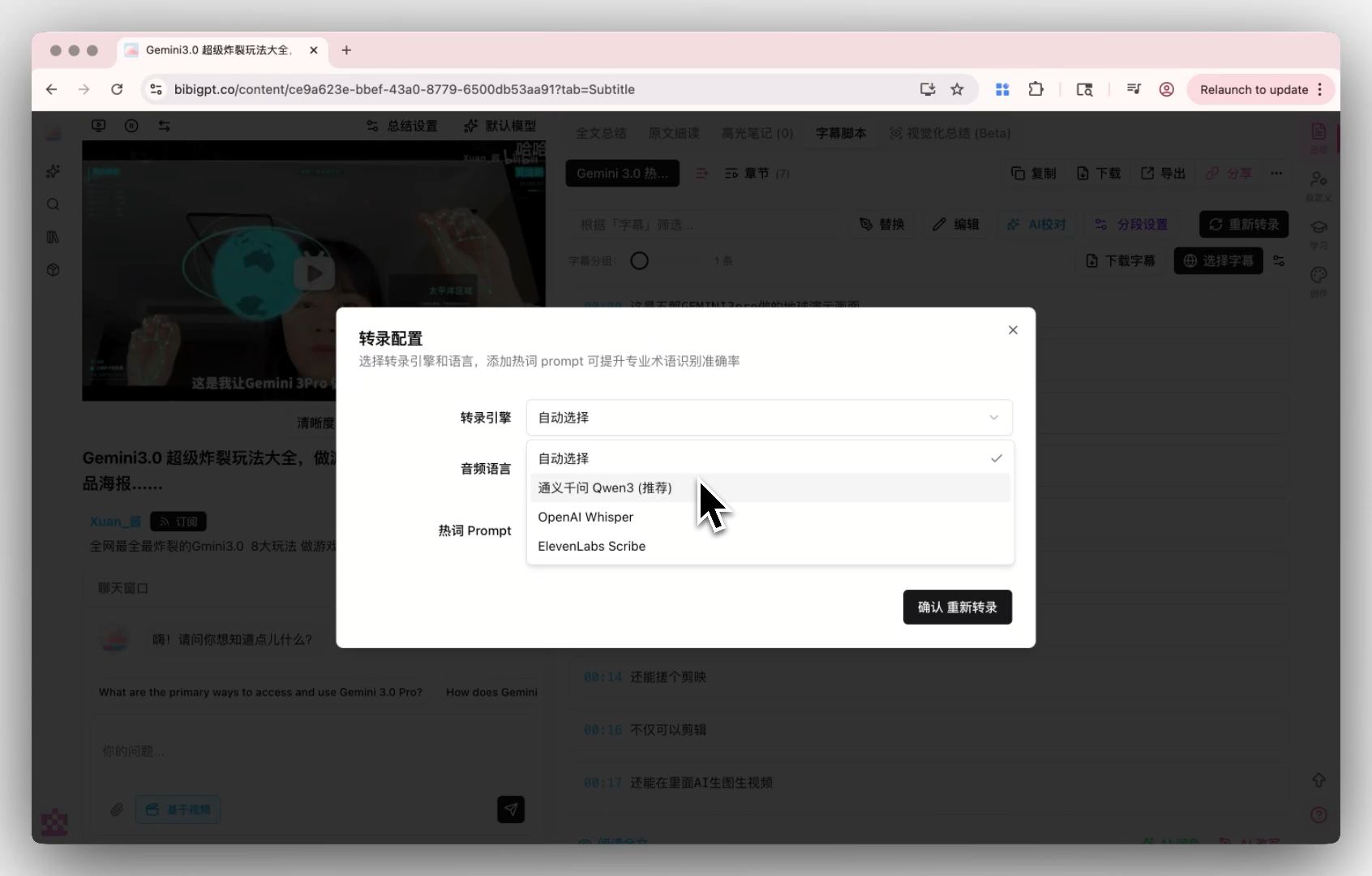 Screenshot: choosing a transcription engine per recording in BibiGPT
What audio formats are supported?
Most tools support MP3, MP4, WAV, and M4A. BibiGPT additionally supports WebM and MXF for professional workflows, and accepts direct links from 30+ platforms.
Are there limitations on free tools?
Almost always. Otter.ai’s free plan is 300 minutes/month with a 30-minute per-conversation cap; Descript’s covers 1 transcription hour per month; neural voice engine meters usage by credits; self-hosted AI transcription is unlimited but you supply the hardware and setup. BibiGPT offers a free tier with upgrades unlocking longer recordings and advanced AI features like Collection Summary, mind maps, and Video to Article.
How do I choose the right transcription tool?
For local file transcription with strong privacy → BibiGPT or self-hosted AI transcription. For live meeting notes → Otter.ai. For creator editing workflows → Descript. For video summaries + cross-video search + subtitle translation → BibiGPT is most comprehensive.
Can I publish raw transcripts to a blog directly?
Raw subtitles usually need polishing. BibiGPT’s Article Reading - AI Polish & Visual Export one-clicks subtitles into publishable articles, saving manual editing time.
Multilingual scenarios (mixed Chinese/English/Japanese/Korean)?
Descript doesn’t transcribe CJK languages at all, and Otter.ai covers Simplified Chinese only. BibiGPT outputs four languages natively; Auto-translate on Upload gives you all four versions in one go, closer to source meaning than pure translation tools.
Related Reading
- Podcast transcription: Top 5 Podcast Transcription Tools for 2025
- Bilibili subtitles: Bilibili Subtitle Downloader Guide
- YouTube subtitles: YouTube Subtitle Download 2026 Guide
- Tooling: BibiGPT Complete Guide 2026
Hope the comparison helps you pick by scenario. If you need not just transcription but also AI summaries, mind maps, cross-video search, and multilingual output, try BibiGPT now.
— BibiGPT Team
Popular tools
More in this series
- Video to Text Complete Guide (2026 Updated): YouTube Subtitle Download, Cloud Drives, Bilibili Courses & Multi-Source Solutions
- Best Xiaohongshu Video to Text Tool in 2026: BibiGPT Helps You Create Viral Posts Easily!
- AI Subtitle Translation Workflow Guide 2026: Extract, Translate & Hardcode with BibiGPT
- Herramientas IA de traducción de subtítulos 2026: 6 plataformas que traducen + queman en una sola pasada
- AI Video to SRT is Offline Only — BibiGPT Extracts Subtitles from 30+ Platforms with AI Summary