OpenAI Ships GPT-Realtime-2, Realtime Translate, and Realtime Whisper: What It Means for BibiGPT Subtitle, Translation, and Transcription Users (2026-05-09)
OpenAI Ships GPT-Realtime-2, Realtime Translate, and Realtime Whisper: What It Means for BibiGPT Subtitle, Translation, and Transcription Users (2026-05-09)
80-word direct answer (as of 2026-05-09): On 2026-05-07, OpenAI dropped three realtime audio models simultaneously — GPT-Realtime-2 (128K context, GPT-5-class reasoning), GPT-Realtime-Translate (70+ source languages, 13 target languages), and GPT-Realtime-Whisper (streaming STT). For BibiGPT users, the biggest unlocks are: long audio context that no longer fragments, sub-second cross-language subtitle latency, and another step up in transcription precision — and BibiGPT’s existing custom transcription engine and auto-translate pipelines are already built as plug-in slots for exactly this kind of base layer upgrade.
1. Timeline (let’s get the facts straight first)
- 2026-05-07: OpenAI announced three new realtime audio models in a single developer update.
- GPT-Realtime-2: 128K context with GPT-5-class reasoning, optimized for long audio and long conversations; pricing at $32/M input tokens and $64/M output tokens.
- GPT-Realtime-Translate: covers 70+ source languages, outputs 13 target languages, billed by audio duration at $0.034/minute; optimized for low-latency translation and cost.
- GPT-Realtime-Whisper: streaming STT, moving transcription from batch to “text-as-you-speak.”
- Source: OpenAI official update (concrete model pricing tracked at OpenAI Platform docs).
These three models, taken together, split “realtime audio” into three independently callable APIs — long-context reasoning, streaming translation, streaming transcription — covering nearly every “audio → text → translation → understanding” workflow when composed.
2. Deep dive: technical, market, and ecosystem impact
2.1 Technical: long audio no longer fragments
Previously, processing a 90-minute podcast or meeting with GPT-4o Realtime forced developers into “sliding window + summary re-injection” workarounds because the context window couldn’t hold the full audio. A 128K context window directly fits a full 2-hour podcast or a half-day workshop, letting the model do end-to-end chapter synthesis, cross-paragraph citation, and cross-speaker thread tracking — capabilities that previously required two passes.
Stack GPT-5-class reasoning on top, and the model isn’t just hearing the literal words — it understands “how that example just now relates to the argument from the first half.” That’s a qualitative jump for long-form video learning.
2.2 Market: realtime translation enters the affordable zone
GPT-Realtime-Translate at $0.034/minute means roughly $2/hour of realtime translation cost — finally low enough for consumer tools to ship without burning capital. The asymmetric 70+ → 13 design is pragmatic: cover the long tail of low-resource source languages on the input side, restrict outputs to the 13 most-used target languages — that’s 90% of the consumer use case.
Granola, Otter, Fireflies and similar meeting-notes tools will be forced to accelerate, because the “live translated captions during meetings” experience bar just jumped overnight.
2.3 Ecosystem: streaming STT puts realtime captions back into baseline
GPT-Realtime-Whisper’s streaming STT shifts the legacy “wait a few seconds for captions” Whisper experience into “text appears as words are spoken.” For shorts, livestreams, and podcast tools — especially those running live caption translation for audiences — this is a base-layer upgrade.
For a “consume existing content” product like BibiGPT, streaming STT is nice-to-have, not must-have: users uploading a recording or a link can tolerate a 30-second to 2-minute full-batch transcription; streaming better fits live scenarios. But the precision improvement is a universal benefit.
3. What it actually means for BibiGPT users (by role)
3.1 Creators: cross-language short-form output gets faster
If you produce cross-language content for Xiaohongshu, Douyin, or TikTok, the typical flow has been “BibiGPT transcribe → copy to external translator → paste back into BibiGPT to fix subtitles.” With this base-layer upgrade, BibiGPT’s auto-translate-on-upload pipeline can produce bilingual subtitles in a single pass, and translation quality rises with newer models like GPT-Realtime-Translate.
3.2 Students and learners: long video cross-language learning no longer hits context walls
Studying a foreign language, watching English open courses, or listening to Japanese podcasts — BibiGPT could already do chapter summaries on 1.5-hour videos, but with a 128K-context model as the foundation, cross-chapter Q&A, citation, and comparison get more reliable. After watching a 2-hour finance lecture, you can ask “does the counter-example at minute 14 contradict the conclusion at minute 78?” and the model can pull both segments into the same comparison.
3.3 Enterprise / API users: batch cross-language transcription gets cheaper
If you use BibiGPT batch pipelines for client interviews, industry conferences, or multilingual asset processing, $0.034/minute for realtime translation combined with BibiGPT batch scheduling materially lowers the marginal cost of “100 hours of audio → cross-language summaries.” BibiGPT’s existing SRT subtitle sync export and smart subtitle segmentation pipelines absorb the precision dividend directly.
4. BibiGPT in practice: 4 steps to use the new base layer
Step 1: Paste a cross-language link
Go to bibigpt.co, paste a YouTube/podcast/Bilibili link, or upload an audio/video file.
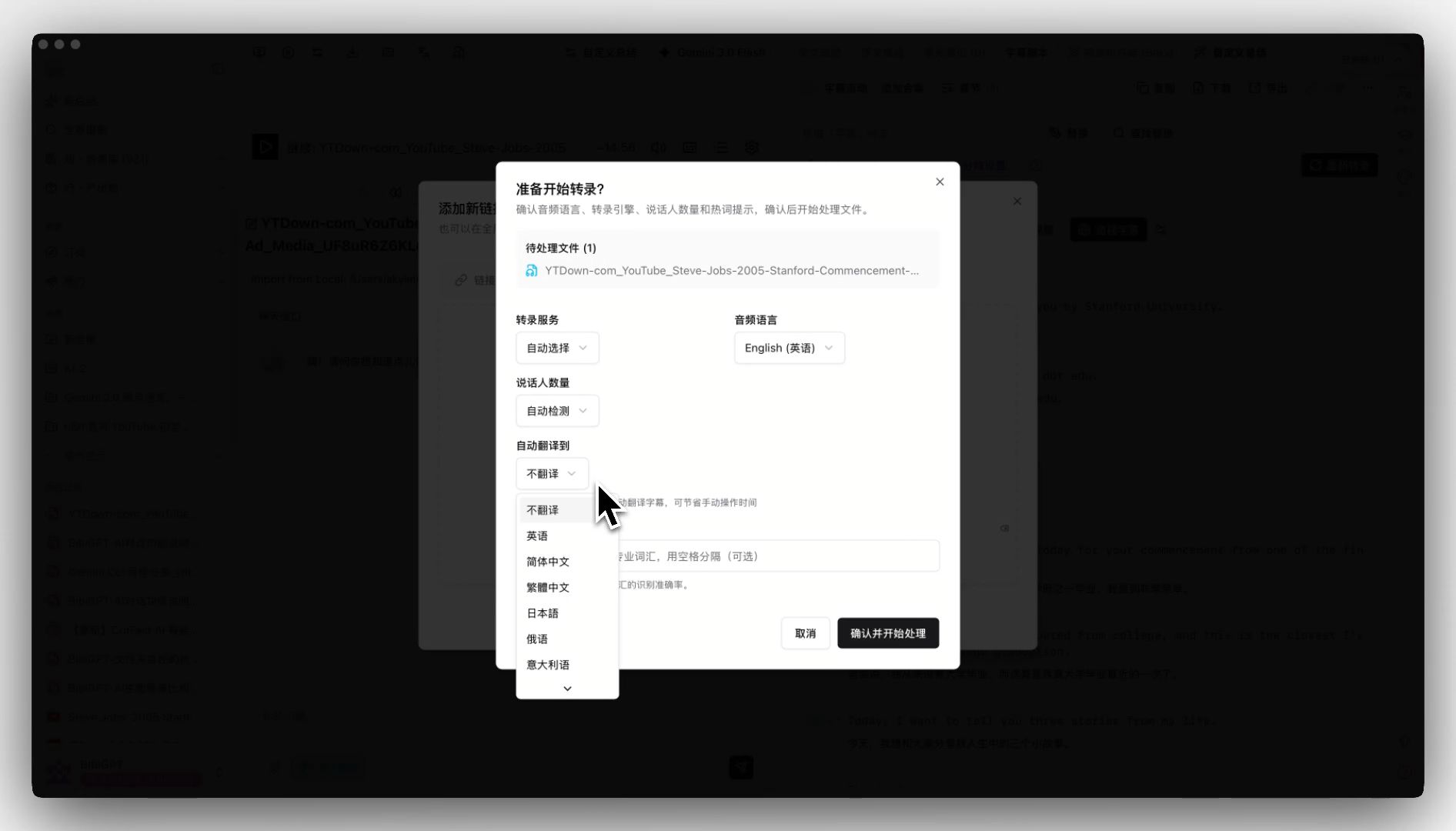
Step 2: Enable auto-translate and pick a target language
Right in the upload dialog, select “Translate to English” (or Chinese / Japanese / Korean). BibiGPT chains transcription and translation into a single pipeline, returning bilingual subtitles directly.
Step 3: Cross-chapter Q&A
After the summary is generated, use AI conversation chat window on long videos to ask “where does chapter X conflict with chapter Y?” — the sweet spot for a 128K-context model.
Step 4: Export bilingual SRT into your editing pipeline
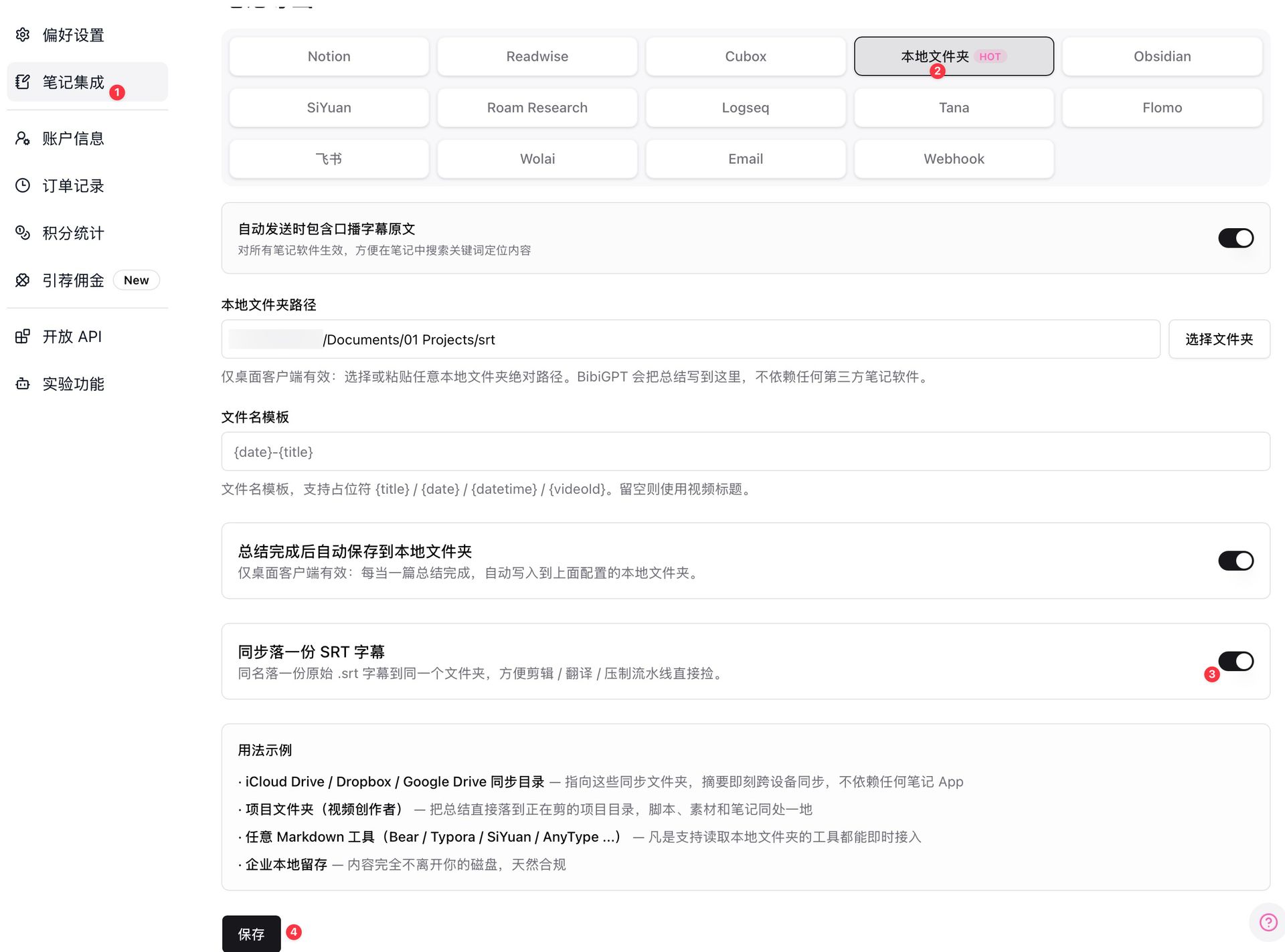
Toggle on “local folder sync” and every completed summary will drop a .srt subtitle file into your configured directory — pair with iCloud or Dropbox for cross-device sync.
5. Why use BibiGPT instead of calling the OpenAI API directly?
The single most important question for any product-integration trending post. BibiGPT is not just another model aggregator:
- Pipeline and scenarios: A direct OpenAI API call gives you a transcript string. BibiGPT gives you “chapter segmentation + clickable timestamps + mind map + multilingual subtitles + note export” as one workflow.
- 30+ platform native integration: YouTube, Bilibili, Douyin, TikTok, Xiaohongshu, Spotify, Apple Podcasts, local files — BibiGPT handles “link → audio stream” upstream of the model.
- Multi-model routing: BibiGPT routes to OpenAI, Claude, Gemini, Doubao, DeepSeek and others by task type; new base layers (like GPT-Realtime-2 / Translate / Whisper) plug in seamlessly without users switching tools.
- Engineering footprint serving millions: BibiGPT serves over 1 million users with 5 million+ AI summaries generated, supporting 30+ platforms — engineering assets that go beyond “model + prompt.”
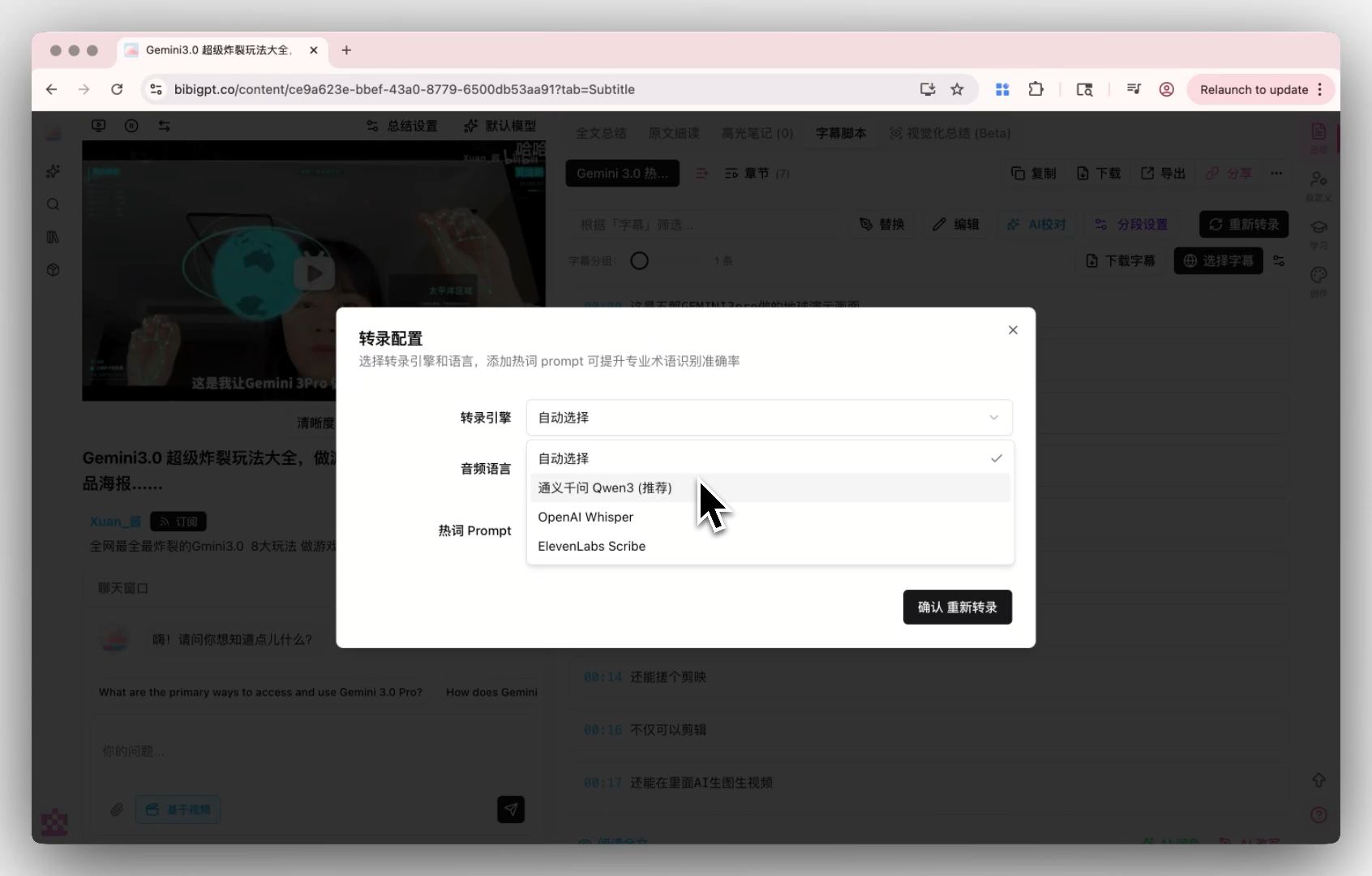
- Custom transcription engine: BibiGPT custom transcription engine already supports Whisper and ElevenLabs Scribe switching; the new Realtime Whisper can drop in as another option once stable, BYOK-friendly.
6. Forward-looking: 3 things that will happen
- In late 2026, “live translated captions” become consumer-product table stakes: once costs are pressed down, every video/meeting tool ships this capability; differentiation moves to “translation quality + language coverage depth + integration with notes tools.”
- A new generation of long-audio “end-to-end understanding” products will emerge: 128K context plus GPT-5-class reasoning makes “3-hour meeting → executable action items” feasible — exactly the trajectory BibiGPT chapter summary + AI chat + mind map is on.
- Marginal cost of batch cross-language processing drops one more notch: B2B budgets for industry interviews, market research, and multilingual content moderation will reallocate; automation coverage moves from this year’s ~30% toward 60%+.
7. The real scarcity in the AI era: speed of consumption
Models are no longer scarce — every month brings a new generation. What’s scarce is the speed at which audio and video can be turned into structured, searchable, queryable knowledge assets at the lowest cost and least friction. That’s what BibiGPT has always been about — making consuming audio/video as fast as consuming text.
GPT-Realtime-2 / Translate / Whisper raise the base layer; BibiGPT stitches the workflow on top tighter.
8. FAQ
Q1: Has BibiGPT integrated GPT-Realtime-2 / Translate / Whisper?
A: BibiGPT’s multi-model routing architecture allows quick integration once a new model stabilizes; concrete launch dates are tracked in product update announcements. The existing custom transcription engine already supports Whisper / ElevenLabs Scribe switching.
Q2: How low is realtime translation latency? How will BibiGPT use it?
A: OpenAI hasn’t published a strict latency benchmark, but the industry expects GPT-Realtime-Translate end-to-end latency in the 1-3 second range. BibiGPT’s primary use case is “consume existing content” (links and uploads), which doesn’t strictly depend on realtime — but live and meeting scenarios will benefit.
Q3: Is the pricing too high for everyday users?
A: Realtime translation at $0.034/minute is consumer-friendly. GPT-Realtime-2 at $32/$64 per M tokens keeps long-audio costs manageable. BibiGPT’s membership tiers smooth the cost across usage frequency — average users won’t see line-item billing.
Q4: I have a 2-hour English podcast and want bilingual Chinese subtitles. Can BibiGPT do it now?
A: Yes. Go to bibigpt.co, paste the link or upload, check “Translate to Simplified Chinese,” and within a few minutes you get bilingual subtitles + chapter summary + clickable timestamps.
Q5: How is BibiGPT different from Otter / Granola / Fireflies meeting tools?
A: Those tools focus on “live recording during meetings.” BibiGPT focuses on “consuming links and existing media files” — recorded meetings, downloaded podcasts, YouTube videos you want to watch — drop them in for one-click knowledge. The two categories are complementary, not competitive. Further reading: Granola vs BibiGPT: meeting notes vs multi-platform audio/video summaries.
Q6: As a developer, should I wait for BibiGPT integration or call the API myself?
A: If you only need transcript text, direct API calls are the fastest path. If you need “link → multilingual subtitles → chapter summary → mind map → note export” as one pipeline, BibiGPT has spent 3 years polishing this — building from scratch is expensive.
Try BibiGPT cross-language audio/video processing: bibigpt.co. Further reading: YouTube to mind map AI tools complete guide | Granola vs BibiGPT: meeting notes vs multi-platform audio/video summaries